*Check out my youtube video about this game: My channel is ORO Video Games (just type it in the search engine). I’ve reviewed this game and several others. Thanks & God Bless!
Note 1: Like dodge ball games? Check out my review of the Neo Geo version of Super Dodge Ball? Like Nekketsu games like this one? Check out all my other Nekketsu reviews!
Note 2: This game was played on a PC Engine Core Graphx console with AV (red, yellow, white) hook ups. It was connected to a 32 inch-HD tv.
Play against the best International Dodge Ball teams, like (evidently) Iceland.
Quick History: An exclusive release for the PC Engine home console in Japan in 1988, Nekketsu Kōkō Dodgeball Bu: PC Bangai Hen, or Super Dodge Ball, is based on the arcade game of the same name. While this PC Engine version is based on the arcade game, it is not a direct port, although the visuals are very similiar when compared side by side with the arcade version. This version, however, added several elements of gameplay missing in the arcade version. Sadly, this version was never translated and released on the Turbografx-16 (U.S. version of the PC Engine).
Gameplay: Super Dodge Ball is a game from the popular Japanese ‘Kunio-kun’ series of games. Super Dodge Ball has 3 modes of play: Arcade (1 player), VS (2 player), and Story (1 player). Arcade has you, as Kunio and the Japanese Dodge Ball Team, taking on 6 other teams in an International Dodge Ball Tournament: the Japanese All-stars, England, Iceland, China, Africa, and the United States. Each team has their own unique stage which looks great. Each team is harder than the one before, basically. Beat all the teams, and you’ll get one of the top-five endings in video game history: Superman presents you with the Dodge Ball Championship Trophy! Each match is timed in Arcade, starting at 4 minutes per match. After every successful playthrough of all 6 teams, 30 seconds are deducted from the clock, forcing you to try to beat each team in less time. This is the game’s true challenge. If you play successfully long enough, you can work the clock all the way down to 1 minute, 30 seconds, the game’s lowest setting. Can you beat every team in that short of a time? It is HARD, and requires time and patience to not only get that far, but to beat the game with such a short time limit. Good luck!
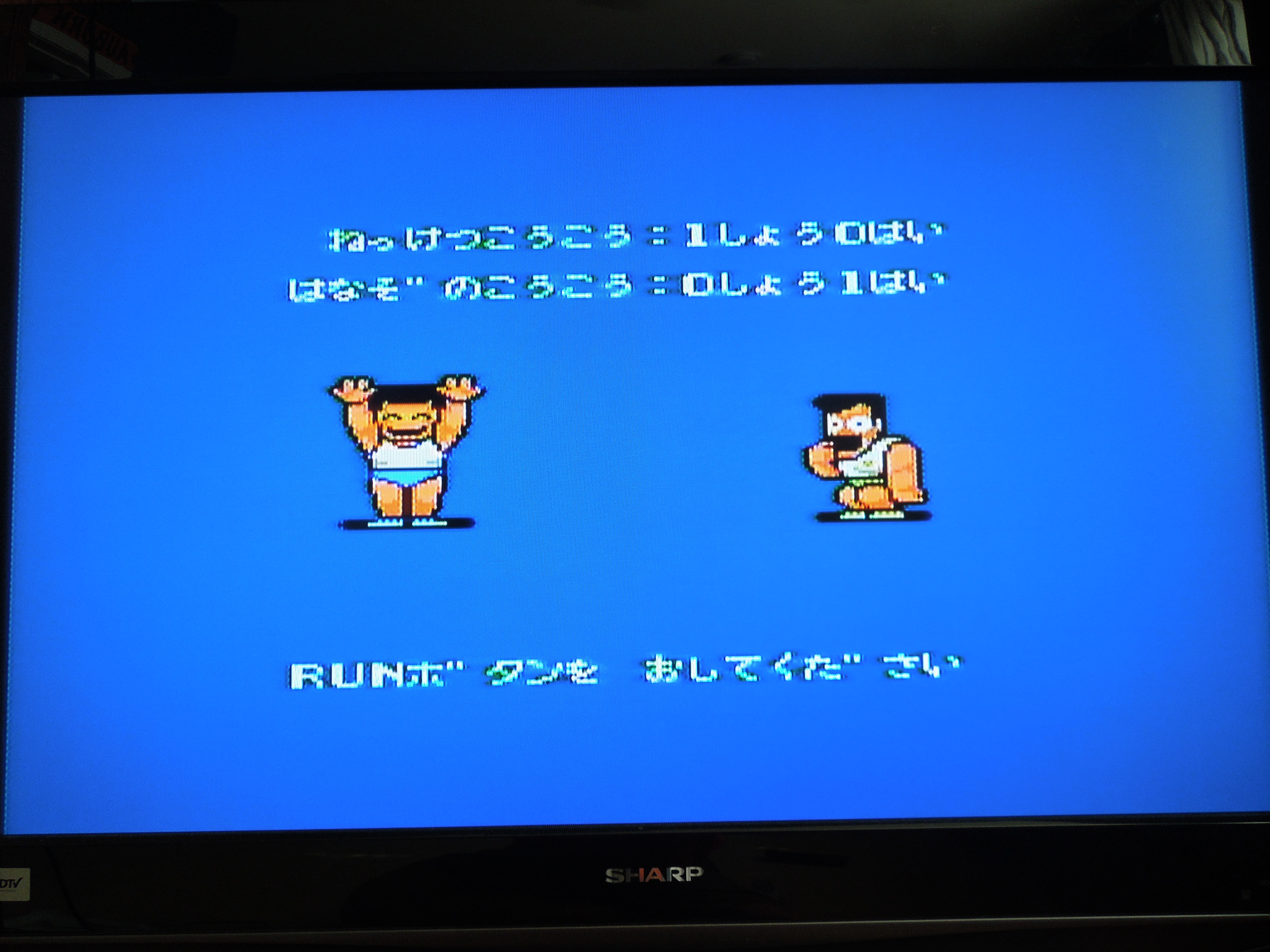
PC Engine Hu-cards (like SDB) are extremely compact, just like the console itself. In VS for 2 players, the game keeps track of the win/loss record of you and a friend.
In VS, you compete against another human player. This mode is great, as it keeps track of the win/loss record between you and a friend between rounds. Unfortunately, you cannot choose all of the teams in the game the way you might expect. Instead, you are limited to Player 1 being the Japanese Dodge Ball Team and Player 2 being the Japanese All-Stars (who are mirror image teams with different colors, by the way). It’s great VS fun, but why you can’t pick the other countries is a mystery, and it would have greatly improved VS.
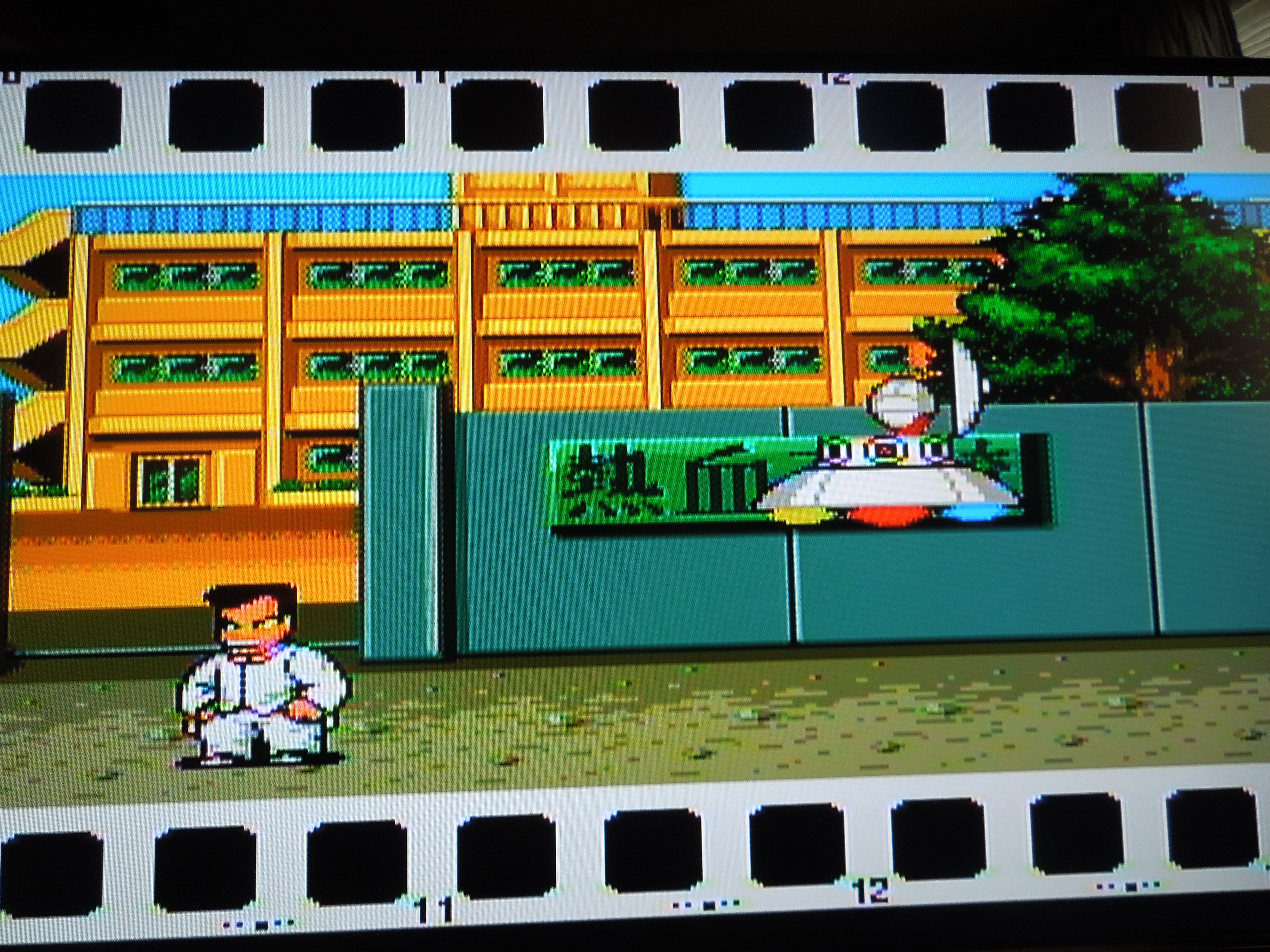
In Story Mode, you guide your dodge ball team through a hunt for aliens masquerading as dodge ball players. You battle the other countries like in Arcade mode (although you can pick the order of whom to face this time), but this mode has a great addition. After you beat a country, you have the option of replacing one of your players with a captain from another country (who is much stronger than your ‘sidekick’ players). Occasionally, as you battle these teams, after you kill a certain opponent, he’ll turn into an alien and be rescued by a UFO. After you find 3 aliens, you’ll travel to the moon for a showdown with the ultimate dodge ball team. An additional Superman ending awaits if you beat the tough moon team.
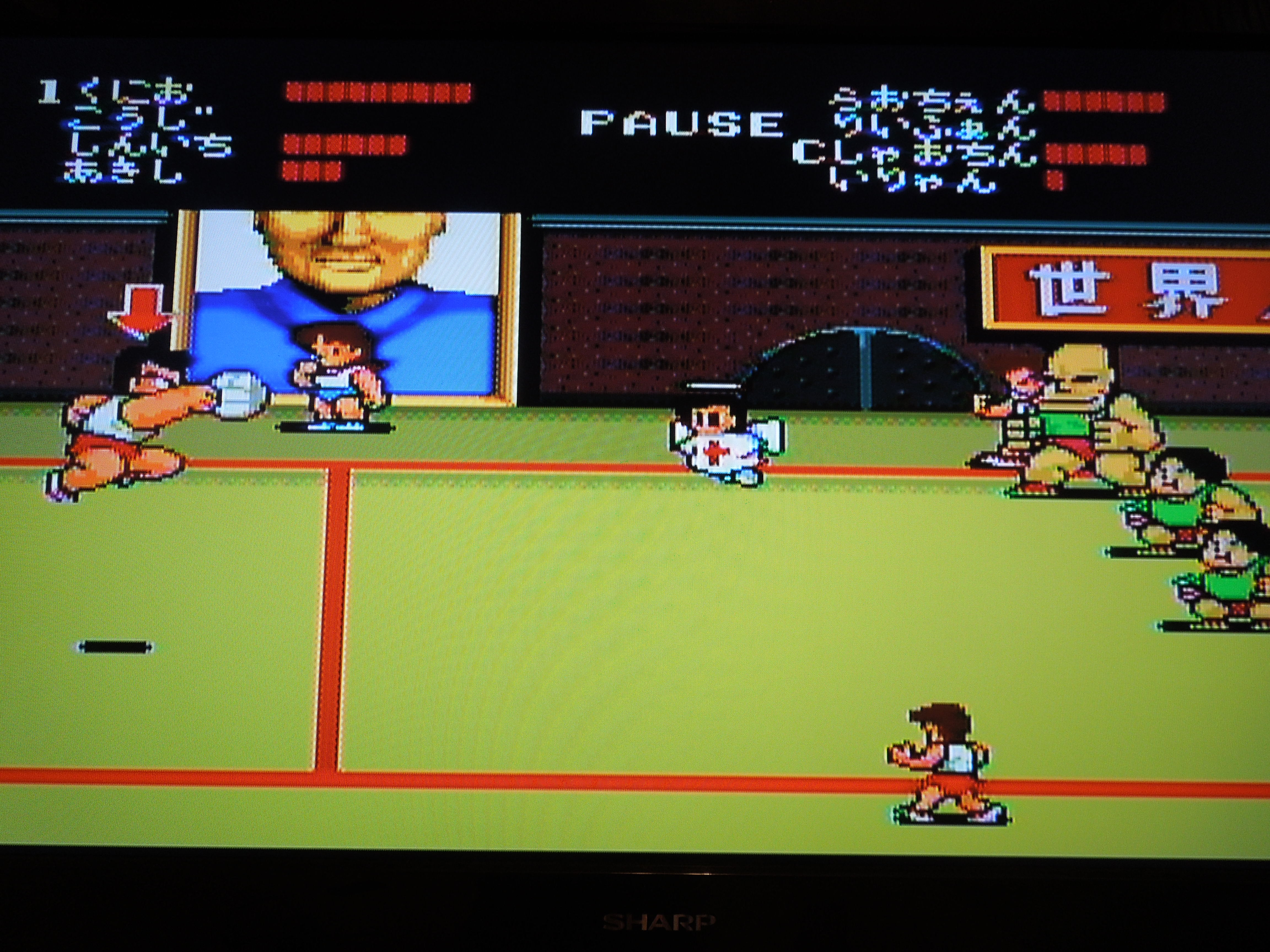
Rules of Dodge Ball: It is a 4 on 4 game, although each team actually has 7 live players. Your 4 main players each have their own life bar of varying length, and some players move slightly faster or slower than others. You play in a rectangular shaped arena/court with a line down the middle. Your 4 main players reside on the left side of the rectangle, but you have 3 ‘outside’ players on the outside of the right half of the rectangle. Your goal is to kill the opposing team’s 4 main players by hitting them with the dodge ball until they lose all of their life bar, turn into an angel, and fly upwards to heaven (that is actually exactly what happens – they don’t just ‘fade away’ like defeated enemies in other games). Each of your 4 main players has their own ‘super shot’ to help eliminate the competition. Also, you can pass to your 3 players on the outside, who can also attack the opposing team, although they cannot be eliminated themselves. The opposing team can also do this with their outside players, of course. Neither team can advance over the center line – if they attempt to with the ball in their possession, they will be forced to drop the ball on the other side of the court, essentially causing a turnover. Once you kill all 4 players on the opposing team, you win and advance to the next opponent. If the timer runs out, the team with the most players left alive wins.
In Story Mode, a UFO attacks you with a dodge ball, and…well, that’s it…game on. Who needs a detailed plot?
Control: Button II throws the ball at an opponent. Button I passes, either to one of your 3 other main teammates (whomever is closest to you – they wave their hands when they want the ball), or, if you’re near the center line, across the court to one of your outside teammates. Pressing I and II together makes your character jump. While airborn, you can pass or throw the ball at an opponent. Pressing Toward, Toward makes your player run, and pressing II causes him to throw on the run. You execute supershots by running and pressing II, or by running, then jumping, then pressing II. Each character has a different ground super shot and jumping super shot. On defense, when the computer throws the ball to attack you, pressing I causes you to duck/dodge the attack, and pressing toward (in the direction the ball is coming from) and II right before the ball gets to you causes you to catch the ball.
Sound and Music: Each country you play against has a different song, and they are very fitting for the country they represent. The sound effects are great. Each super shot has a different sound, and you really feel like you crushed it when you hear the sound of a dodge ball spiking off the face of an opposing team’s player. Each player issues a loud “Uggghhh!” groan when you kill them, letting you know he’s out of the game.
When you kill opposing team’s players, they turn into angels. Also, for some reason, China’s team is full of overweight, out-of-shape players.
Additional Notes:
Language Barrier: No. While most of the game’s character names and dialogue (in Story Mode) are in Japanese, there is nothing you can’t figure out easily. Country names (or continent names, as with Africa) are in English. It would have been nice to actually know the names of the characters on your team, however. All I know is that the big guy is Kunio, and the rest I just refer to as ‘sidekicks.’
So…the U.S. is the bad guy??? Yep. Remember, this game was released in Japan for a Japanese audience. I guess it’s a compliment that the U.S. is the last, and hardest, team you face. And who better than the United States’ greatest hero, Superman, to hand over the championship trophy to Japan upon the mighty United States’ defeat?
The smug, pompous United States is the last team you’ll face! They’re tough to beat!
Where can I find this game? You can order it on ebay from Japan, or download the rom for a PC Engine emulator on your computer.
Conclusion: Super Dodge Ball for the PC Engine is a great sports game. If you’ve ever played Super Dodge Ball, it’s likely been the NES version, which is really fun, but a different experience from this game. I’ve played both, and both are excellent, but I prefer the PC Engine version. It is extremely colorful and has no sprite flickering to speak of. The Story Mode version is really fun because this allows you to make your own ultimate team with captains from the other countries – this is the only way to play as a U.S. player. The VS mode is really fun with 2 players, but should have let you choose from all the teams in the game instead of just assigning you and a friend the Japanese team and Japanese All-Stars. As far as sports games go, this one is a great way to relieve tension and have fun at the same time, I must say.
The Southern Gentleman’s Opinion & Letter Grade: Recommmended, A
Dungeons & Dragons: Tower of Doom for the Sega Saturn
Note 1: Like Beat ‘Em Ups? Check out my reviews of D & D: Shadow over Mystara, Double Dragon II, Bare Knuckle III, Crows: The Battle Action, Nekketsu Oyako, Sengoku 3, Warriors of Fate, Final Fight Guy, Final Fight 2, and Mighty Final Fight!
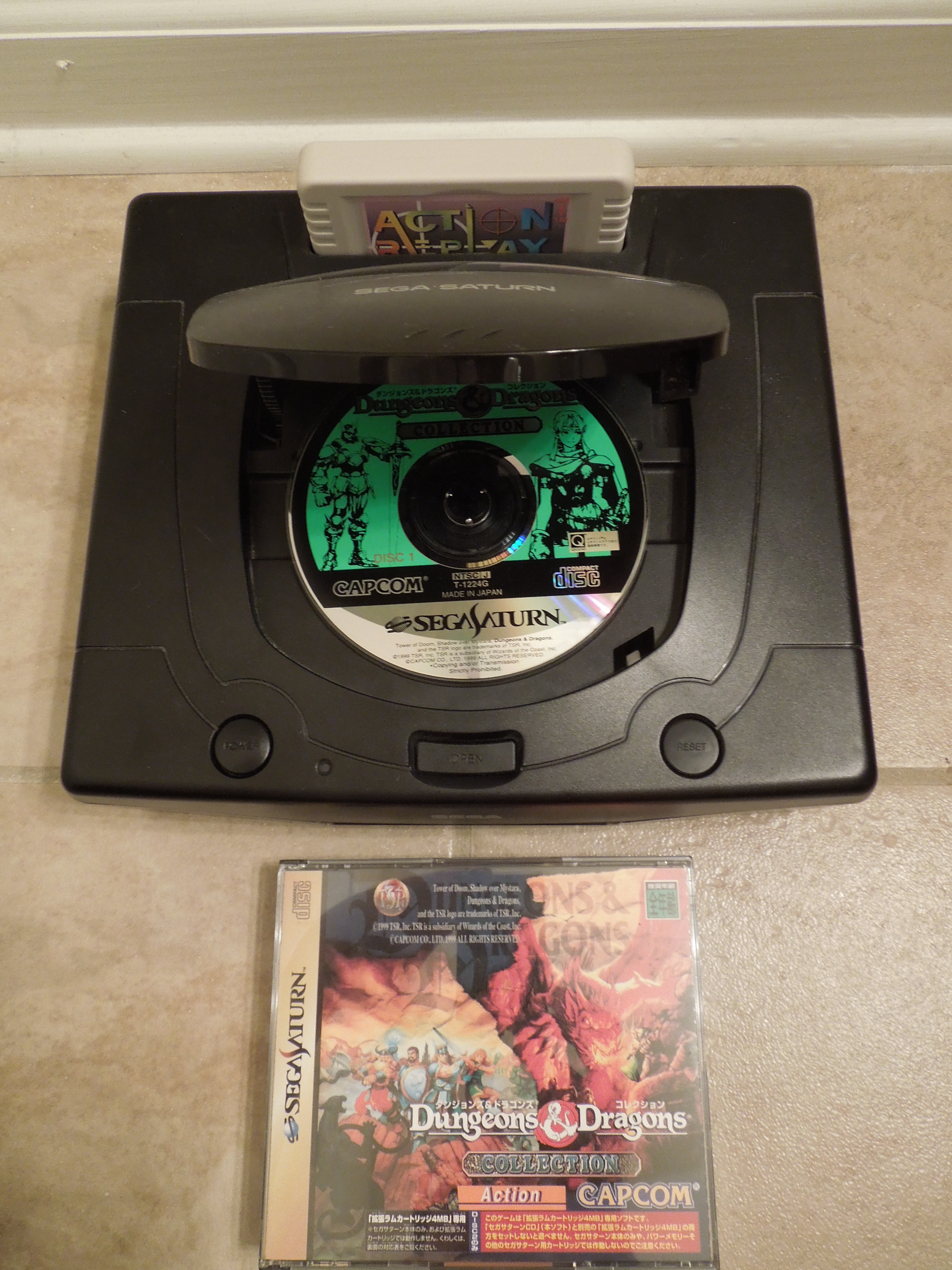
Note 2: This game was played on a U.S. Sega Saturn. Since U.S. Sega Saturns cannot play Japanese Sega Saturn games, a 4M Action Replay Cartridge was inserted into the Saturn’s cartridge slot – this allows Saturn games from any region to be played on U.S. Saturns. The Saturn was hooked up to a 32-inch HD tv with S-Video cables.
You’ll need a 4M Action Replay Cartridge (or similiar device) to play Japanese Saturn games on a U.S. Saturn.
Quick History: Dungeons & Dragons: Tower of Doom is a side-scrolling Beat ‘Em Up game with Role-Playing Game (RPG) elements mixed in. It was released for the Sega Saturn in 1999. Tower of Doom was originally an arcade game released in 1993, and the Saturn version is an arcade-perfect port. The only difference is the number of players – the arcade version was for up to 4 players, and the Saturn version only allows 2 players. Tower of Doom was only released for the Saturn in Japan, unfortunately, and many U.S. Saturn owners never even knew about it, causing it, for me, to fall into the ‘obscure’ category. It was released along with its sequel, Dungeons & Dragons: Shadow over Mystara, on the Sega Saturn 2 disc-release Dungeons & Dragons Collection. Shadow over Mystara is not reviewed here. If you are in any way familiar with the world of D & D, you’ll recognize familiar characters and settings, I’m sure. However, if, like me, you know nothing about D & D, well, that is no reason to stay away from this game – this game requires no pre-requisite knowledge. It is a wonderful medieval Beat ‘Em Up, maybe the best in all of the genre. Read on.
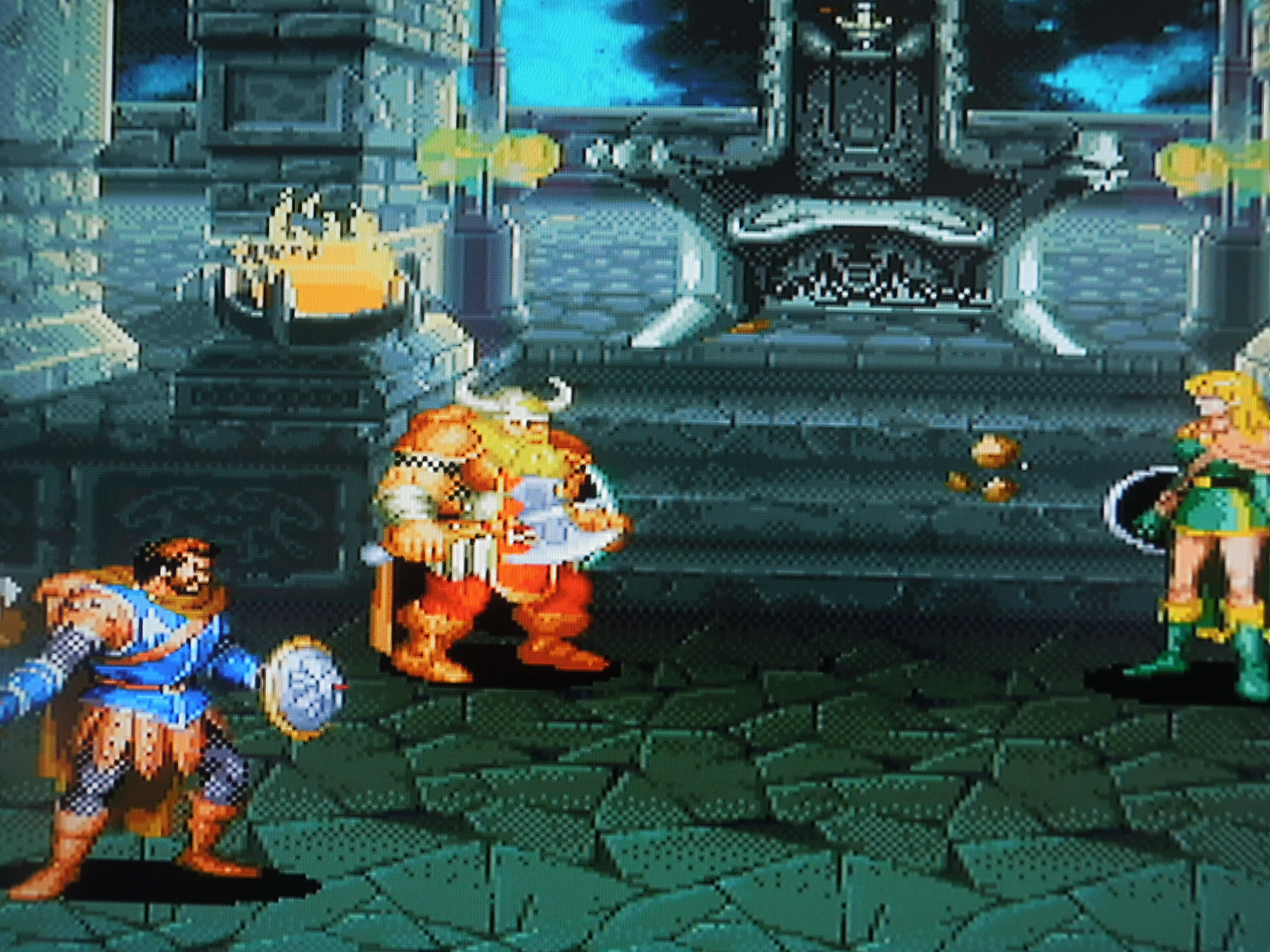
Gameplay: In Tower of Doom, you choose from one of four characters from the Dungeons & Dragons world: Elf, Dwarf, Fighter, or Cleric. You battle through 10 levels of medieval settings, from mountains, to ships, to towers. Along the way, you’ll battle skeletons, ghouls, ogres, trolls, and all other sorts of fantastical creatures. The bosses are huge – most far larger than the characters you’ll choose to play as. Each character has their own strengths and weaknesses, of course. The Fighter has a long reach with his sword; the Dwarf strikes quickly and a has a great defense; the Elf can use powerful magic attacks; the Cleric has a spell, usable at any time, that kills undead enemies.
Tower of Doom uses 4 buttons: A, B, C, and X on the Sega Saturn controller. A attacks with your main weapon. B jumps. C scrolls through a list of weapons or spells your character possesses (ex: knives, a bow and arrows, fireball spell, healing spell, etc.). X uses the weapon/spell. Tapping toward, toward causes your character to run, after which you can press A for a dash attack. Jumping, followed by holding down + A allows for a ‘downward thrust’ move on enemies. Holding down + B allows your character to crouch. When in a crouching position, quickly pressing down, toward + A makes your character do a super attack. You can also hit enemies who are knocked to the ground by standing over them and pressing A repeatedly. While standing, holding back + A makes your character hold up his or her shield to block most attacks.
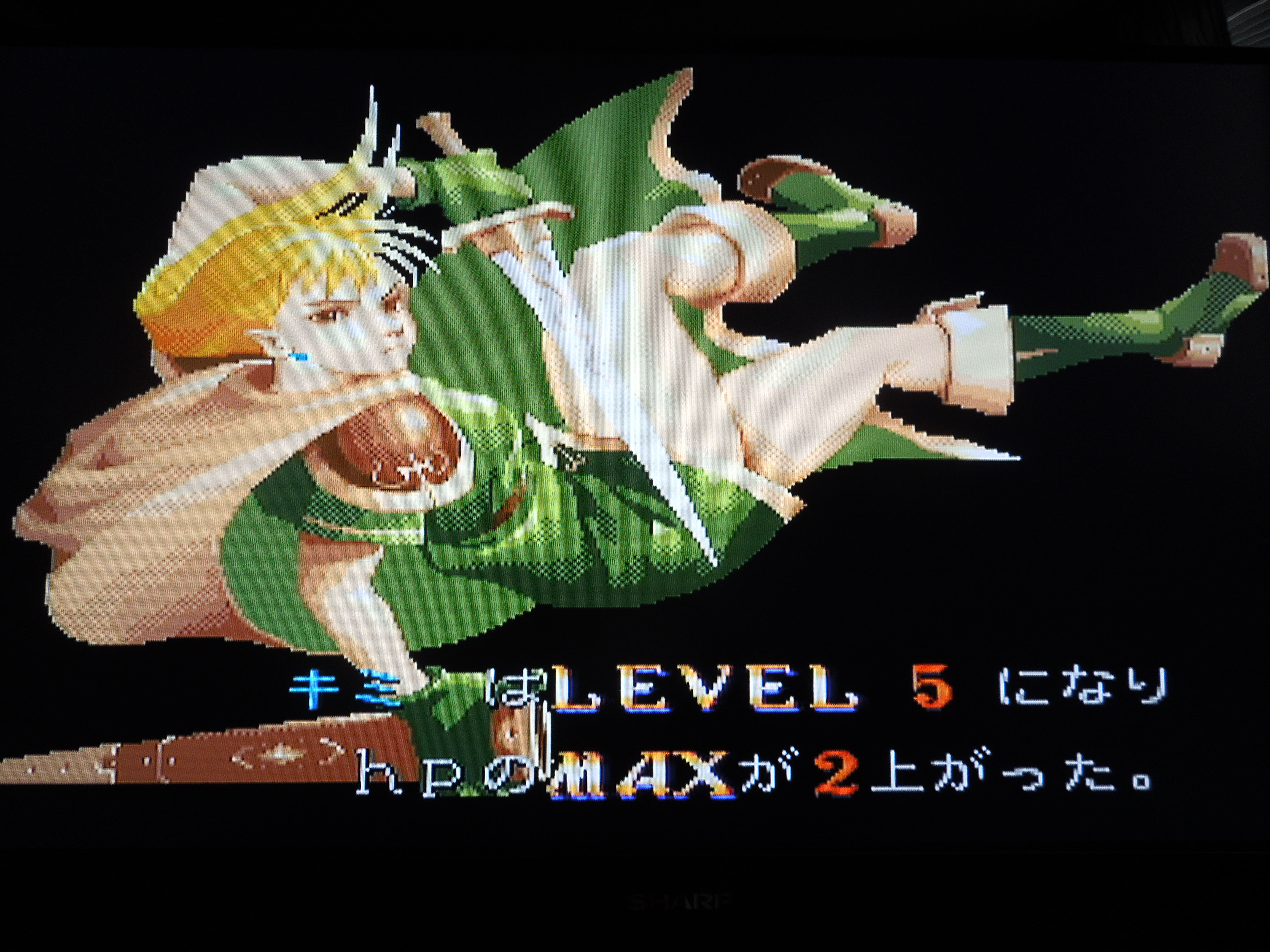
Your character will level-up after every level, increasing your total HP life bar.
As you progress through the game’s 10 levels, you pick up experience points (XP) by defeating enemies and opening treasure chests that contain jewels and coins that increase your XP. *Note: chests can also be booby-trapped, and, in addition to coins and jewels, can contain magic rings that allow you to use healing or attack spells. Your character starts with a green life bar, and every time you take a hit, a portion of it turns red. Once it’s all red, you’re dead. However, after every level you complete, your character will level up, causing your HP (Hit Points) to go up slightly, making your life bar longer for the next level. Your life bar will get longer after every level because of this method. In between levels, you stop in shops, where merchants will sell you health potions and weapons to replenish your alternate weapons (arrows, knives, hammers).
This Sega Saturn version of Tower of Doom is set to ‘Free Play,’ meaning you can continue anytime you lose a life. While this means you can complete the game easily, it would have been nice had there been an option to include a set number of continues for a greater challenge. With the Free Play option, you simply have to challenge yourself to try and see if you can beat the game without losing a life, or three lives, or whatever you think you’re capable of.
Sound & Music: Everything’s perfect. The music is very…medieval, I guess you could say. Very sweeping and appropriate for gameplay. The sound is excellent. The ping of an arrow shattered on an upraised shield, the fwooosh of a fireball sent flying at an enemy, the Battle Cry of your character – all are awesome.
Each of the 4 characters has their own strengths and weaknesses.
Graphics: Characters, enemies, background, attacks, spells – all come together cleanly to create a fantastic game experience. If you are playing this game on your Saturn, make sure you are using S-Video cables and not regular composite AV (red, yellow, white) cables. Everything is sharper with S-Video, especially on games like Tower of Doom.
Additional Notes:
Loading Times: Tower of Doom does have loading times between levels, and in-level as well. In-level loading can occur when you walk through a door or a hidden passage – the next screen sometimes has to be pulled up that way. You’ll see a ‘Now Loading’ screen with a pointing fairy when the game has to load a new screen. Some loading screens are quick, some are a little longer. While it would be great had no loading times been included, they do not ruin the game.
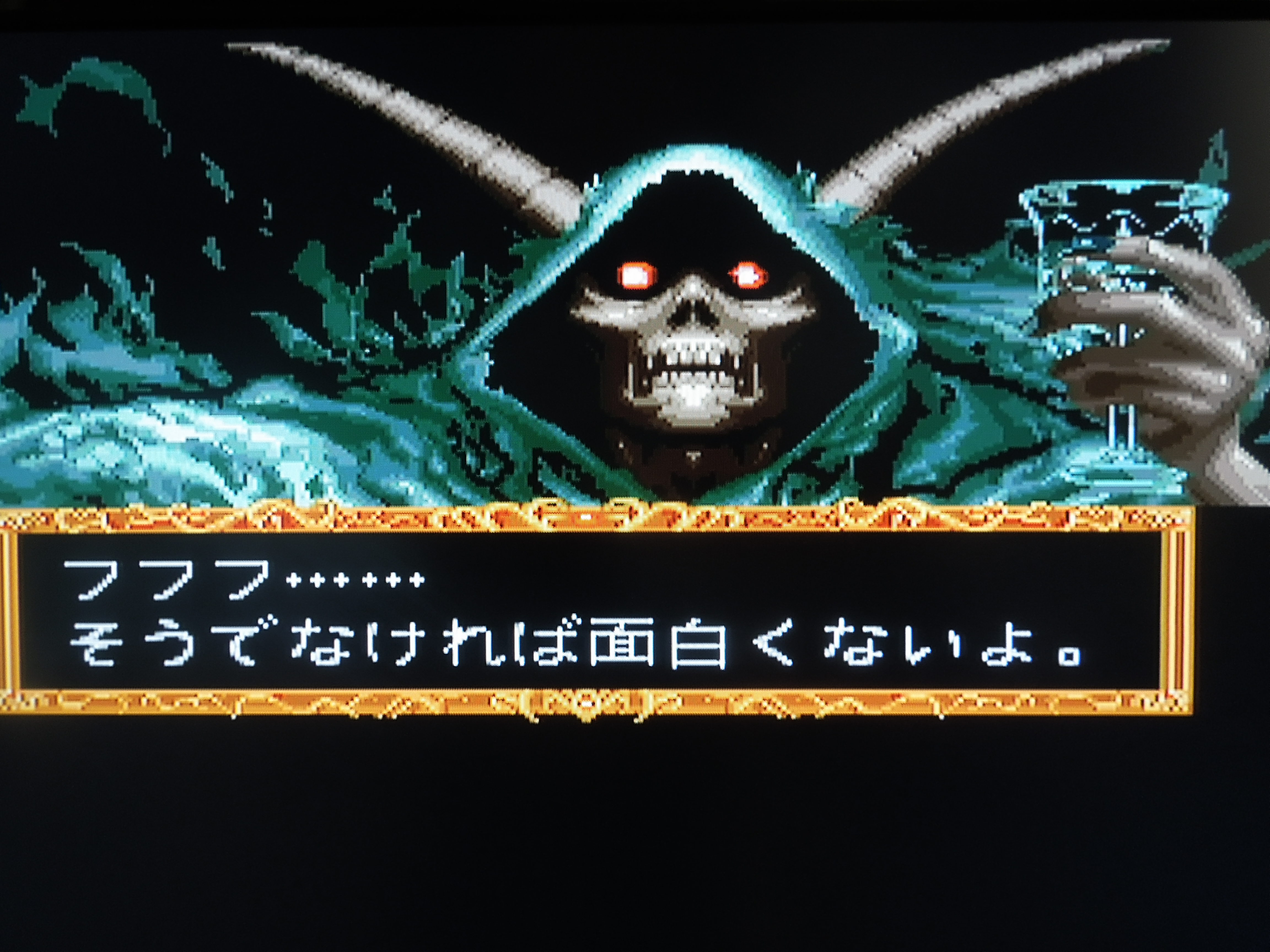
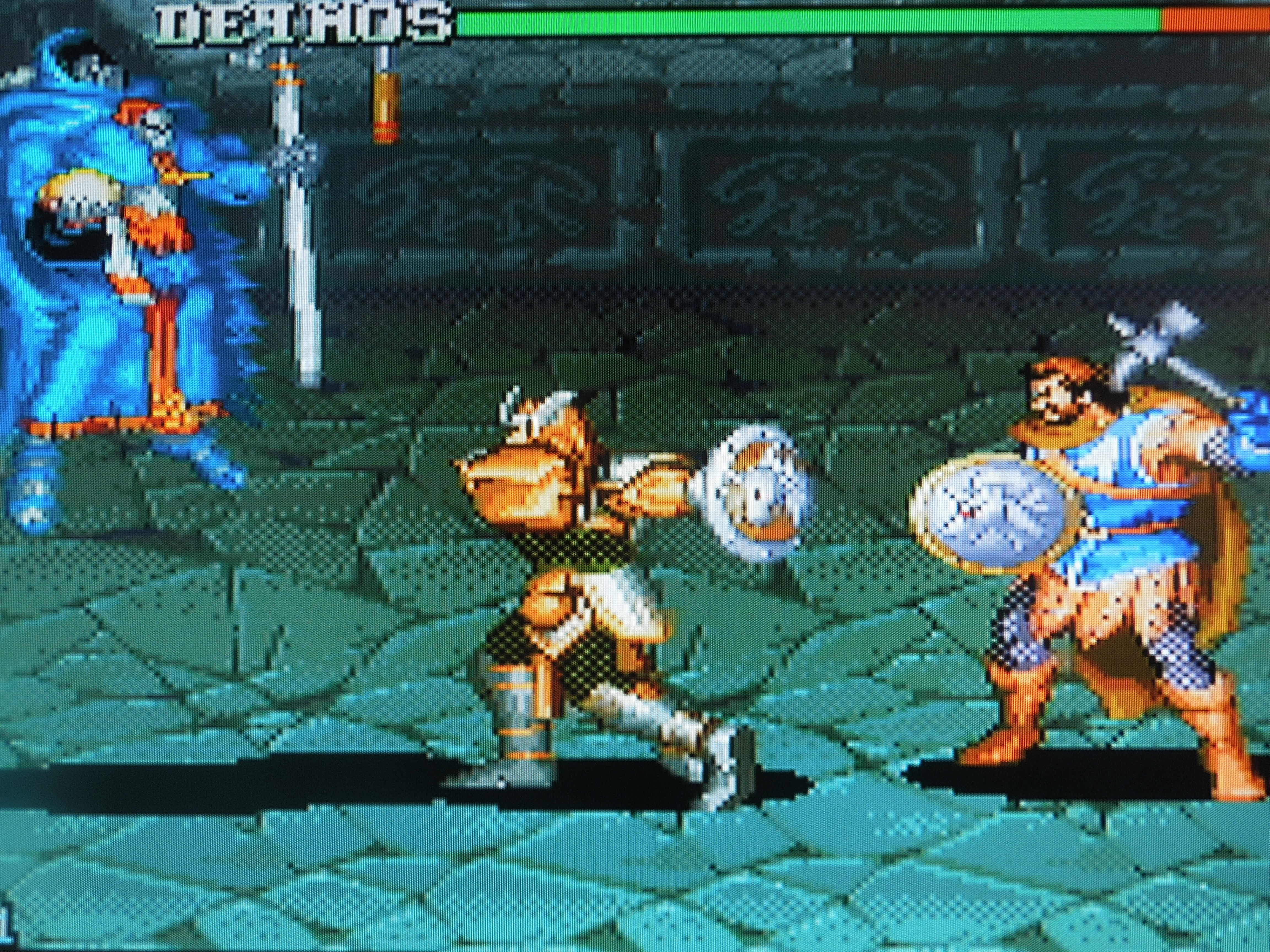
Deimos is the game’s evil antagonist
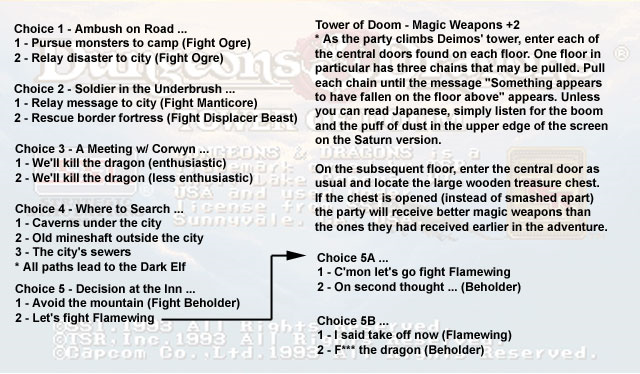
Language Barrier: No and Yes. No, if it comes down to the true answer. This is a Beat ‘Em Up first and foremost – walk right, bash the enemies, fight a boss, repeat. However, despite the fact that the Options screen, the character classes (Fighter, Dwarf, etc.) and other parts of the game are in English, the story is in Japanese, and at some points in the game, your character must make a choice about what to do next. This gives the game great replay value, but unless you read Japanese, you won’t know the difference between Path 1 and Path 2. All you need to do is find a translation guide online (google Tower of Doom FAQ), print it out, and you’ll know if you’re picking to go to the Limestone Caverns or the Abandoned Mine. Also, as mentioned above, each character has ‘alternate’ weapons and some characters (Cleric, Elf) have spells. You scroll through these items by pressing C, and use them with X. Unfortunately, these items are written in Japanese, so it will take you a complete playthrough before you start to remember which Japanese symbols represent knives, hammers, arrows, or fire bombs. Luckily, for many spells, there are English letters along with Japanese ones that will let you know what spell you have selected. For example, FB means fireball, MM means magic missile, CW means Cure Serious Wounds, and so on.
You can save your high score after you beat the game.
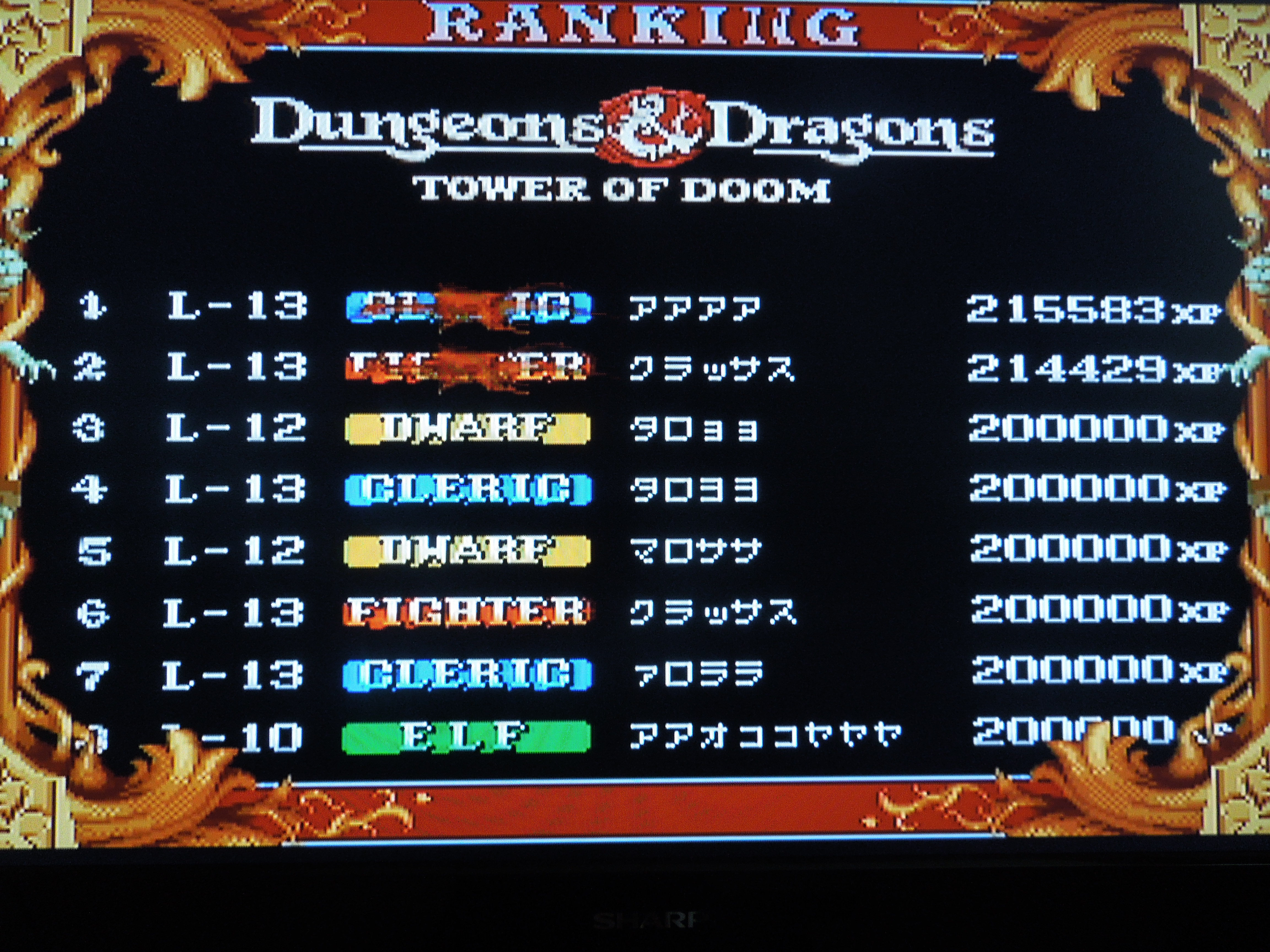
Saving your high score: If you choose not to continue after you’re killed, if your score is high enough, you have the option to save your score to the high score screen (after the Continue? clock has ticked to zero). If you beat the game, after the credits, the game will ask you, in Japanese, if you want to save your score. Select ‘Yes.’ The game will save to the Saturn’s built-in lithium battery. You can always copy your save files to the 4M Action Replay cartridge, too, since the lithium battery needs to be replaced every 5 years or so. If you beat the game having beaten the extremely tough Red Dragon (optional boss), then a graphic of the dragon will appear over your character’s name on the high score screen.
Options: You can set the difficulty from 1 (easiest) to 8 (hardest) stars. You an also change the control scheme on your Saturn controller, assigning the 4 button commands to any button you wish on your controller.
Where can I find this game? If you want to play a hard copy of Tower of Doom on an actual game console, this is one of your only choices. You can buy it on eBay, but you’ll probably have to order it from Japan. You can always buy the arcade cabinet, which is available in English and can accommodate 4 players. That’s tough to do unless you have a ton of money, however. As of 2013, the game is available for download on the Playstation Network, Xbox Live, and Nintendo eShop. For the Playstation 3 in Japan, a hard copy disc was released in August 2013. Because the PS3 is region-free, you can import it for play on a U.S. PS3 (I’m unsure whether or not there is an English language option for that disc, however). Both the download versions and the Japan-exclusive disc contain HD graphics, 4 player online support, trophies, etc.
2 player co-op is at its best in Tower of Doom.
Conclusion: Dungeons & Dragons: Tower of Doom for the Sega Saturn is an OUTSTANDING game. I must admit, as a retro-game fan, I love playing an actual game disc on the actual console it was made for. Are the loading times annoying at times? Sure. Is the language barrier irritating? No – never irritating, but sure, English would have been great. However, there’s something about having this game with all of its idiosyncrasies that is just special. Is it cheaper and easier to download the game from one of the modern gaming system’s online shops? Of course! And I encourage you to do so if that’s how you prefer to play. But nothing beats the real thing. Plus, the 2 player ‘couch’ co-op with a real friend, as opposed to online co-op, will always be the best way to go, in my opinion, at least. Tower of Doom’s co-op is superb. If there’s one retro-game you should have, for one system, it’s Tower of Doom for the Sega Saturn.
The Southern Gentleman’s Opinion and Letter Grade: A sophisticated Beat ‘Em Up that needs to be discovered by you. A++
God Bless! Proverbs 3:6
This great translation from IGN’s FAQ will help you a lot!
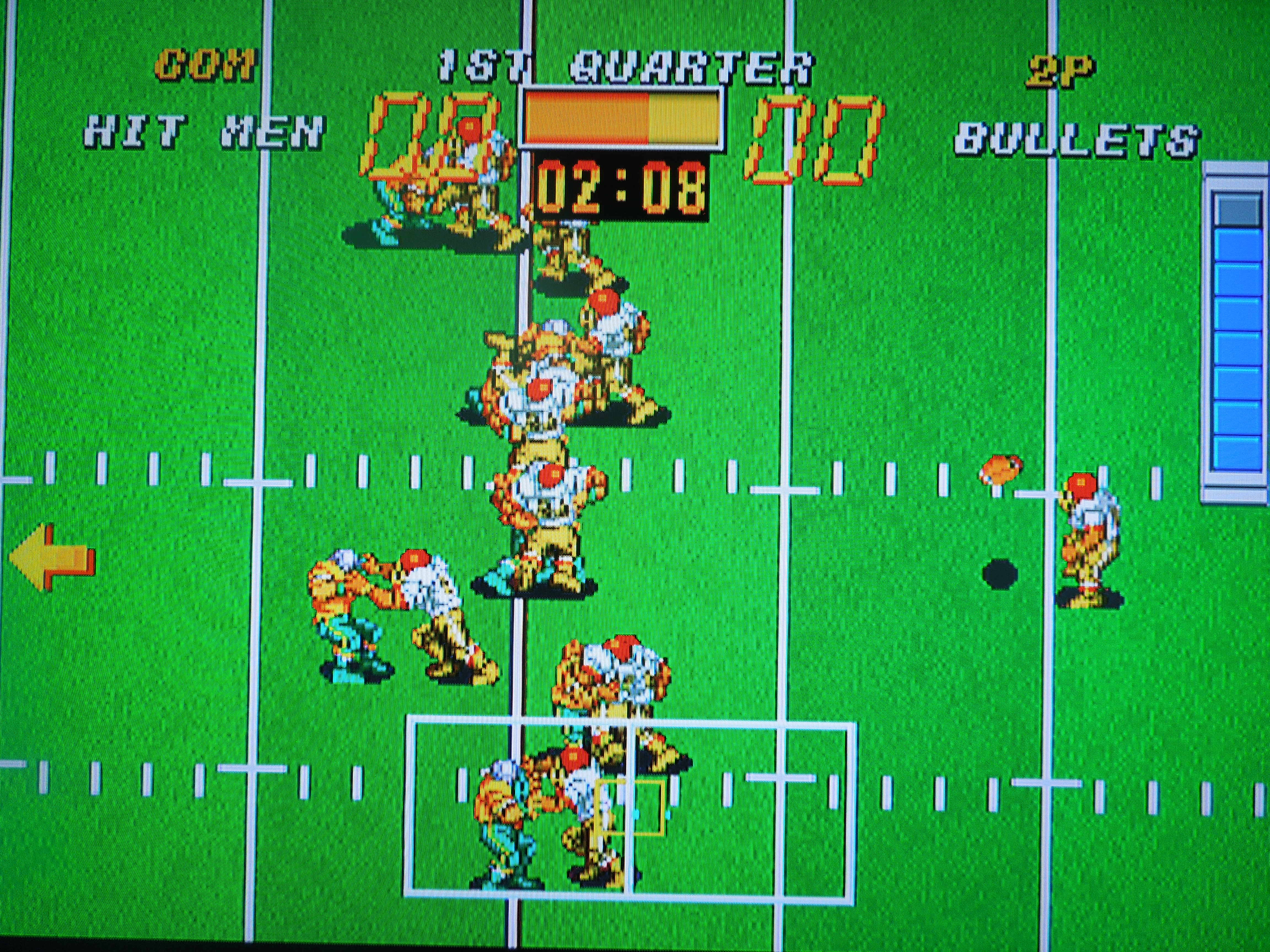
Note 1: Like football games? Check out my reviews of Tecmo Bowl Arcade, Tecmo Super Bowl College, Tecmo Bowl Japan, and SEC Tecmo Bowl!
Note 2: This game was played on the Neo Geo Advanced Entertainment System home console. The system was modified to output in component video (red, green, blue) for improved color and picture. The system was connected to a 32-inch HD tv. Also, Football Frenzy doesn’t really qualify as being terribly ‘obscure.’ However, since it is a Neo Geo game, and so few people owned a Neo Geo AES home console due to its outrageously high price tag when it was released in 1990, I felt the need to review it. Also, there aren’t a lot of reviews online for this game that are any good. What I could find seemed to have been written by those who hadn’t spent a great deal of time with the game, so hopefully, if you’re interested in this game, you’ll find everything you need here.
Neo Geo AES game cartridges are massive, and come in large boxes.
Quick History: If you know nothing about the Neo Geo AES, it is a home console that plays arcade games in the form of large cartridges. What is great about Neo Geo AES games is that every game IS an arcade game. Many of the cartridges that were created for the home console (like Football Frenzy) were also the exact same games being played on arcade Neo Geo cabinents. These games are not arcade ports, they are arcade games. The only differences were ususally the removal of the ‘Insert Coin’ titles and sometimes the addition of an options menu on the AES cartridges. There’s a lot of information on the Internet about the Neo Geo system, if you’re interested. Football Frenzy was released in 1992. Many sports games were released for the AES, but only one Football game – and this is it.
Gameplay: AES controllers are rather large, and they have an arcade-style joystick, small Start and Select buttons, and 4 large arcade-style buttons – A, B, C, and D. Football Frenzy uses all of them. On offense, the A button hikes the ball, and tapping A quickly causes your player to run faster and shed tackles easier (in conjunction with rotating the joystick 360 degrees) B, C, and D represent your running backs and receivers. After the ball is hiked, pressing any one of these buttons will pass/pitch/hand-off to the designated player. The appropriate letter will appear above the players before the ball is snapped, reminding you of what your options are. On defense, the A button makes you run faster and, according to the game manual, “increases tackling.” The B button lets you pick which defender you want to be before the ball is snapped – safety, D line, linebacker. However, unlike in other football games, you can change defensive players even after the play has started. Pressing B allows you to switch to the defender who is closest to the ball carrier, and, from what I have noticed, tapping B also increases your chances of successfully tackling the ball-carrier (not A). C and D have no function on Defense. Select pauses the game, like in most Neo Geo games.
There are 10 fictional teams to choose from in Football Frenzy: Bullets, Bisons, Cobras, Hit Men, Pitbulls, Rhinos, Crushers, Vipers, Wolves, and Scuds. Each one has it’s own unique emblem. My friend pointed out to me that ‘Bisons’ is grammatically incorrect, as the plural of bison is actually still the word ‘bison.’ No ‘s’ is needed. Many Neo Geo games haves spelling errors, you’ll find. The game manual states that there are differences between the teams in terms of speed, tackling abilities, etc. For example, for the Bisons, it reads, “High-speed receivers are the strengths.” However, having played through the game with all the teams, I have noticed little to no difference between them. I like to use the Crushers, because it does seem like they are a little faster than some of the other teams, but again, if there are differences, they are minimal. Each team has a different colored uniform, mostly with a combination of two or more colors. The Crushers are blue and gold and white – they look like the UCLA Bruins.
Each team has 8 pass plays and 8 run plays to choose among.
On offense, you get to choose your plays. Each team has 8 run plays, 8 pass plays, and 2 kick plays (Punt or Goal Kick). When you highlight a play, a graphic pops up showing you what routes your receivers/running backs will run, allowing you to make a good play decision based on the down and distance you’re facing. You do not get to choose any plays on defense. Instead, you will be placed into one of a handful of seemingly random formations. Being able to pick your defender and switch defenders after the play has started helps to counter-balance the lack of a defensive play selection.
In 1 player mode, after you select your team, then select the difficulty level and the time limit for each quarter, you enter an 8-game playoff tournament, culminating in the SNK Super Bowl. So, essentially, your season is 3 games, assuming you keep winning. Between the 1st and 2nd games, you’ll be asked if you want to watch the other playoff games. If you select ‘Yes,” keep in mind that you have to watch the entire game. Selecting ‘No’ to this question will skip the game and show you which team won and advanced. If you have a Neo Geo Memory Card, you can save your progress after every quarter of each game, allowing you to turn off the system and continue later. For each of your 3 games, the playbook for your team will change, forcing you to change your playing style for each game. Teams get increasingly more difficult as you advance in the playoff, regardless of what difficulty you selected. You always start on offense in 1 player mode. In 2 player VS, each player selects their team, followed by a coin toss that determines who kicks off and who returns. A key difference I’ve noticed in 2 player VS is that your playbook changes during the actual game instead of staying the same the entire time. For example, you may not have access to the ‘Quarterback Sneak’ play in your playbook when you start your offensive drive, but when you get inside the 5, that play will appear, replacing one of your other running plays. I like this addition to 2 player VS. After 4 quarters of play, the team with the most points wins. There is no overtime, so if both teams have the same number of points, the game is a draw (meaning you don’t advance in 1 player mode – essentially, a draw is a loss).
Break tackles and run faster by tapping A.
Sound and Music: The music for Football Frenzy is terrific – quick and catchy. The music that plays for scoring a touchdown or making a field goal will make you feel like you’re the most talented player ever. The sound effects, however, while not bad, could have used some improvement. Specifically, tackling needs something more than the almost non-existent sound that you hear when you bring down a ball-carrier. All in all, the music is above average, and the sound is average.
Control: While choosing your plays, throwing to receivers (whom you control as soon as you throw the ball), and controlling the offense is easily done, it can be a little frustrating on defense trying to tackle. The controls might best be described as ‘loose’ when you’re playing on defense, and sometimes, you’ll end up running right by the ball-carrier and finding yourself having to circle back around to make the tackle. You will, occasionally, find yourself cursing for missing a sure-fire tackle for loss or letting a receiver pick up an extra 10 yards because you couldn’t get a hold of him.
Options: You can choose among 4 game quarter lengths: 1 min, 30 sec, 3 min, 5 min, and 10 min. Keep in mind that the clock moves rather quickly, and runs even before kickoffs and during extra point attempts or 2 point conversions. It does stop after every play, however. You also have 4 difficulty settings – Easy, Normal, Hard, MVS (Arcade difficulty – somewhere between Normal and Hard). You can win the playoff tournament on any difficulty with practice, but on Easy and Normal you’ll have an easier time as you’ll be able to break more tackles by tapping the A button. You’ll need to be good at scoring on Hard because the computer is a scoring machine in the tournament, and you’ll often be in a shoot out or getting blown out if you can’t keep up with them.
Half-time shows feature cheerleaders and either a bulldog or alligator mascot – neither of which belong to any team in the game.
Graphics: Superb. 11 on 11 football, just like it’s supposed to be. All of the teams have different colored uniforms, clearly distinguishing them. The running animations, catching, and somersaulting into the enzone on touchdowns are all great. The only complaint I have is with the QB. His throwing motion often looks ridiculous. The game has a rowdy crowd and the field has two huge ‘Football Frenzy’ logos on it, complete with grinning bald eagle. Scoring a touchdown pulls up large graphics of celebrating offenses and dejected defenses. A large graphic of a referee pops up signaling kickoffs, touchdowns, and field goals.
Additional Notes:
Scoring: Every way to score in football is included in this game. Touchdowns, PATs, 2 point conversions, field goals, and safeties are all here. I have also blocked a PAT before and picked up the ball and taken it in the opposite direction, ALMOST taking it all the way back for a 2 point score. I can’t confirm if I would actually get the 2 points that way, but I assume it’s possible if you make it to the enzone.
Kickoffs, Punts, & Field Goals: A ‘power meter’ determines the length of your kick. Tapping A as fast as possible fills the meter. Touchbacks are not possible on kickoffs; however, if you punt a ball through the endzone, a touchback will occur, causing the offense to start their first play on their own 20 yard line. If you are receiving a punt, start rapidly tapping A as soon as the ball is kicked. Your punt returner will run VERY FAST as soon as he catches the ball, making punt returns for touchdowns possible, although difficult. Making field goals seems to be based on percentages; if you are within the 20 yard line, you’re more likely to make your kick (assuming you filled your power meter). If you’re outside the 20, it seems like your chances are not as good, and you will miss more than you make.
Free Kicks: If you record a safety (tackle the opposing team’s ball-carrier in his own enzone – your team gets 2 points), the other team will not kickoff to you from a tee as they normally do. Instead, they’ll have to do a standing punt, called a Free Kick. You’ll usually catch this kick in a better position than you would a regular kickoff. You’ll do the same if you get get tackled for a safety.
The computer will block approximately 50% of your PATs and field goal attempts.
The Computer: The computer can be cheap in several ways, regardless of the difficulty setting you selected. They go for 2 following a touchdown about 60% of the time, even when it doesn’t make sense for them to. And because you don’t get to select a defensive formation, they end up getting it more times than not. When they do select to kick the PAT, however, you can often block the kick by busting through their line and throwing your player in front of the ball – the same strategy applies to field goals. The computer can also block your kicks, and from my experience, they will block approximately 50% of your PATs or Field Goal attempts. 50%!!! This means you’d better think about going for it on 4th down and short sometimes, or going for a 2-point conversion yourself, since it can be easier to get than the 1 point. On the Hard difficulty setting, beware, the computer’s players have super-human strength, making them extremely hard to tackle. You’ll need to rely on going for interceptions or out-scoring them.
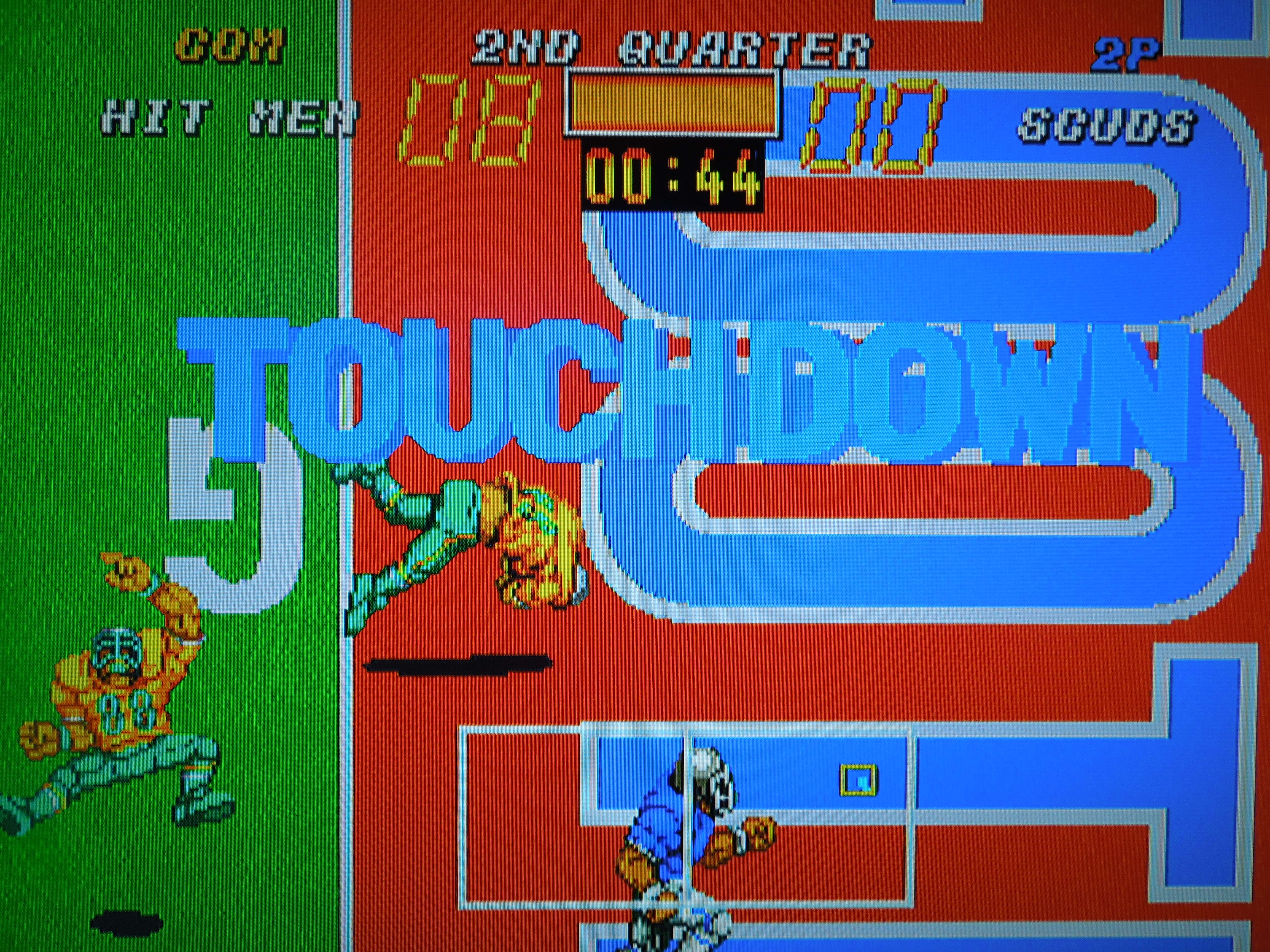
Players often somersault into the endzone for touchdowns.
Glitch # 1: I have noticed two huge glitches in this game. The first, and this works to your advantage, is the fact that you can PUNT for field goals! Once, when I had the ball 4th and 10 and meant to select ‘Goal Kick’ (Field Goal), I accidentally selected ‘Punt Kick.’ I was shocked when the ball sailed through the uprights and the graphic with the referee popped up proclaming ‘Field Goal!’ and awarded me 3 points. The only time I’ve missed a punt kick field goal is when I was too far out of range for the ball to make it to the goal posts. Any time I’ve been in close, I never miss. Also, the computer doesn’t seem to be able to block my punt kick field goal attempts like they so easily can my regular field goal attempts. Technically, this may not be a glitch, as there is an antiquated but still legal way to score a field goal or PAT in football called a ‘Drop Kick,’ wherein the kicker drops the ball and tries to kick it through the uprights after it bounces off the ground. Maybe that’s what’s happening here.
Glitch # 2: If a ball is punted to you, you are automatically assigned the kick returner player, and will not be able to move until the ball gets to you. However, if you press B while the ball is in the air, you gain control of the player, and can run around, causing you to miss the ball. The ball will bounce around when it hits the ground, and if it goes out of bounds or when it stops bouncing, a whistle will be blown. Now, in such an event in real football, the offense should start their possession where the ball went out of bounds or was blown dead. Instead, however, the offense starts their possession from where the ball was punted from! This is a cheap way to take advantage of punting situations, but I don’t encourage it when you’re playing with a friend.
You play an 8 Team Playoff to determine the SNK Super Bowl Champion. Win 3 games and you beat the game.
Turnovers: Interceptions and fumbles are both possible. To make an interception, simply position your defender in front of a receiver when the ball is thrown to him. Sometimes you’ll come up with a pick, sometimes he’ll still catch it, or sometimes the pass will be incomplete. Fumbles can happen if you pitch back to a running back and you move him before the ball gets there. Fumbles also happen if you take a big hit (or deliver one on defense) immediately after a receiver catches the ball. The computer will do this to you a lot, so be careful when you throw a ball over the middle – even if you’re receiver is open, if there’s a defender near him, he’ll often hit him as soon as he catches the ball, dislodging it and causing a fumble. Fumbles can be picked up and advanced by the defense, but only if you grab it quickly after the words FUMBLE appear on the screen (while it’s bouncing around). Otherwise, you can only recover it from the spot where it stops.
Laterals: You can perform half-back passes and other trick plays if you lateral. For example, if you selct a play where you have to lateral the ball (tossing the ball to a running back behind the quarterback), then the player who catches it still has the option to throw a forward pass to a receiver downfield. It’s a great way to stick it to the computer.
Fake Field Goals and Punts: If you select to punt the ball or try for a ‘goal kick’ (field goal), sometimes the graphic that accompanies the play selection shows receivers marked B, C, or D running routes, as if your kicker or holder could throw the ball to these players. Sure enough, when the punt play starts, these players DO run those routes! Unfortunately, I have never been able to execute a fake, as my kicker will always only kick the ball no matter what button I press, thus leading me to believe that you cannot attempt a fake field goal or punt, even though these plays seem to have been designed for this. Maybe the game designers forgot and left this option out. Sad. The computer, however, can and will execute fake punts, field goals, and even PATs for 2 points, so be aware.
Tap A to build up your kicking meter for punts, kickoffs, extra points, and field goals.
UPDATE: After watching the ‘Kick 6’ in the 2013 Iron Bowl, where Auburn University’s Chris Davis returned a missed field goal 109 yards for a touchdown on the last play of the game against Alabama, I wondered if this was possible in Football Frenzy…it is!! Well, kind of. On field goal attempts, if the ball comes up short, you can field it and return it! However, instead of having a kick returner in place on the attempt, you have to manually select a player and start running him toward the endzone when he ball is snapped. If the attempt comes up short, you’ll easily have enough time to catch the ball and return it. However, if the ball comes down short in the endzone, and you catch it, you won’t have a chance to return it because it will be ruled a touchback. Playing around with this in 2 player mode, I managed to return several missed field goals from the 1 yard line and returned a few as far as my opponent’s 20 yard line. I haven’t quite made it to the endzone, but it’s definitely possible!
Where can I find this game? You can find AES cartridges on ebay, as well as MVS cartridges (that are used to play in arcade cabinents). Football Frenzy was also released for the Neo Geo CD. It’s the exact same game, but I believe it’s avaliable only in Japanese format – however, the only part of the game in Japanese, I believe, is the name of the plays. And since there is a graphic demonstrating each play, this probably doesn’t cause any frustration. The game is also avaliable for computer emulators of the Neo Geo.
Conclusion: I have spent a lot of time playing Football Frenzy, but it is not a perfect game. Although it looks a lot like Tecmo Bowl, it’s really a different beast. The loose control on defense, the inability to select defensive plays, the sometimes cheap computer antics, and the often lacking sound effects all could have used improvement. BUT, even with all of that, the game is still extremely fun. Busting up the middle and running over linebackers is great fun, as is throwing a deep ball to your receiver and having him take it for 6. 2 player VS is great fun as well. There is replay value in trying to beat the game on each difficulty setting in 1 player mode.
The Southern Gentleman’s Opinion and Letter Grade: Recommended if you like old-school football games, B
God Bless! Proverbs 3:6
Animated cutscenes play following touchdowns and field goals.
Double Dragon II: The Revenge for the PC Engine Super CD-ROM game case and disc
Note 1: Like PC Engine games? Check out my reviews of Operation Wolf, Nekketsu Soccer Hen, and Batman! Interested in other Beat ‘Em Ups? Check out my reviews of Bare Knuckle III, D & D, Crows: The Battle Action, Mighty Final Fight, Final Fight 2, Final Fight Guy, Nekketsu Oyako, and Warriors of Fate!
Note 2: This game was played on a PC Engine Super CD-ROM attached to a Core-Graphx II Hu-Card console. The output was AV (red, yellow, white) and connected to a 32 inch HD tv.
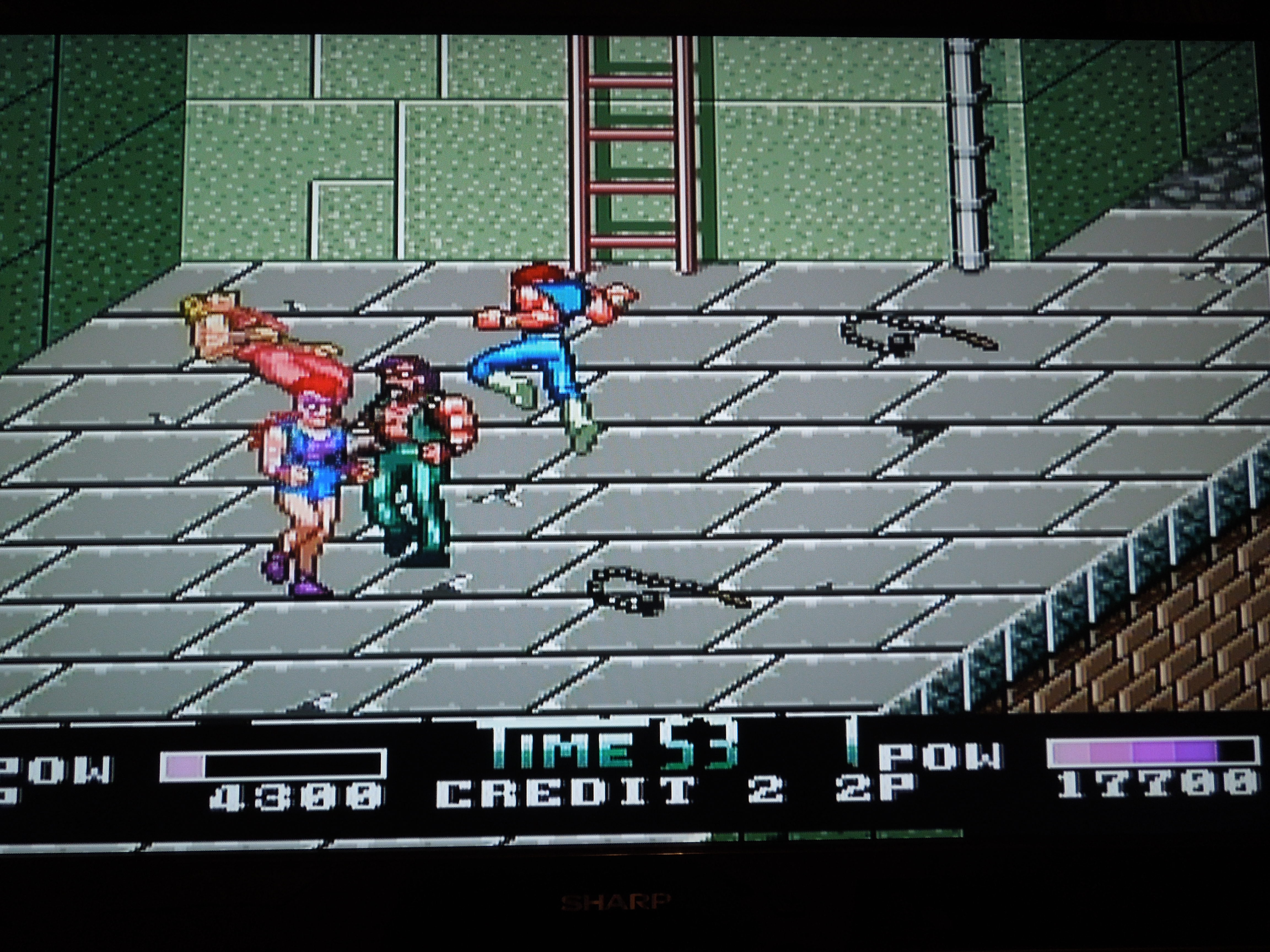
Quick History and Game Story: Released only in Japan in 1993, this version of Double Dragon II sees the Lee brothers, Billy and Jimmy, taking on the Gen-Satsu-Ken (Shadow Warriors) in a pseudo post-apocalyptic New York in the year 2000. Following some type of nuclear attack, crime ravages NYC, and what innocent citizens remain are being terrorized and murdered by the Gen-Satsu-Ken. Eventually, Billy’s girlfriend, Marion, is murdered, causing the ‘Double Dragons’ to plan their revenge on the Shadow Warriors. This game is similiar to the more well-known NES version of Double Dragon II, yet is by no means exactly the same, as it partly incorporates portions from the arcade version of DDII. It is a hybrid of both games, making for a unique game and, as with most Double Dragon games, fun experience.
Gameplay: PC Engine controllers are quite similiar to NES controllers, with a control pad and 4 buttons: Select, Run (Start), II, and I. There are also built-in turbo switches, which come in handy in games like DDII. Your character has a variety of attacks at his disposal as he fights his way through 9 missions of Beat ‘Em Up glory. The basic attack functions are original. If your character is facing an enemy, he will throw punches by hitting either button I or II, depending on which way you’re facing. If an enemy is behind your character, hitting button I or II throws a kick. It takes a minute to adjust to this scheme, but only a minute. Hitting buttons I and II together causes your character to jump, and hitting one of the buttons again at the height of the jump (if you have jumped vertically, NOT while jumping left or right) causes an enemy clearing ‘tornado kick,’ crucial (and easy) to learn if you want to beat this game. Enemy grabs and throws are executed by getting in close to enemies and hitting the attack button, and the facecrushing flying knee or super uppercut are executed by hitting toward + attack or simply attack (respectively) when your character is in a crouching position following a jump or after getting up from being knocked down. If you’ve ever played the NES Double Dragon II, the control scheme is essentially the same. All of the moves are easy to pull off, unlike other games in the series, so rarely will you get frustrated by your character not doing what you want him to do.
There were different versions of PC Engine CD-ROM players; this one attaches to an original PC Engine Hu-card player. The first boss, Burnov, will pick you up by the hair and repeatedly punch you where it hurts if you get too close to him.
Sound and Music: The music is great, making use of the Redbook Audio that PC Engine Super CD-ROM games uses. While the quality of the music is excellent, however, it is not as memorable as more familiar versions, such as the NES DDII. You won’t recognize any of these in-game songs, unfortunately. The popular Double Dragon Theme oddly only plays during the opening cut-scenes and the end credits, but never during actual gameplay. The only exception is the fight with the final boss, where a re-mixed version of a recognizable Double Dragon boss song plays -THAT song is great, and really adds to the atmosphere. The sound effects are good, but could have used some improvement. Punches and kicks sound great, but some moves, like the tornado kick, lack that hard-hitting, smashing sound effect that game players enjoy in Beat ‘Em Ups. Also, there is no sound effect whatsoever when you bash an enemy with the shovel, one of many weapons you pick up in the game. There’s nothing more unsatisfying than clocking a Shadow Warrior as hard as you can in the chest with a flat head shovel and hearing absolutely nothing. Overall, though, the sound effects work well, with only these few exceptions.
Graphics: If you’ve never seen a PC Engine Super CD-ROM game, or a regular PC Engine Hu-Card game for that matter, I would describe the graphics as a cross between a NES and SNES game, leaning more towards SNES. Everything is quite colorful and serves its purpose well. If you enjoy these types of games, you won’t be disappointed with the graphics.
Additional Notes:
Options: On the options menu, you have the choice to set the difficulty. While you can play through the entire game on any difficulty, the ending you get varies based on what setting you have chosen. You can also set your number of continues and lives (maximum of 5), and turn off the between-mission animated cutscenes (called ‘Demo’) in the Options menu. You select ‘2 player’ from the Options menu, but a second player can also join in the game at any time by pressing Run on a 2nd controller during gameplay. Keep in mind that during 2 player games, both players share the credits, meaning your partner better not suck if you want to beat the game. Also, you can hit each other during 2 player campaigns, but fortunately, the screen is large enough that you shouldn’t have to fight in close quarters most of the time, reducing the amount of chances you’ll have to send a flying knee into the face of your partner.
Remember that in co-op mode, you can hit each other, and you have to share the credits.
Weapons: Knives, shovels, morning stars, and giant steel balls can all be taken from enemies and used against them. What makes this better than the NES version is the ability to actually carry the weapons through the level for repeated use, instead of having them disappear after certain enemies have been defeated.
Enemies: There are a set number of enemies in the game, and depending on the difficulty you’ve selected, you will face more or less in each mission. On Easy, their attacks won’t take much off your energy bar, but on Difficult, expect your life bar to drop quickly following attacks. Generally, you will face the same enemies throughout the game, as in many games like this, with color-palette swapping of various sprites being the norm.
Throwing bad guys over cliffs – always wonderful.
Language Barrier? No. During the animated cutscenes, a narrator tells you what’s going on in Japanese, but it’s easy enough to piece together without the narrator. The Options are in English, and there isn’t any other in-game dialogue that you need to read anyway.
Animated cut-scenes play between missions, and they are narrated in Japanese. Even without understanding the language, the animation tells the story well.
Where can I find this game? Since it was only released in Japan, that’s where you’ll find most copies of the game today if you hunt on ebay. In addition to the PC Engine Super CD-ROM, if you own a Turbo-Graphx CD (U.S. version), you can play this game on it because it’s region free. Aside from that, I don’t believe the game has been made avaliable for download on PS Network, XBOX Live, or Wii Virtual Console (not in the U.S., at least). You can always play it on an emulator on your computer, I suppose.
Conclusion: This game is different enough from the NES version to warrant a playthrough. It is at least as good as the NES version, if not better in many respects, such as graphics and control. If you’re a fan of games in the Beat ‘Em Up genre, you won’t be disappointed.
The Southern Gentleman’s Opinion and Letter Grade: Recommended if you have the patience to order everything you need to play from Japan, system and all. B+
God Bless! Proverbs 3:6
2 player co-op is fantastic, but hitting your partner is a danger.
Tecmo Bowl Arcade, playable on the Tecmo Classics Arcade disc for the original Xbox
Note 1: Like football games? Check out my reviews of Tecmo Bowl Japan, Football Frenzy, SEC Tecmo Bowl, and Tecmo Super Bowl College!
Note 2: This game, an original XBOX game, was played on an original model XBOX360, outputting at 480P (this game will not function on any higher HD setting). The XBOX360 was hooked up to a 32-inch HD tv. The Tecmo Classics Arcade disc, made for and playable on the original Xbox, will play on the XBOX 360 only if a hard drive is attached to the system and an appropriate update for the system has been downloaded via XBOX Live. Also, remember, I take all my own pictures, which explains why they’re not perfect – just as good as I could get!
This original XBox game disc can be played on the XBOX360 if you have a hard drive and the proper updates.
Quick History: Everybody knows about ‘Tecmo Bowl,’ the NES classic. Bo Jackson, Lawrence Taylor, Walter Payton. If you don’t know about it, there are dozens of sites on the Internet about it, as well as its popular sequel, Tecmo Super Bowl. This review is not about either of those games, but rather, their predecessor, TECMO BOWL ARCADE. Available in the arcades starting in 1988, this football game is, in my humble opinion, one of the best football games of all time. It is often overlooked in the Tecmo Bowl franchise, despite it being the first Tecmo Bowl game, because of the 1989 release of its NES counterpart. The game never received a port to the NES or SNES systems, nor any other home console, thus many people are ignorant of its very existence. Today, the game is avaliable in a few different formats, but this review specifcally looks at TECMO BOWL ARCADE on the Tecmo Classics Arcade disc for the original Xbox console. It is an arcade-perfect port.No other games from that compilation disc are reviewed here.
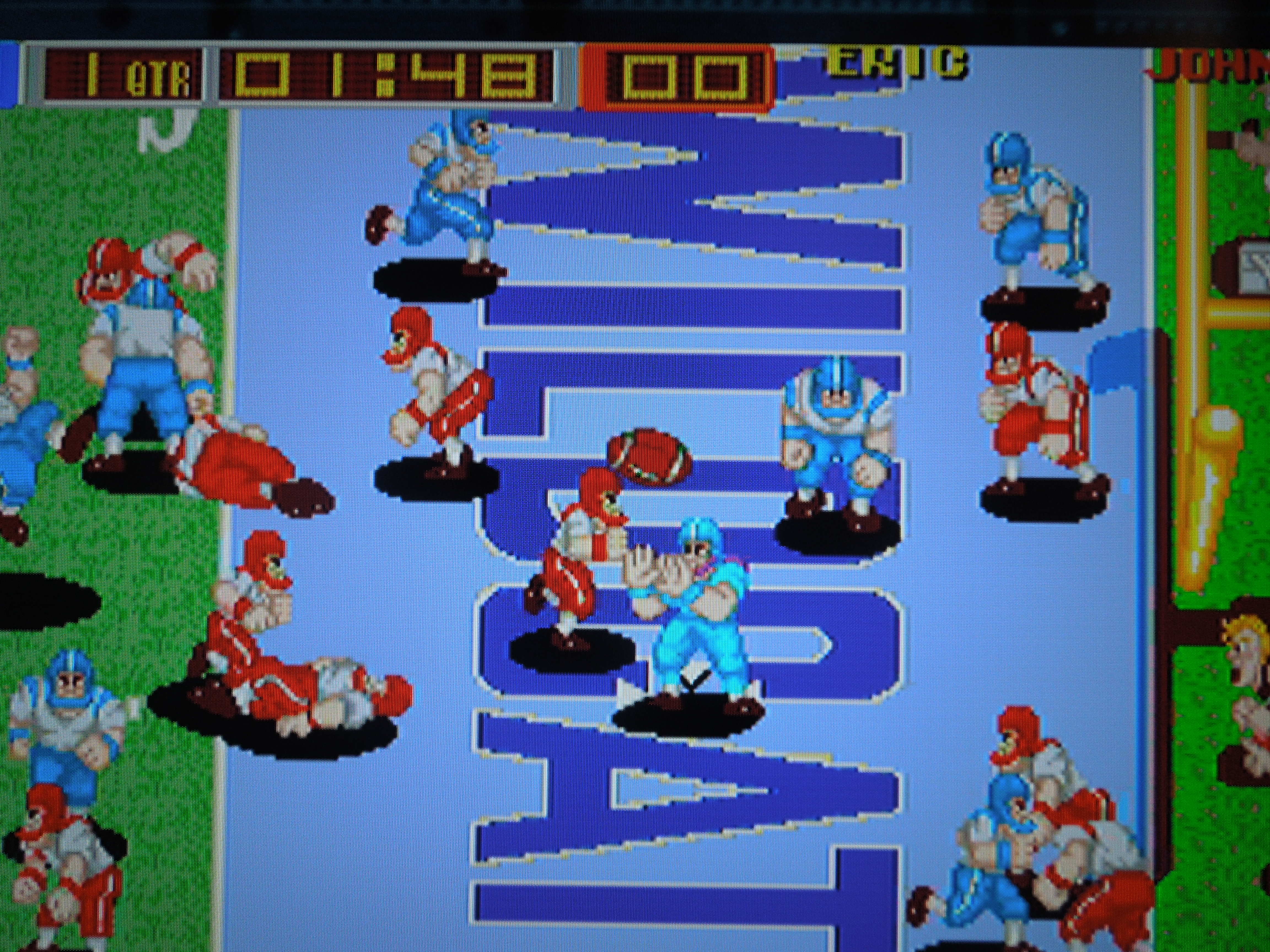
Gameplay: Tecmo Bowl Arcade features 2 teams only: the Wildcats (blue) and the Bulldogs (red). For some reason, this always makes me feel like I’m playing Kentucky vs. Georgia because the colors match the colors of the football teams from those universities. But I digress. The game features 10 on 10, despite the fact that the rules of football require 11 players per side. That’s still one more player than NES Tecmo Bowl, which had 9 on 9. You play 4 quarters, with no overtime, so ties can happen. Both teams are identical in terms of how they play. In fact, all the players, regardless of whom you choose, move at the same speed. It’s not exactly quick, not exactly slow, but it works well.
Player 1 wears all blue, Player 2 wears all purple, Player 3 wears all yellow, and Player 4 wears all red.
Since this is an Arcade game that originally required quarters to buy ‘playing time,’ the X button ‘deposits’ your virtual quarters in order for you to play. This game can accomodate 4 players, with Player 1 and 2 play being Wildcats (all blue and all purple players on the team), and Player 3 and 4 being Bulldogs (all red and all yellow players on the team). Unfortunately, you cannot play as the Bulldogs unless you have at least 3 controllers hooked up, nor can you play a VS match with a friend without 3 controllers, since controllers 1 and 2 always deposit quarters for the two Wildcats players.
Offense: You do not have the luxury of choosing plays in this game. Instead, you run a hurry-up offense for the entire game. Go! Go! Go! On offense, your team will line-up in 1 of 4 random formations: 3 with the quarterback under center, 1 with the quarterback in the shotgun. No matter your formation, you always have 4 targets: a combination of wide recievers who run routes (some medium, some long) or a taliback and/or fullback to hand off to/pitch back to. As soon as you get tackled, you’re on to the next play immediately! As quarterback, however, you do have about 5 seconds to look at your formation (while your QB screams HUT! HUT! HUT! – you don’t have to wait the 5 seconds to hike the ball if you don’t want to) and press the A button to cycle through your targets (your chosen receiver or running back flashes – in co-op, the player who is not the QB selects whom to be). The player you choose to stop on will be the one you pass to/handoff to/pitch to, and you cannot change this after the play has started. So, if your receiver is covered, for example, you better make a play with your quarterback using his legs unless you want to throw a pick. Yes, it’s a shame you can’t just cycle through your receivers to find the open man after the play has started like in the NES version of Tecmo Bowl. Of course, you can always still throw to a covered receiver, and since you become the receiver (in 1 player mode) as soon as the ball is released, you can always use the jump button to try and out jump the man covering you and still make the catch. Being able to jump for long passes is a nice touch, by the way.
Defense: The defense also lines up in 1 of 4 random formations. They basically change up how many men are on the line of scrimmage, or where the linebackers and safeties position
Only two teams in this version: the WILDCATS (blue) and the BULLDOGS (red).
themselves. Pressing A in the 5 seconds before the ball is snapped allows you to pick ANY player on defense – safety, linebacker, D-line. The A button, after the play has started, makes you jump, most useful when going for interceptions. The B button throws a diving tackle, and it’s awesome when you connect because you crush whoever is carrying the ball. If you ever let a receiver get behind you who has to jump to catch a pass, but you’re still close by, tackle him as he’s decending from the catch. You absolutely destroy him, making him spin 360 degrees and land at an awkward angle, complete with satisfying crunch for the collision. I’m pretty sure it would qualify as ‘targeting a defenseless receiver’ in real football and get you ejected, but hey, this is Tecmo Bowl Arcade – no penalties, injuries, time-outs, or ejections. Also, if you play 2 player co-op, on offense, the player without the ball can deliver crushing blocks by hitting B when close to an opposing player. If you’re accompanying your friend on his 50 yard run to the endzone, and an opposing team’s player manages to catch up, turn around and hit B to give him a HARD flying block. He won’t be getting up, and your friend will stroll in for 6. It’s one of the best things about co-op.
Sound and Music: During the game, a very upbeat song plays, and an even more upbeat bit plays when you score a touchdown. They’re nothing special, but they work well to create an arcade atmosphere. “First Down!” “Touchdown!” and “Interception!” all sound great as voice-overs and give the game that arcade feel. The sound bites are great. The smack of using the tackle (or flying block button in co-op) is magnificently bone-crunching. Interceptions have a nice sound effect, and there is even a sound effect for the ball being thrown.
The computer will try to cover you for an interception often, so try to get open.
Graphics: Great. The players are large and detailed, and occasionally you get to see various photographers, cheerleaders, referees, etc. along the sidelines. The endzones look great, with one displaying ‘Wildcats’ and the other ‘Bulldogs,’ complete with emblem. The shots of a raucous crowd are well done, too. Cartoony somewhat, but it works perfectly.
Additonal Notes:
High Scores: This game has 4 categories of high scores, and this Xbox version actually saves your stats, making its replay value higher than normal. After your game time has ended, you can enter your initials in 4 Top 10 lists, if you’ve played well – Intercepters, Defenders (Tackles), Runners, and Passers. Trying to beat your previoius games passing yards record or interceptions made record makes for a good time.
If you finish in the top 10 of rushing yards, passing yards, tackles, or interceptions, you can enter your initials in the high score screen – which will save even after you turn off the system.
Laterals: For a simple game, you can execute some surprising trick plays because of the ability to lateral multiple times, as long as you’re behind the line of scrimmage. After the play has started, for example, you can lateral back to your pre-selected tailback (by pressing B) as if you intend to use him to run the ball. However, your quarterback has now become a receiver, and will run a route, allowing the running back to pass to him downfield. It’s fun to come up with different plays using the lateral. The computer will do this sometimes as well.
Breaking tackles: Rotate the joystick in a 360 degree motion when opposing team’s players grab you. You’ll shake them off to make short gains into long ones. Usually, you’ll get swarmed under and go down if more than 3 tacklers grab you, but the faster you rotate, the quicker you’ll throw them off, and the more yards you’ll gain. This works great with the XBOX360’s control stick.
Fumbles? Yes, you can technically fumble in Tecmo Bowl Arcade. The only way to do this is if you’re the quarterback and you lateral back to someone behind you (obviously). Once you pitch the ball, you become the player who will receive it (same rule if you throw a forward pass in a 1 player game). If you start moving before the ball gets to you, however, you’ll miss it, and the ball becomes live, open for the defense to jump on for a turnover – the defense cannot advance the fumble, only recover it. You cannot fumble in any other way, such as taking a hard tackle while carrying the ball.
Co-op mode: If playing with a friend on the same team, you alternate who is quarterback and who is running back/receiver between every play.
You can shed tackles by rotating the control stick.
No field goals or punts? Nope. No more acting like a tough guy by choosing to go for it on 4th down. Now you HAVE to go for it on 4th down. Come up short, and it’s a turnover on downs. No field goals either, even if you’re in range on 4th down or the end of a half. It’s endzone or bust.
Scoring: With no field goals, there are only 3 ways to score: 6 points for touchdowns, and a chance at an extra point following that (no 2 point conversion option). Safeties, which are rare, but can certainly happen, get you 2 points.
Kickoffs and Touchbacks: At the beginning of the game and following a score, kickoffs occur from the 20 yard line. A strength bar appears at the bottom of the screen (also used for extra points). If you strike your kick with the bar completely full, you’ll send the ball through the end zone for a touchback, causing the opposing team to bring the ball out to their own 20 yard line for their first play on offense. Anything less than a full bar, which can actually be tough to get, results in a player running the ball back with a wall of defenders in front of him.
Xbox options: Before you start the game, you can select some options by pressing Y when the game is highlighted. You can change the amount of play time a virutal quarter gets you, the length of time in the 4 quarters of the game, and the difficulty of the computer from Easy to Very Hard. On Very Hard, the computer moves FAST. This is my favorite difficulty. Also, you can adjust the screen by zooming in, which is a great addition since the game’s setting is initially heavily letter-boxed, and the screen is a little hard to see until you set and save your ‘zoomed in’ feature.
The ability to press a ‘jump’ button makes Tecmo Bowl Arcade a blast – and makes for some spectacular catches.
Where can I find this game? You can always hunt down the massive, double monitored, 4 player original arcade cabinet! That might prove difficult and expensive, however. In addition to this compiliation disc for Xbox, the game was made avaliable for download on the Wii’s Virtual Console in 2009. I don’t believe it’s been avaliable anywhere else outside of MAME emulators for your computer.
Conclusion: Despite no differences in players, only 2 teams to play as, and no NFL player names, Tecmo Bowl Arcade is a wonderfully addictive game to play. Amazing in its simplicity. With the Xbox version able to save your high scores/stats, the replay value is higher than it might otherwise be. Fun even if you’re playing solo, the most excitement comes from getting 4 guys together who love football; then, you’re in for a heck of a great time.
The Southern Gentleman’s Opinion and Letter Grade: Recommended if you enjoy old school football games, B+
God Bless! Proverbs 3:6
You can kick extra points in Tecmo Bowl, but no field goals. Every possession is a 4 down, touchdown-or- bust possession!
Note 1: Like Nekketsu games? Check out all my other Nekketsu reviews (plus Super Dodge Ball)!
Note 2: This game was played on a NES model 101 Toploader that has been modified to output in AV (red, white, yellow) just like the original NES. The NES was hooked up to a 32 inch HD tv.
The original Famicom cartridge of Ike! Ike! Nekketsu Hockey Bu and the NES translation cartridge, Ice Challenge
Quick History: Ice Challenge: Multi-Sport Melee is an ice hockey game that was released for the Famicom (Japanese NES) under the title, Ike! Ike! Nekketsu Hockey Bu in 1992. Sadly, the game was never released in North America. Evidently, there was a plan to release the game under the title, Crash and the Boys: Ice Challenge, but the game was cancelled, possibly due to a fear that it wouldn’t sell well. The game is a part of the Kunio-kun series of video games, some of which were released in North America, such as the original Crash and the Boys (Sporting Events), Nintendo World Cup, and Super Dodge Ball for the NES. All of these games use similiar sprites for the characters, and have a distinct feel to them. Today, the rom of Ike! Ike! Nekketsu Hockey Bu has been translated into English (the main parts in Japanese were player names and the occasional dialogue cutscene) and placed onto an NES cartridge for play on your original Nintendo Enterntainment System! That is the game I am reviewing – the translated reproduction. The Multi-Sport Melee portion of the title refers to the fact that you, as a hockey team, compete against other sports teams from your school who think they have what it takes to best you at your own sport.
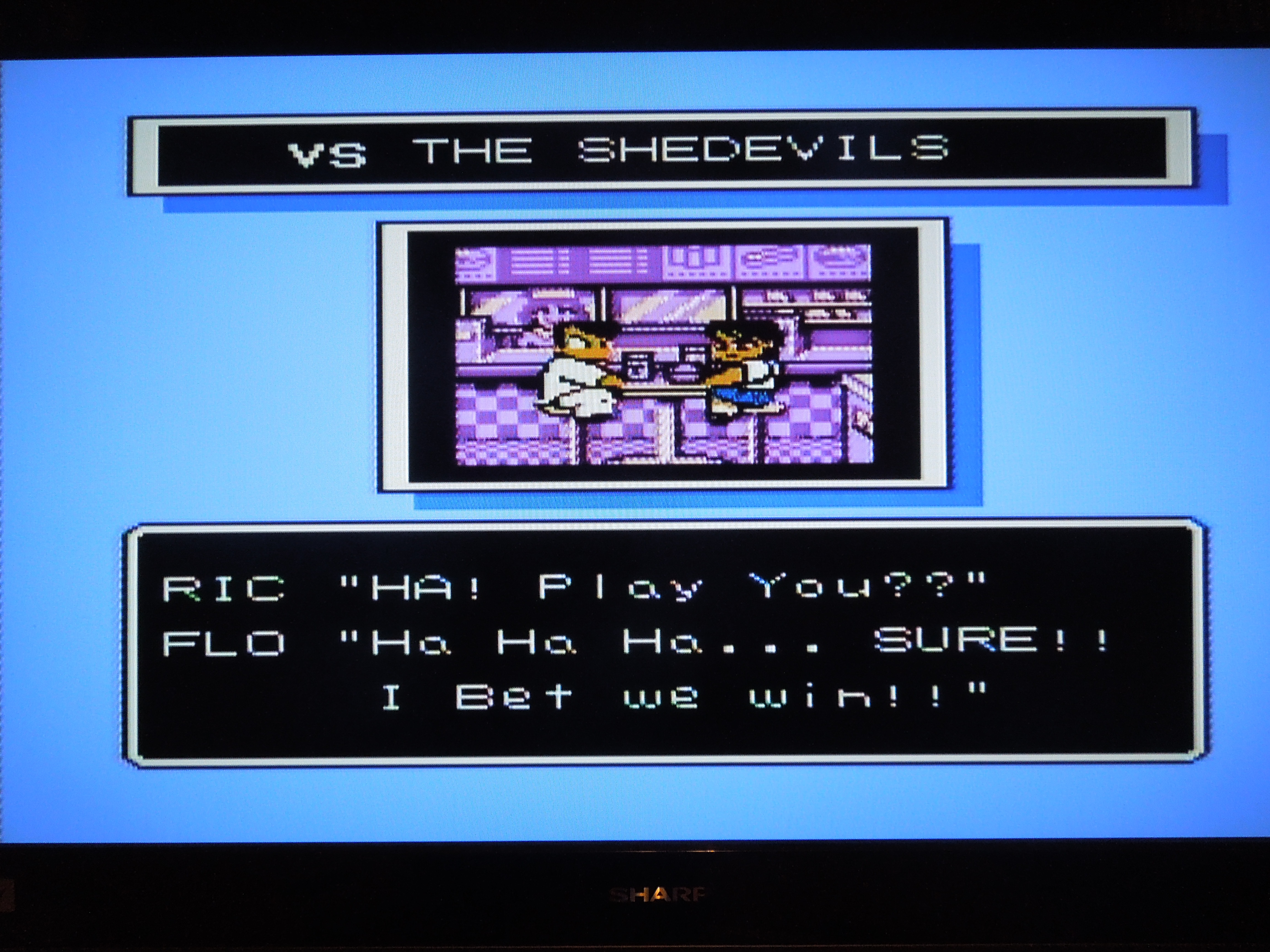
Gameplay: Ice Challenge has, essentially, 2 modes of play. Story mode and VS. Mode. Story Mode is avaliable for 1 player or for 2 player co-op. In Story Mode, you, as Ric (Kunio) set out to challenge all opposition at your high school in hockey matches. You will face a total of 10 teams, with each team getting progressively more difficult as you advance. *Note – there are very, very detailed FAQs online that provide statistics on these teams. Each game consists of three 3 minute periods, with a 30 second (skippable by pressing START) intermission after the 2nd period for the referee to sweep the ice. Beginning with the second team you beat, the Samurais (Kendo team), you will receive a 4 digit password that allows you to start back where you left off, should you choose to end the game. Quitehandy. After you beat a team, you can then wear their uniforms, which helps strengthen your team. You are allowed to choose who will play during each game, with some players having stronger attributes than others (Speed, Power, Defense – these all have a high or low number). While the game starts off easily enough, it quickly gets challenging. In addition to wearing the uniforms of teams you defeat, you also get new players who join your team at certain points, all of whom have greater Power, Speed, or Defense than your previous players.
Unfortunately, the last option, 4 Player Demo (VS), is not avaliable for this NES game
Your hockey team consists of 4 players, including the goalie. You control the player nearest the puck, so when you pass to a teammate and he receives the puck, you then control that character. When your opponent shoots on your goal, your control switches to the goalie, and you’re able to move up and down or forward and back (a bit), in addition to blocking a high shot or low shot by hitting A or B. In 2 player co-op, Player 1 controls the 3 skaters, and Player 2 controls the goalie. As a skater, the A button, firmly tapped, executes a pass to your teammate. Held for longer, the A button executes an air pass, and a quick tap spins the puck in the air in front of your skater for a shot with the B button. Holding the B button for a few seconds allows your player to execute his or her special shot, which has a greater chance of scoring a goal (your character’s ‘power bar’ decreases as you hold B). On defense, A executes an attack with your stick, while B executes a shoulder tackle. Hiting A + B allows your player to jump, with an additonal press of B executing an air attack, like a dropkick. Pressing a quick toward, toward moves your skater quickly across the ice. It all sounds a little complex, but it takes you all of 1 period of play to pick the game up. Simple, actually. The controls are spot on and tight.
Choose your teams in 2 player VS mode
The second mode of play is VS (called 2P Demo in the actual game). In this mode, each player can pick among any of the avaliable teams for a match. This mode is great because it allows you to pick among 5 different hockey rinks, some of which have crazy features such as hidden bombs under the ice or ‘bumper’ walls that send you flying when you hit them.
Sound and Music: Wonderful sound effects from the sound of a stick whacking another player to the whistle blowing for when a goal is scored. The music is incredible as well. Different songs play for different teams you face, and some you’ll find yourself humming later.
Graphics: Some of the best I’ve seen on the NES. No flickering or flashing sprites. Everything is smooth. The characters are large and detailed, with each skater having their own unique facial features.
Additional Notes:
4 player game? You may notice on the opening screen that the game appears to accomodate a 4 player mode. This may be so if you have the original Japanese release and a Japanese Famicom with a 4 player adapter. However, on my translation reproduction NES cartridge, even with a 4 player adapter (NES Fours Score), this option is not avaliable. I’m unsure as to why it won’t work, but you can only play with 1 or 2 players on this version.
Some of the rinks have surprises, like explosive mines, waiting on you.
Penalty Box? Get roughed up too much, and your character will get angry (you’ll notice their face will look different than usual), and you’ll be able to throw a massive punch that gets you sent to the penalty area until the next goal is scored. The computer players are notorious for getting temporarily ejected, so use this to your advantage when they’re a man or two down.
Where can I find this game? You can find cheap copies of the orignal Famicom release, Ike! Ike! Nekketsu Hockey Bu on ebay. You’ll need either a Famicom to play it on or a ‘Famicom to NES’ converter for play on your NES. There are also websites that sell the translated version on a NES cartridge. Google ‘NES reproductions’ or something similiar.
Conclusion: This is not only one of the best hockey games, but one of the best sports games I’ve ever played. It’s right up there with NES classics like Tecmo Bowl. It’s addictive, easy to look at, and great fun to play. The ONLY negative I’ve found about this game is the lack of Overtime after the 3 periods end, even if there’s a tie. There’s nothing more discouraging than battling your tail off against the Canadians, tying up the game 9-9 with :02 left on the clock, and then still losing because ties count as losses. An addition of Sudden Death would have made this the perfect game. But alas, one can’t have it all. This is, nonetheless, a sports game I’ve come back to again and again, and it’s most fun with 2 player, either in co-op or VS.
The Southern Gentleman’s Opinion and Letter Grade: Highly Recommended, A+
God Bless! Proverbs 3:6
Cutscenes play in between matches in Story Mode, setting up Ric’s hockey team vs a new challenger.
Note: Also, check out my review of VS Excitebite! Also, if you’re interested in other BS games, check out BS Legend of Zelda and Ancient Stone Tablets!
*All images of the game and gameplay were taken by me, not pulled from the Internet. I played the game on a standard U.S. SNES console using SVideo hookups (the best avaliable for the system). I played the game on a 32 inch HD tv.
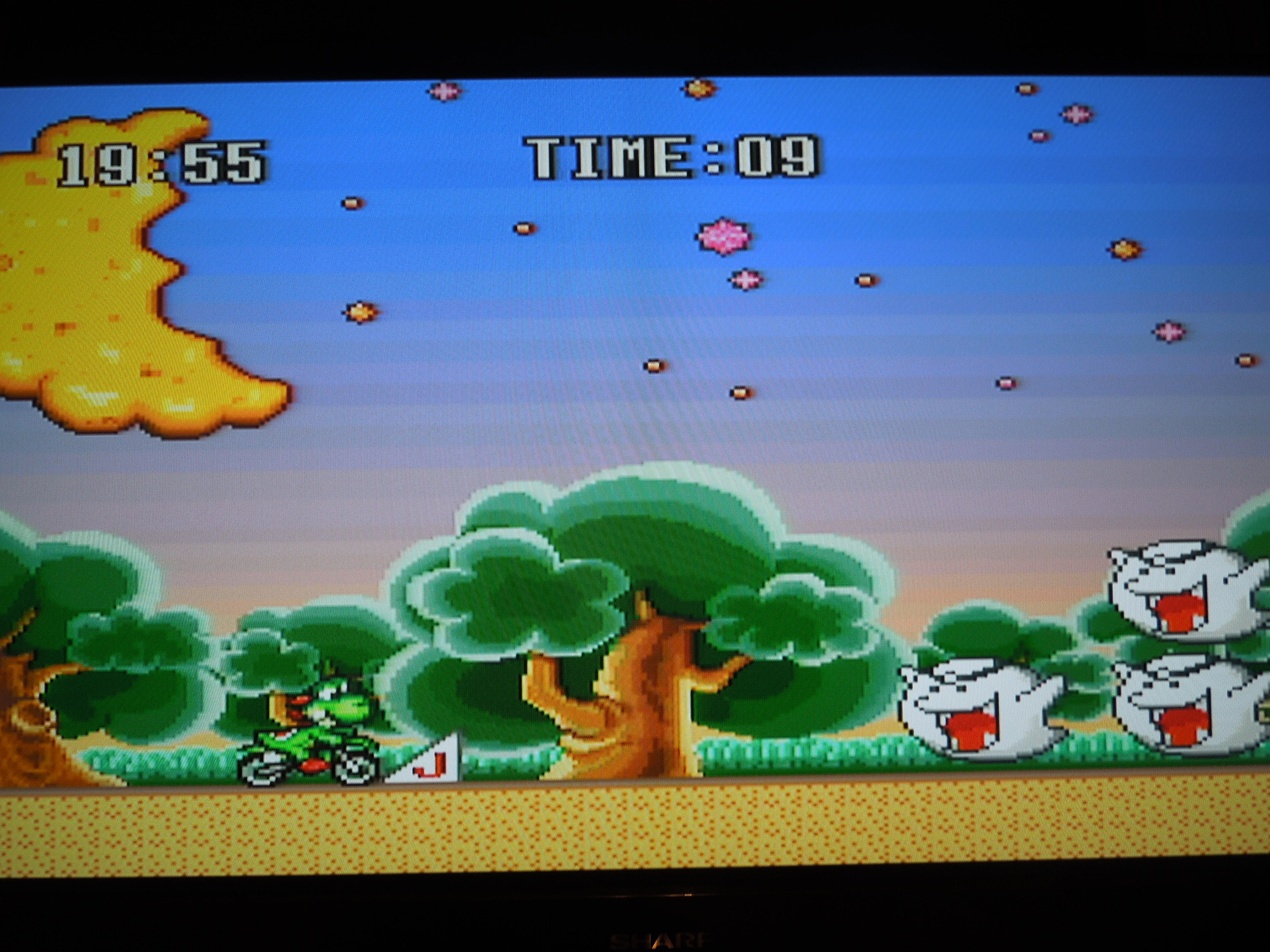
Jumping stacked ghosts in the bonus game is a great way to rack up your Grand Total Score.
Quick History: BS Excitebike was a Japan-exclusive game released in 1997. The game was not issued as a stand-alone game cartridge, however. It was made avaliable through the Broadcast Satellaview, a device that plugged into a Super Famicom (Japanese SNES) and allowed game downloads and simultaneous streaming satellite radio. There were actually 4 versions of BS Excitebike that were avaliable for download at differnt times back in 1997, with each one differing slightly from the others. Differences primarily included different track layouts and character choices. This review is technically for BS Excitebike, Mario Battle Stadium 4, as it was the last of the 4 original versions of the downloadable game. Due to the wonders of the Internet, the rom of BS Excitebike 4 can now be put onto an SNES cartridge and played as a traditional SNES game.
Gameplay: BS Excitebike is a motorbike racing game starring Nintendo’s beloved Mario characters. If you’ve ever played the NES classic ‘Excitebike,’ then yes, this game is extraordinarily similiar (yet, having played both, I prefer BS Excitebike). Assuming, however, that you have never played the original NES Excitebike, here is a summation – Essentially, after choosing your character, you drive your motorbike to the right as fast as possible, weaving among four lanes to avoid obstacles, drive up ramps, and race over on-track structures. Depending on the type of race (more on this in a bit), you are required to finish a set number of laps or finish as many laps as possible in a set amount of time. Apart from the control pad and Start button, the game only requires two buttons: B and Y. B allows your motorbike to hum along at a steady pace; Y allows for ‘turbo’ mode, wherein your bike speeds along at a faster clip, but can overheat and stall out (costing you time) if held for too long without switching back to the normal (button B) pace. The control is perfect, and handling your character is never a problem.
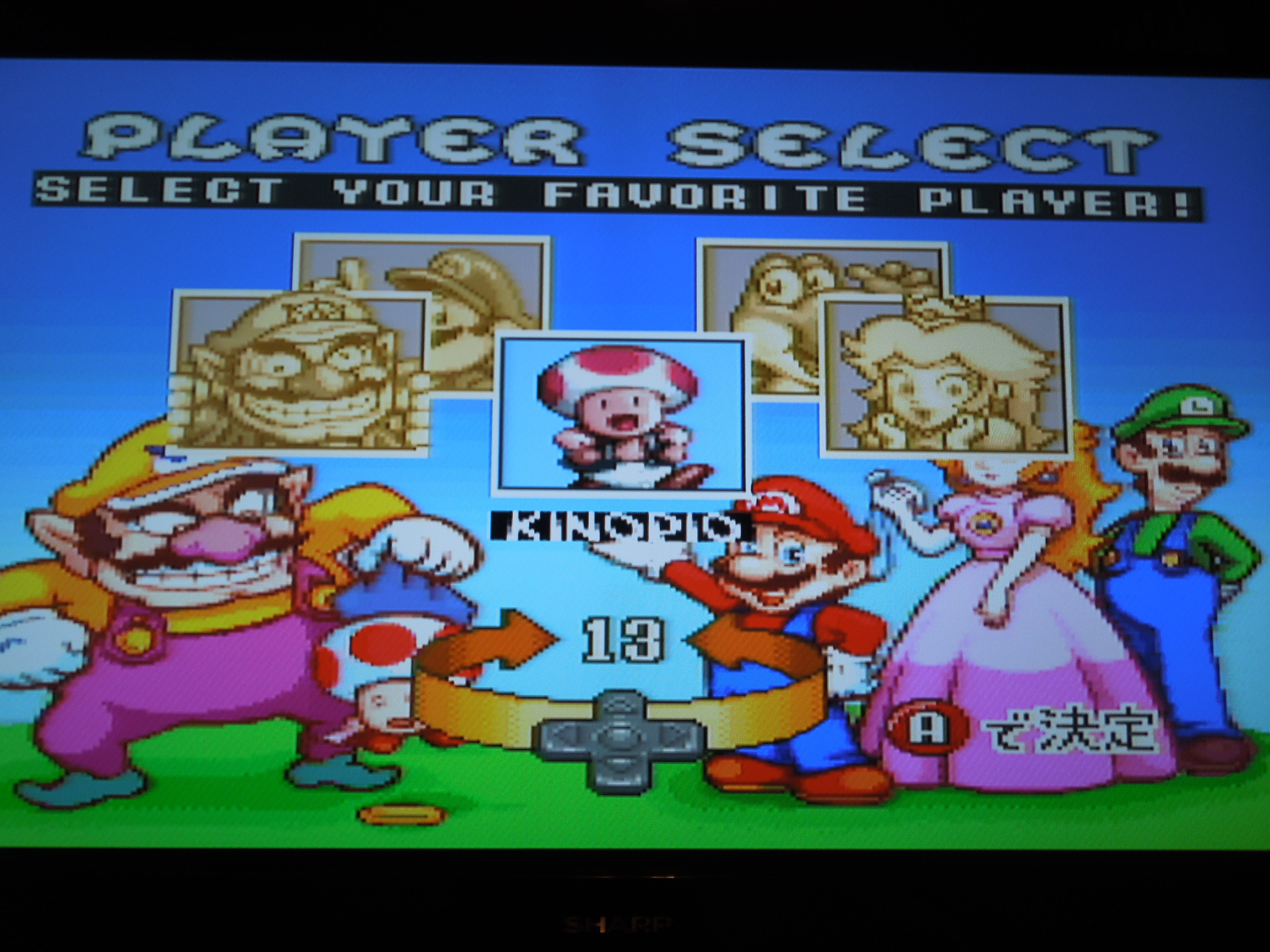
Choose your driver! (just not you, Luigi)
Character Selection: BS Excitebike allows you to choose among 5 motorbike drivers: Mario, Peach, Wario, Yoshi, and Toad (called ‘Kinopio in this game). *Remember, there were 4 versions of this game originally avaliable for the Brodcast Satellaview system, and the characters changed somewhat from version to version. This is why, for example, you may see a video of BS Excitebike that has Luigi as a selectable character, although he is not avaliable in this version. I have played through the game with all 5 characters and have noticed no discernable difference in the speed or handling of the characters, unlike say, Super Mario Kart. Hence, choosing a character becomes only a matter of personal preference. Each character does, however, have their own sound bite that fits the characters perfectly and gives the game that ‘Nintendo’ feel. Mario, for example, issues a ‘Wahoooo!’ The sound bites kick in whenever a character drives up a ramp.
Sound and Music: As far as sound effects go, there are only a few in the game, but they work well with gameplay. The sound bite from your chosen driver when he or she hits a ramp, the hum of the bike engine, the warning of a quickly overheating engine, the ‘wrecking’ sound of colliding motorbikes – all of these are appropriate and similiar to what you would have heard if you ever played the original Excitebike for the NES. There is, however, no in game music UNLESS you collect at least 5 coins that are dispersed along the track. When you collect 5 coins, an upbeat (though repetitive) song will play for so long as you do not wreck your bike. Wreck your bike while the music plays, and the music stops (until you collect 5 coins again).
Graphics: Everything looks great – quite vibrant and colorful are the characters, backgrounds, and courses.
How the game works: Games that were made for the Broadcast Satellaview in Japan, though many are now avaliable as SNES cartridges, don’t exactly play the way you expect a traditional SNES game to play. Orignally, the downloadable games were supposed to be played in a set amount of time, often times, 1 hour, give or take. When you boot up your cartridge of BS Excitebike, you’ll notice a timer in the top left corner of the screen set at 19:03. The timer will run until it reaches 19:56, effectively ending the game as the credits roll. In the 53 minutes you have to play the game, the goal was (and is) to get as high of a score as you can in your hour.
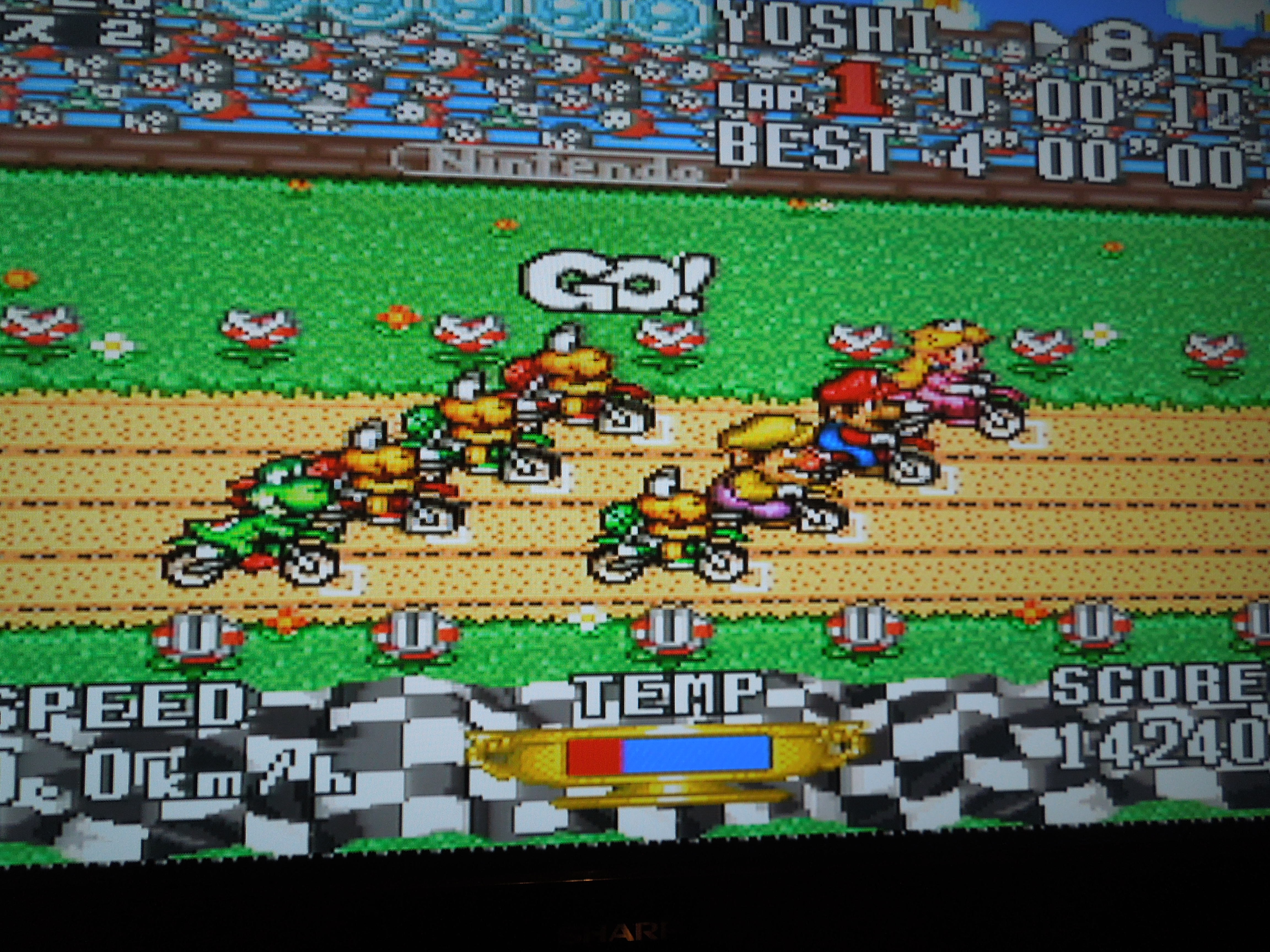
Finishing first in the Course Races brings in big points toward your grand total.
During your hour of play time, after choosing your driver, there are four courses that you will race. For each of the four courses, you must first race in a ‘Qualifying Round’ with just your driver on the track, followed by the actual ‘Race’ against 7 other drivers (Koopa Troopa turtles make up some of the other drivers, although they’re not selectable). So, the format of the game is essentially: Course 1 Qualifying, Course 1 Race. Course 2 Qualifying, Course 2 Race. And so on. Each Qualifying Round is approximately 4 minutes long, and you get points for every lap you finish, every coin you collect along the track, and bonus points for finding Golden Mario Statues (placed at random spots along the track – when you ride over one of these hidden spots, the golden statue will pop out of the ground). After Qualifiying, you participate in the Race, in which you must complete 5 laps in a 4 minute period. The order in which you finish nets you a set number of points, so trying to finish first, which is challenging, is the goal. After each course (both the Qualifying and the Race), you are shown a results screen that tallies all of your points before sending you to the next Course number (your points total carries over through all 4 courses for a grand total at the end of the game).
The further you can jump your bike in this bonus game, the more points for your grand total.
In between some of the Qualifying Rounds and Race Rounds, or between some courses, there are 2 short bonus games (around 2 minutes long) that can net you more points to add to your grand total. One is a long jump type game, where the further you can jump your motorbike, the higher the number of bonus points you’ll receive. You get as many chances as you have time for, but you only get points based on your best jump. The other is a ‘ghost jump’ game, where the greater number of stacked ghosts you jump, the more bonus points you’ll receive. In the ghost jump game, it is important to press ‘Start’ after you finish each set, so as to quickly restart and have the opportunity to jump more ghosts for even more points.
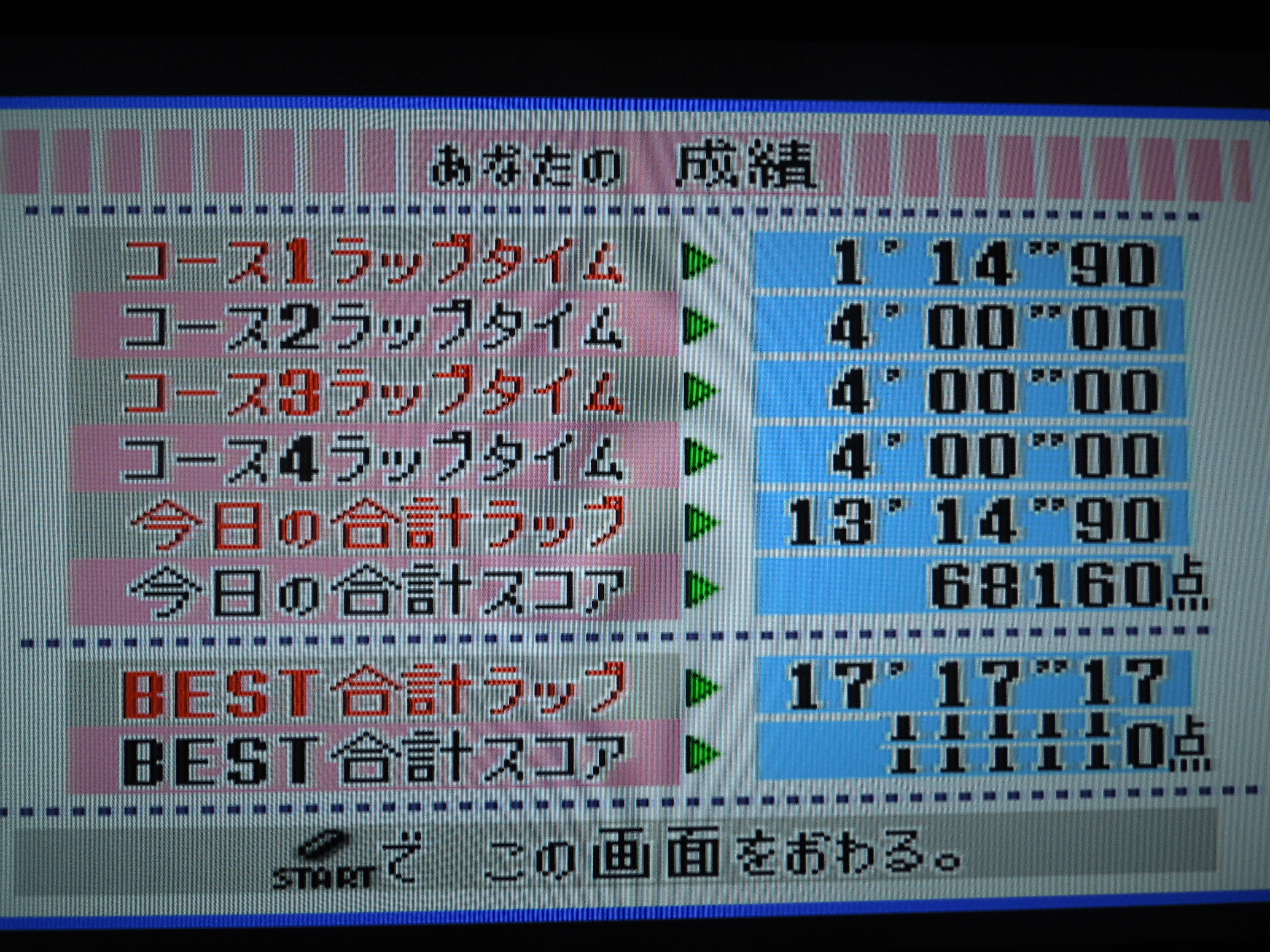
After finishing all 4 courses and all of the bonus games, when the timer is at 19:56, you’ll be presented with your final results screen, which tallies up all of your points and shows your Grand Total. Remember, this is a game that is all about getting (and beating) your high score. My current high score is 449, 220 with Peach. Unfortunately, the game cartridge doesn’t save high scores, so it’s up to you to go with the old dry erase board method – it’s more reliable than an old game battery, anyway. A couple of short ending screens will be displayed and the credits roll after your grand total screen, and that’s it.
Additional Notes:
Pausing the Game: Because this cartridge is based off of a Broadcast Satellaview game, you cannot Pause the game. Yes, this can be bothersome, so just make sure you won’t have to be interrupted before you start playing. You can, however, use the Start Button, but beware, if you press Start during a Qualifying Round or a Race Round, the round will end and the clock will skip forward; you won’t get to earn points for finishing laps Qualifying, and you’ll be disqualified from the Race and won’t earn any points. Times to use the Start button include: at the beginning of the game to skip the Demo screen, when the screen of the Princess holding a sign appears, and during the bonus games (as soon as you finish jumping your bike) to give yourself as many chances as possible to get points.
After each of the 4 courses are complete, you get this results screen.
Language Barrier? If you see images or videos of the game, you’ll notice both English and Japanese in-game text. This in no way affects the playability of this game, nor your understanding of how your score is totaled. There appears to be more English than Japanese on the whole.
Powering Up: Collecting coins adds to your total score, but more imporantly, it allows you to use the Y button (turbo) without fear of overheating your motorbike. When you collect 5 or more coins on a Course track, music plays, and your character starts flashing (much like when you get a ‘Star’ in Super Mario World for SNES). You are not, however, invincible, as you would be in SMW, so don’t try to wreck other drivers by driving into them because it won’t work! Remember, if you wreck your bike, you lose your ‘power up,’ the music stops playing, and you have to collect 5 more coins to get powered up again!
The Grand Total Screen, unlike the individual Course Results Screen, is in Japanese. No worries, though. Your final total is the 3rd line from the bottom. Write it down!
Where can I find this game? It’s avaliable as a rom on the Internet for play on an emulator on your computer. I personally do not enjoy playing games this way, but many do, and you can always find the rom by doing a google search of rom websites. Additionally, there are SNES reproduction cartridge websites that can put the game on a cartridge for you or even sell it on their websites. Again, just google ‘SNES repros’ or something similiar. This, to me, is the best way to play the game. Reproduction cartridge websites cannot (or aren’t supposed to, I believe) make and sell any games that were ever released in the North American region, but games such as this one that were never avaliable here can legally be sold (according to what I’ve read, mind you, but you can always research the topic yourself if you’re interested).
Conclusion: BS Excitebike is a wonderful and addictive game, particularly if you enjoy trying to best your own high score. It is a shame that it was never released as a stand-alone SNES cartridge back in the 1990s, or that the Broadcast Satellaview was never made avaliable here in the U.S. With some additions like split-screen multiplayer or design-your-own course, it surely would have been a winner. But a gem of a game indeed is this, from great control, to fun and entertaining graphics, to just a boatload of fun altogether.
The Southern Gentleman’s Opinion and Letter Grade: Recommended, A+

 Super Dodge Ball for the PC Engine
 Play against the best International Dodge Ball teams, like (evidently) Iceland.
 PC Engine Hu-cards (like SDB) are extremely compact, just like the console itself.
 In VS for 2 players, the game keeps track of the win/loss record of you and a friend.
 In Story Mode, a UFO attacks you with a dodge ball, and…well, that’s it…game on. Who needs a detailed plot?
 When you kill opposing team’s players, they turn into angels. Also, for some reason, China’s team is full of overweight, out-of-shape players.
 The smug, pompous United States is the last team you’ll face! They’re tough to beat!













 Obscure Video Games