Pocket Color Tennis for the Neo Geo Pocket Color There aren’t many games that are easier to pick up and play than Pocket Color Tennis.
Note 1: Like Neo Geo Pocket Color games? Check out my review of Fatal Fury: 1st Contact!
Note 2: This game was played on a Neo Geo Pocket Color in a well-lit room. The Neo Geo Pocket Color doesn’t have a front light or backlight (unless you purchase a modded system or a Nyko light), but the game looks fantastic as long as you play in a room with adequate light).
Game Type: Sports
Players: 1 or 2 player VS (with 2 game cartridges, 2 handheld systems, and 1 link cable)
Quick History: Pocket Tennis Color was released in 1999 for the Neo Geo Pocket Color. It was a launch title for the short-lived hand-held system, and isn’t terribly ‘obscure’ in terms of its availability; however, since the NGPC didn’t last long and many gamers have never played any game for the system, I’m reviewing it.
Modes: 3 modes are available in Pocket Tennis Color: Exhibition, Tournament, and Records. Exhibition is a single game against 1 CPU opponent (or human opponent in 2 player VS). You can select among 5 different courts (6 with two human players) and select the number of Sets you want to play (1, 3, or 5). In Tournament, you select a player and take them through a randomly named tournament against 3 other tennis players. Win all 3 matches, and you win the tournament and receive a trophy. In Records mode, you can view the trophies you’ve won in tournaments (tournaments have different names like ‘Oriental’ or ‘Virgo’).
Gameplay: If you have no idea how tennis works, here are the very basics. 2 players stand opposite one another on a court, with a net between them. Using a racket, they hit a ball back and forth, with the object being to hit it into a section of your opponent’s half of the court where they cannot hit it back to you – if you do this, you score. The first player to get to over 40 points wins. However, points work like this – your first score is 15, your second is 30, and your third score is 40. Score again once you have 40, and you win. However, in tennis, if you and your opponent are tied at 40, you’ll have to score twice more before you win. You play a ‘1st to 6 wins’ Set, so, once you have beaten your opponent once, the score re-sets to 0, and the next match begins, and so on. Whoever wins 6 matches in the Set first, wins the Set.
Each of the game’s 10 players have varying stats with regards to power and speed.
Control: The control stick moves you in all directions on the court. A hits a quick shot, and B hits a lob shot (higher, slower shot). You can spike the ball onto your opponents half of the court if you hit B when the ball is at the right point in the air. The controls are simple to master.
Music and Sound: The music in Pocket Tennis Color is simple, yet decent. Each court has different theme music. The sound effects could have used improvement, however. The ball doesn’t make any bouncing noises and no sound effect is heard when it is struck with a regular hit.
Characters: 10 characters are available for selection, although you’ll have to unlock 2 of them by beating them in Tournament Mode (they appear randomly). The characters are an assortment of men and women, plus an amoeba called ‘Amiba’ (an amoeba is a microscopic organism without a particular shape). Weird. Each player has their own speed or power, so you can play around and see which one you like best.
There are multiple tournaments in the game for you to try to beat.
Difficulty: Pocket Tennis Color is a simple game, and after a couple of matches in a Set, you’ll be dominating the competition. Playing through all of the game’s tournaments will still provide a slight challenge, as often your final opponent will be a little tougher than the first two, meaning he or she can actually score on you. Overall, the game is a little too easy.
Saving: The game saves the trophies of Tournaments you win in your Records menu. You can win the same tournament multiple times, and the game even saves the date of when you won it.
The game saves the trophies you obtain by winning tournaments in your Records.
Conclusion: Pocket Tennis Color is an extremely simplistic tennis game, but it is fun. You’ll want to fill up your trophy case, and the fact that the game saves your big wins is certainly a plus. The difficulty needed to be tougher, however, or in the very least, an option to change the difficulty should have been included.
The Southern Gentleman’s Opinion and Letter Grade: Far from being a ‘bad’ tennis game, Pocket Color Tennis is not perfect. However, there’s enough here to warrant a purchase if you own a Neo Geo Pocket Color. C+
Fatal Fury: First Contact for the Neo Geo Pocket Color
Note: This game was played on a Neo Geo Pocket Color in a well-lit room. The Neo Geo Pocket Color doesn’t have a front light or backlight (unless you purchase a modded system or a Nyko light), but the game looks fantastic as long as you play in a room with adequate light).
Game Type: 1 on 1 Fighter
Players: For 1 or 2 players (two players with 2 handheld systems, 2 cartridges, and 1 link cable)
Quick History: Released in 1999 for the Neo Geo Pocket Color handheld system, Fatal Fury: First Contact was the only game in the Fatal Fury series made for anything other than a home console. Considered by many to be a port of Real Bout: Fatal Fury 2 for the Neo Geo AES home console, First Contact has less playable characters than its console ‘counterpart.’ The game doesn’t appear, in my opinion, to be a proper ‘port’ of that game however, as its art style distinctly sets it apart.
Special Moves are a cinch to execute.
Saving: Directly from the game manual – “1P PLAY MODE data is automatically saved when each stage is cleared.” Essentially, you have to beat 8 of the game’s 11 characters in order to beat the game. After you’ve played through the game once and ‘beaten’ it with your chosen character, then every ‘stage’ becomes selectable to you in the Configuration (Options) menu. So, basically, you can choose how many opponents you’ll face before you beat the game (example: select to start on Stage 8, and you’ll only have to beat 1 fighter in order to beat the game. Note: opponents are always random no matter what ‘stage’ you start on).
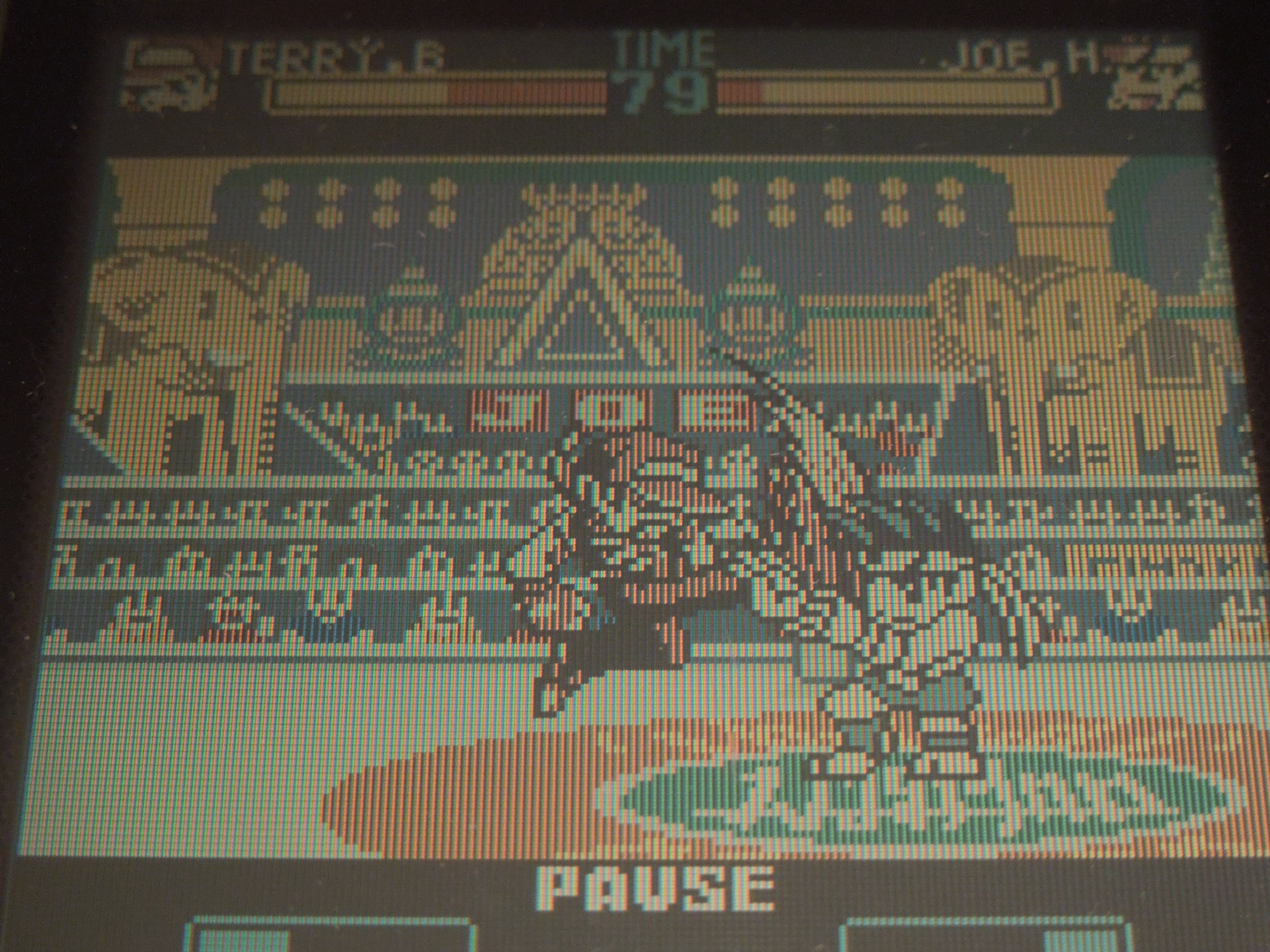
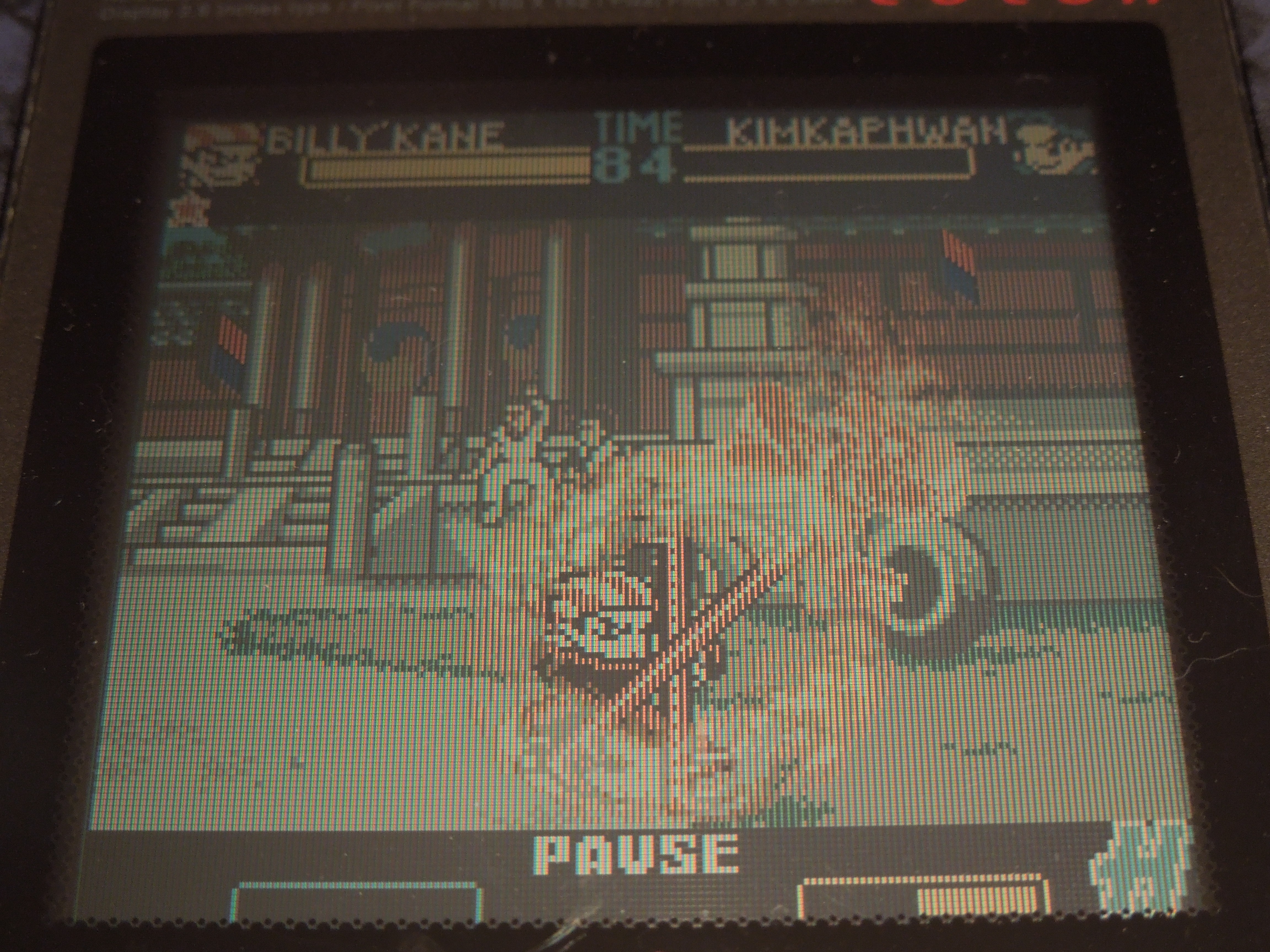
Controls: First Contact, like most Neo Geo Pocket Color games, uses all 3 of the available buttons. The joystick moves your character in all directions. Forward, Forward dashes at your opponent. Back, Back evades (jumps backwards). A punches (tap for light, hold for strong). B kicks (tap for light, hold for strong). Different combinations of joystick motions plus buttons A or B execute special moves (example: Billy Kane’s ‘Fire Dragon Pursuit’ requires you to press Down, Back, B). The Options button + left or right taunts. The Options button without pressing left or right pauses the game.
Music and Sound: Great. Now, bear in mind we’re talking about a handheld console from 1999 and small game cartridges, but the music is quite enjoyable. Different stages have different musical themes, and the majority of them are quite memorable and atmospheric. The sound effects are great as well, particularly the special moves. Punches, kicks, fireball attacks, and combo attacks all sound satisfying.
H, S, and P moves require you to fill your power gauge.
Extra Moves: You have a ‘power gauge’ at the bottom of the screen that fills as you use special moves or guard (block) in battle. It fills to certain levels marked by an individual letter: H (Break Shot), S (Mighty Mauler Moves), and P (Hidden Ability Boppers). When your power gauge reaches each letter, these specific moves become available to you if you input the proper commands. For example, when playing as Geese Howard, when your power gauge reaches letter P, you can execute the ‘Raising Storm’ move by pressing Toward, Back, Down, Toward, B. All of these ‘extra moves’ are extremely powerful, even more so than your character’s regular special moves.
Characters: 11 characters are selectable (with 2 ‘secret’ characters, 1 of which is only available in 2 Player VS). Rick Strowd, Li Xiang Fei, Terry Bogard, Andy Bogard, Joe Higashi, Mai Shiranui, Geese Howard, Billy Kane, Kim Kap Hwan, Ryuji Yamzuki, and Wolfang Krasuer. Each one has his or her own unique special moves, and, from my experience, the balance among them seems extraordinarily fair. Each character has their own unique look as well (no ‘palette’ swapped characters, here).
11 characters are selectable, including 2 ‘secret’ characters.
Configuration (Options) Menu: In the Configuration menu, you can set the difficulty (Easy, Normal, Hard), the time (45 sec, 60 sec, 90 sec, or no time limit), the COM or VS win point (best of 3 or best of 5 matches), the stage (select where to start your quest to be the best – only available after you’ve beaten the game once), BGM and SE (sample the music and sound effects in the game), and Memory reset (delete any ‘stage’ data you’ve saved).
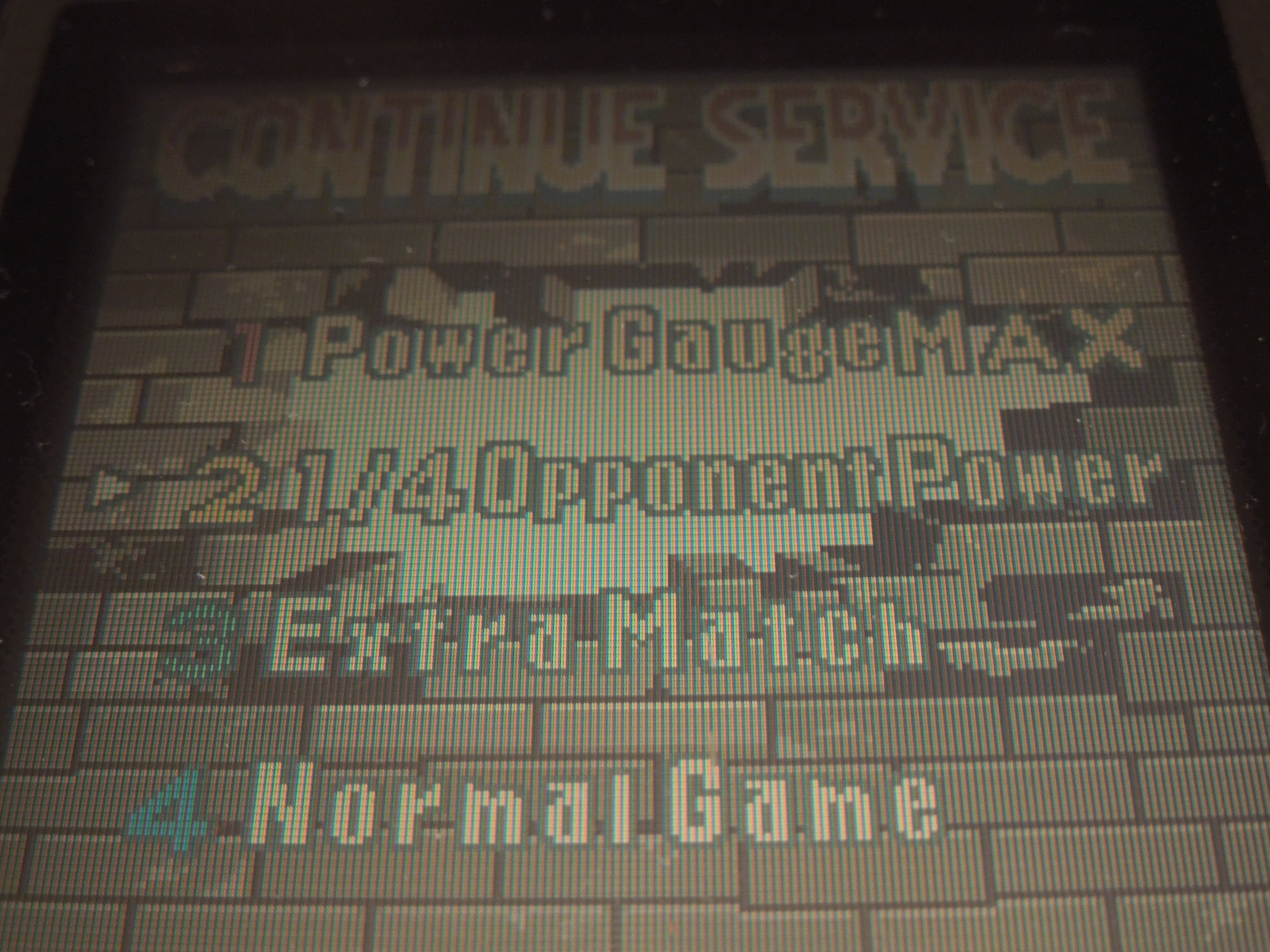
Continues: If you lose a match in First Contact, you can continue by pressing A (no limit on continues). Before you re-play the opponent you just lost to, however, you have unique options: Power Gauge Max (start the match with your power gauge already at S power), 1/4 enemy energy (your opponent starts the rounds with only 25% of his or her health bar), 1 match give-away (you only need to beat your opponent once – no ‘best of 3’ or ‘best of 5’ matches), and No Service (just a regular rematch option).
Lost to your opponent? No problem, just set the odds in your favor for the rematch.
So, where can I find this game? EBay and Amazon. Sadly, the Neo Geo Pocket Color was not a (commercially) successful handheld system, and because of it lack of commercial success, its easy to find the handheld and many of its games on online retail sites. You can also play the rom on a computer emulator.
Conclusion: Fatal Fury: First Contact is one fantastic game. Honestly, its unfortunate this title was only released as a handheld exclusive because it would look great on the SNES or Sega Genesis, had it ever been released for those systems. The characters have a somewhat ‘super deformed’ look that is cartoony, and that only helps the game’s presentation – it sets it apart from the many Fatal Fury games that were released for the Neo Geo AES home console. One thing I really like about First Contact is how easy it is to beat the game with each character (because of the ability to start on any ‘stage’ after you’ve beaten the game on your first run-through). Also, I like the ability to set the table to your advantage if you lose to the CPU. Is the CPU tough? Sure, if you set the Configuration to Hard. Are the special moves and ‘extra’ moves easy to pull off? Yes, they are extremely easy to pull off, especially with the Neo Geo Pocket Color’s joystick – I have played the game with all characters, and once you learn each character’s special moves inputs, you’ll be well on your way to mastering the game. Note: Either buy a copy of the game that includes the manual (which includes special and extra moves control inputs), or look up the characters’ moves online.
The Southern Gentleman’s Opinion and Letter Grade: Fatal Fury: First Contact is one of the first (and easiest to find) games you should look up if you invest in the (obscure) Neo Geo Pocket Color handheld system. The graphics are absolutely fantastic, as is the music, and the control and fun factor is way, way up there. Recommended if you’re a Fatal Fury fan or interested in a handheld fighter. Are there better handheld fighters for the Neo Geo Pocket Color? Maybe, but this game – this game is fantastic. B+
God Bless! Proverbs 3:6
Trying to beat the game with each fighter adds replay value.
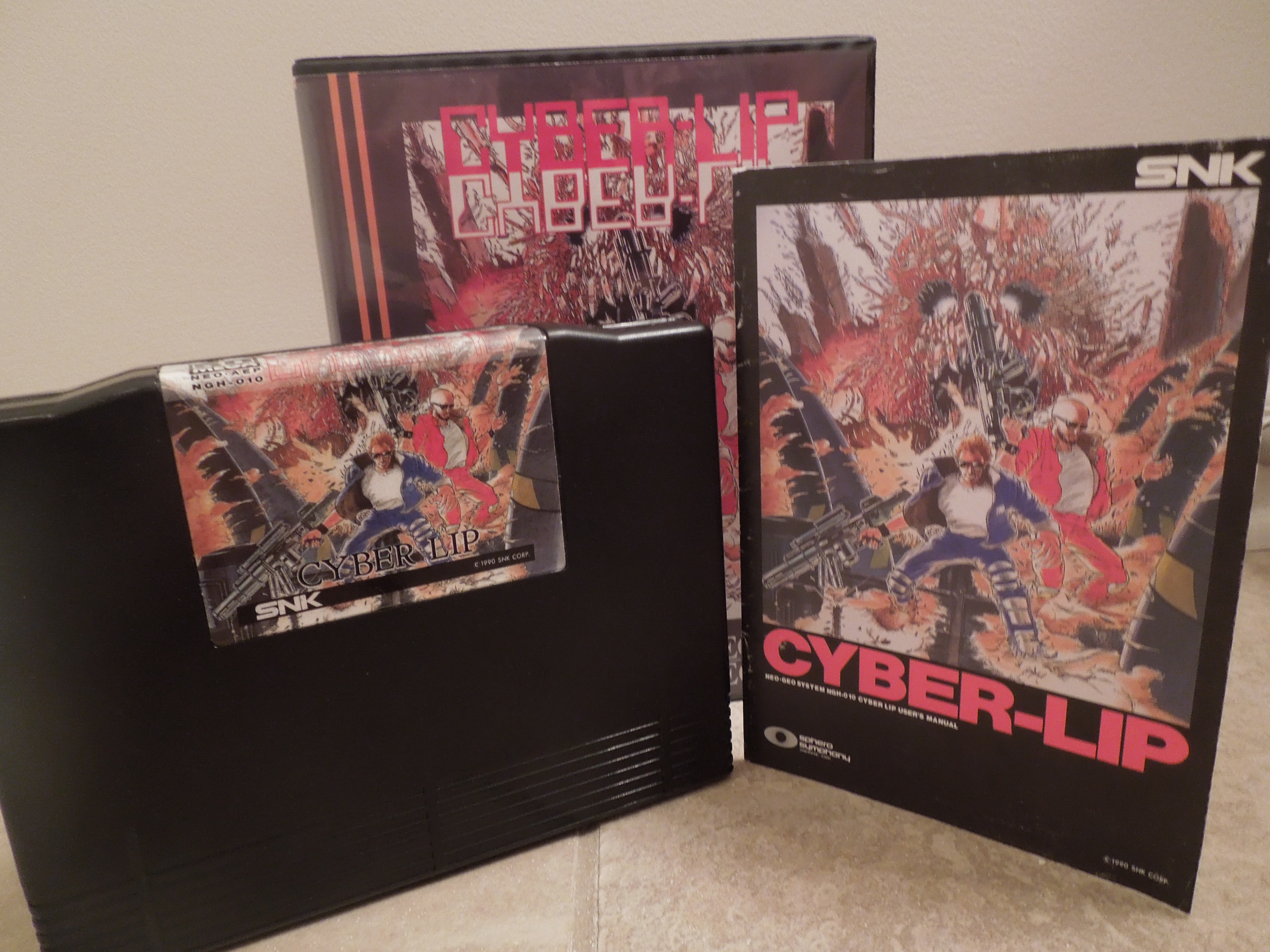
Cyber-Lip for the Neo Geo AES Cyber-Lip was released for the Neo Geo AES (shown here), MVS (arcade cabinet), and CDZ.
Note 1: Like shooting games? Check out my reviews of Operation Wolf and Shock Troopers: 2nd Squad!
Note 2: This game was played on a Neo Geo AES home console that has been modified to output in component video (red, green, blue). It was connected to a 32-inch HD tv.
Quick History: Cyber-Lip was released for the Neo Geo AES home console in 1990. It is a ‘Run ‘n’ Gun’ shooter that has similarities with more well-known games such as Contra for the NES or Contra III for the SNES.
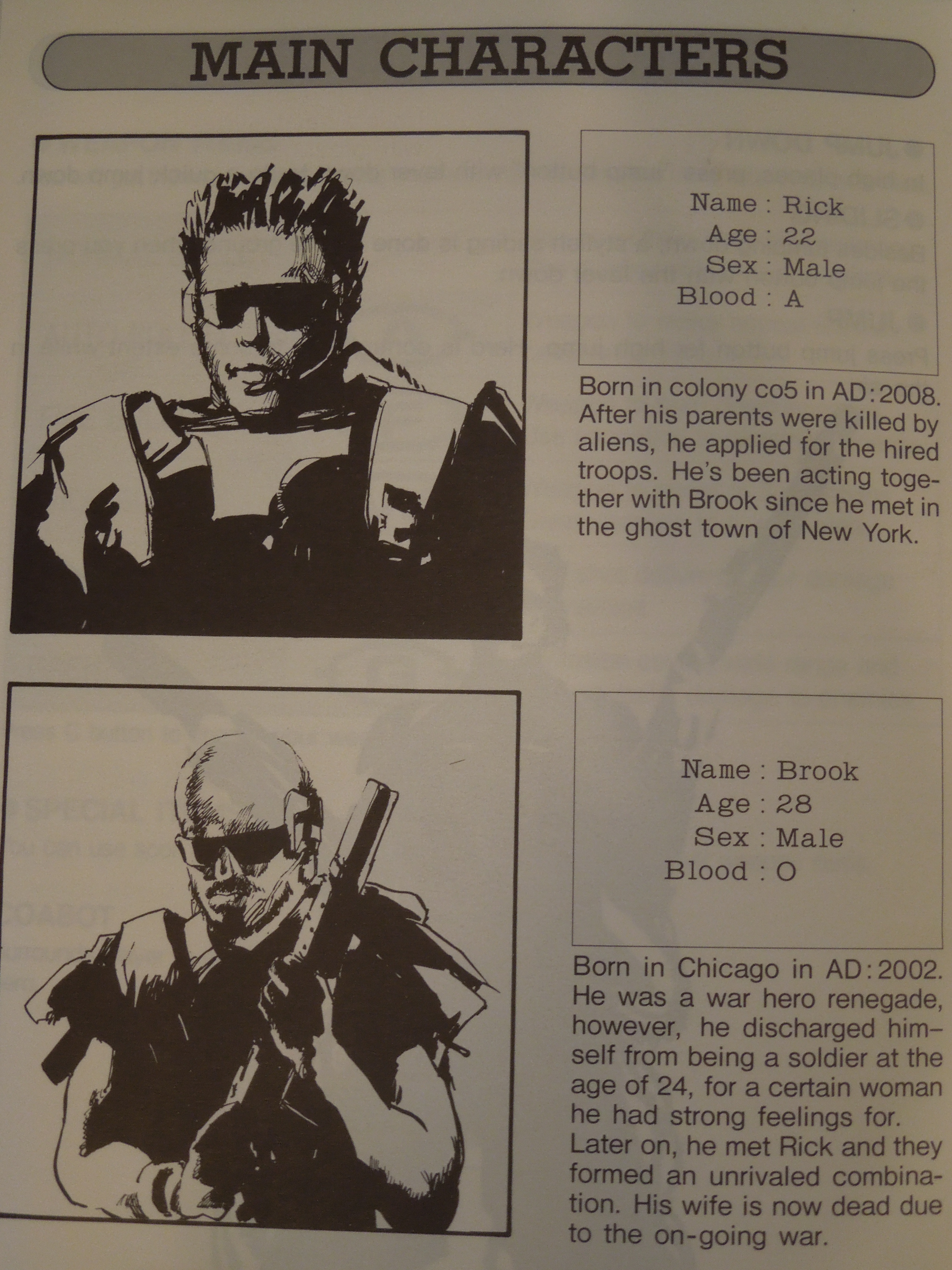
Players: For 1 player or 2 players (co-op gameplay). Player 1 controls Rick, the White guy with spiky blonde hair. Player 2 controls Brook, the Black guy with a shaved head. The good thing about the Neo Geo AES is that either control port can start or pause the game, meaning you can be either character in Cyber-Lip if you’re only playing a 1 player game by simply plugging the controller into port 1 or port 2.
Neo Geo Memory Card: Cyber-Lip is compatible with the Neo Geo Memory Card. If you choose not to continue after losing all of your lives, and the counter counts down to zero, then you will be presented with the option to save your game from your present location. If you were in the middle of a stage, you will return to the start of that stage later by loading your save data, and if you were at a boss fight, you can re-start later at the boss fight.
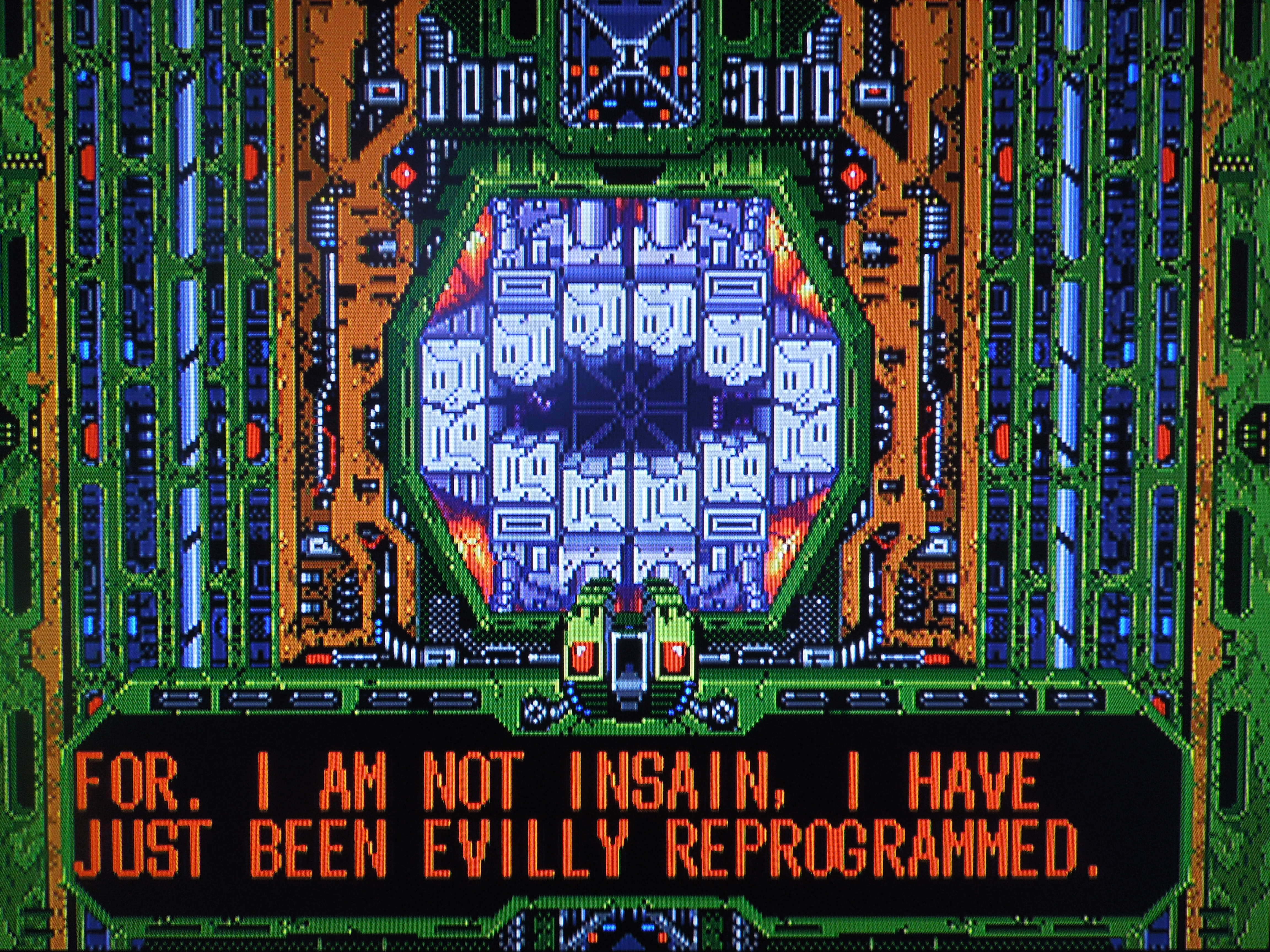
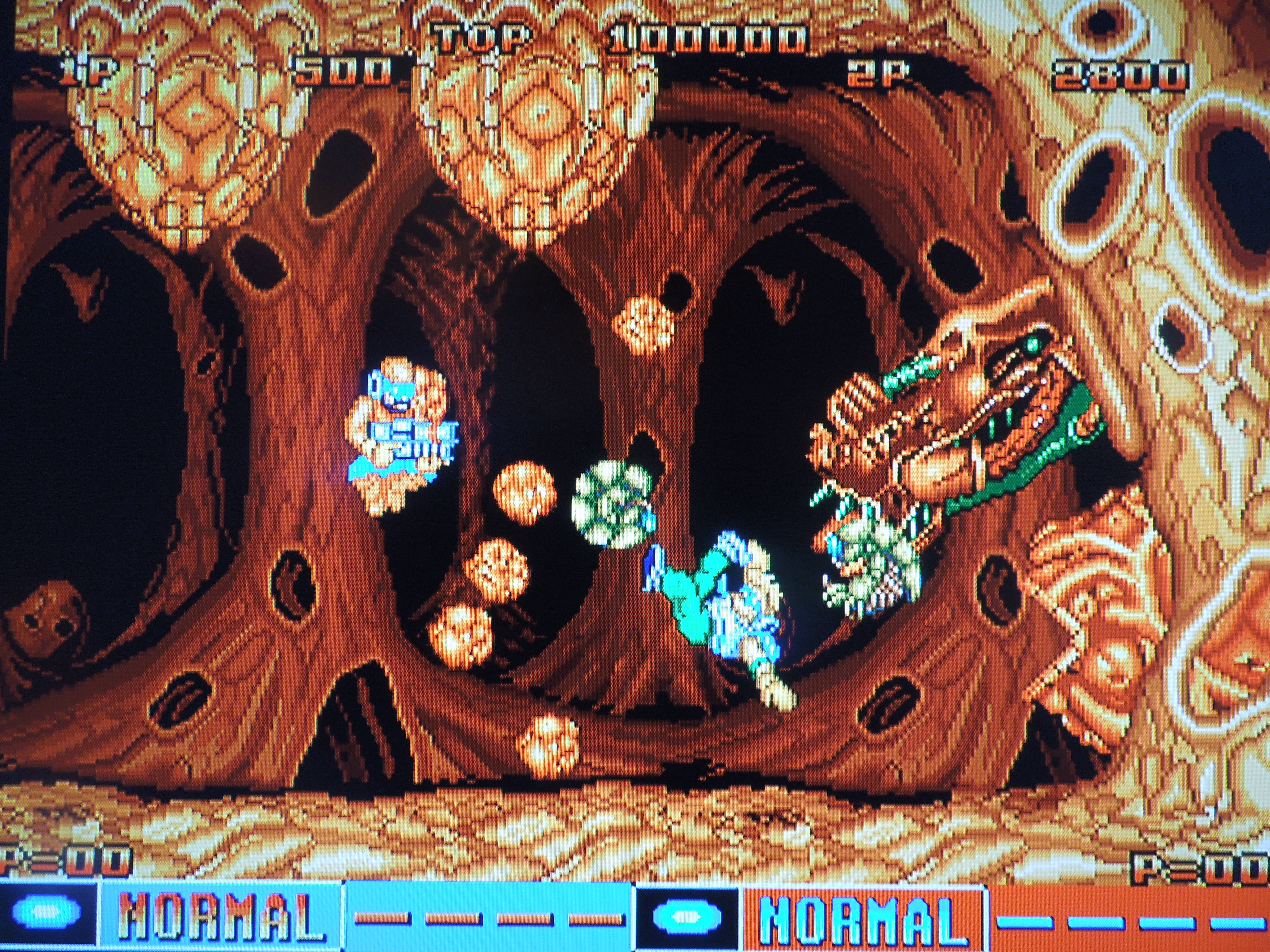
Cyber-Lip must be destroyed…and learn to articulate his speech better.
Story: Cyber-Lip, for a Run ‘n’ Gun game, has an interesting story that is presented in the ‘Demo’ at the beginning of the game (don’t press Start to see the story). Essentially, in the year 2016, Earth’s leaders developed a space colony to handle the issue of their overpopulated planet. By 2030 though, the colony had problems, as the cyborgs the humans created to protect their colony began to malfunction, and aliens began to invade the colony at the same time. To deal with this, a supercomputer with artificial intelligence known as ‘Cyber-Lip’ was built and put in charge of the human space colony to fix the cyborgs and fend off the aliens. The problem was, though, that Cyber-Lip soon began to malfunction and turned on the humans of the space colony. That’s where you come in. The President sends two humans, Rick and Brook, to the space colony to destroy the corrupted cyborgs, kill any invading aliens they find, and finally destroy the evil supercomputer, Cyber-Lip. SPOILER: At the end of the game, after destroying Cyber-Lip, Rick and Brook learn that the President was actually an alien the entire time (Plot Twist!) and had tampered with Cyber-Lip as a way to get Rick and Brook to go in and destroy it and the human space colony. Now, the ‘President’ and his race of aliens will invade Earth and conquer the rest of the human race. The end. This is one of the only games I’ve ever seen with a ‘bad’ ending – it’s actually quite cool – Rick and Brook thought they were saving the day, but were really just pawns in the aliens’ plans to conquer Earth.
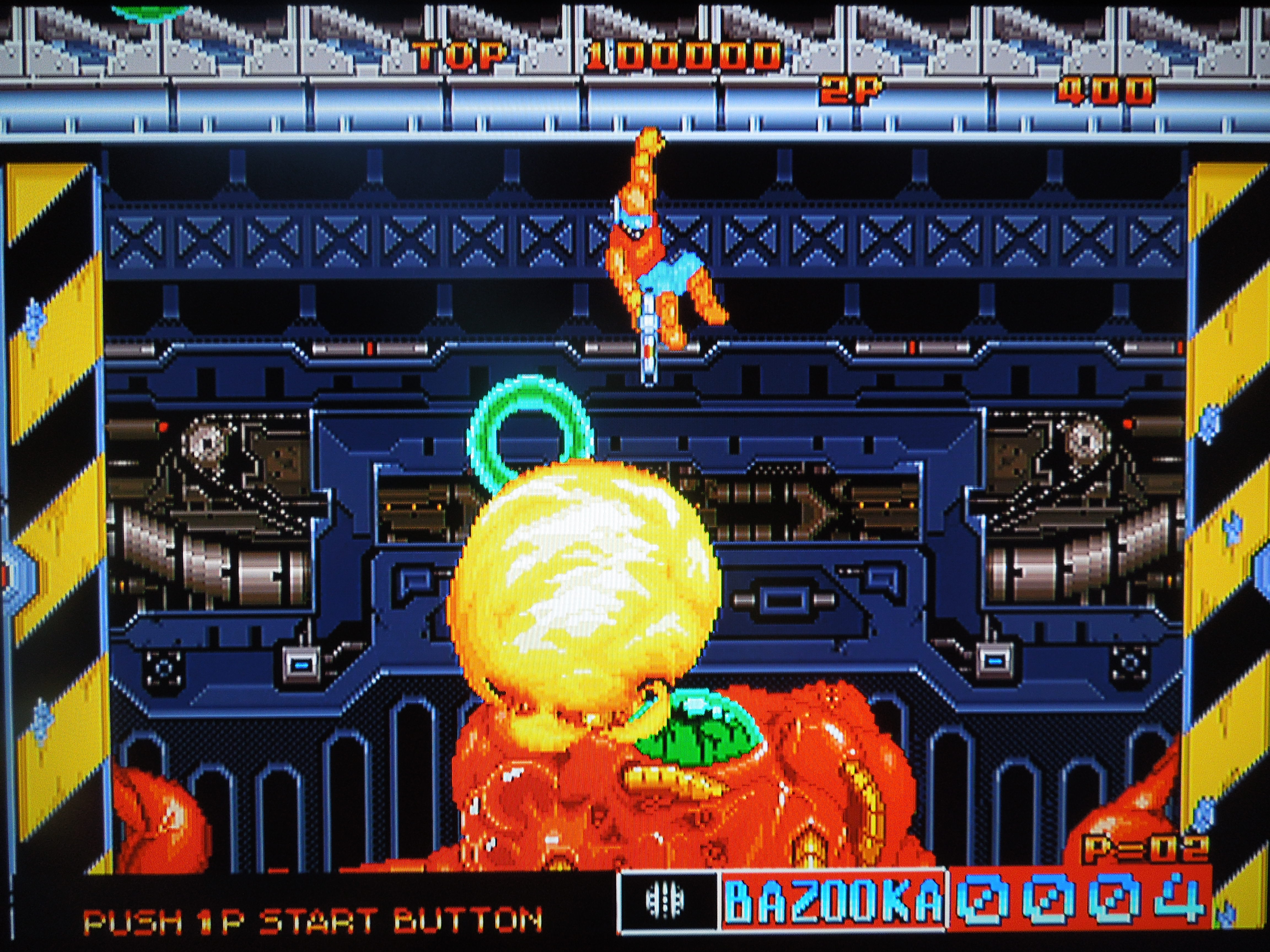
The bazooka is the most powerful gun in the game.
Controls: Cyber-Lip uses 3 of the Neo Geo AES’ 4 main buttons (in addition to the control stick, Select button for ‘Pause,’ and Start button for starting the game and continuing after you lose all of your lives): A, B, and C. Button D has no function in this game. A fires your weapon. B jumps (holding Up + B does a really high jump). B + Down hops down from a ledge (if you’re on one) or does a ‘tuck and roll’ if you’re on the ground. C changes which gun you’re using. You can fire up, down, left or right, but not diagonally.
Guns and Core Bots: As you kill cyborgs and aliens in Cyber-Lip, you’ll collect different gun icons. You start with a ‘Normal’ gun, which shoots a straight shot as you rapidly press button A. You’ll collect icons with letters A (Auto – hold button A for rapid-fire ‘Normal’ shots), F (flamethrower), W (Wideshot – spread gun), B (Bazooka – most powerful gun), or G (Grenade – you can lob these at hard to reach enemies – quite a strong attack). You have unlimited ‘Normal’ shots, but you’ll have limited ammo for the other guns you find – ammo can be restocked in some stages by entering doorways with ‘IN’ marked on them. Additionally, you’ll sometimes find Core Bots – little orbs that constantly circle your character and protect you from enemy fire – although you can still die by touching an enemy or falling off a cliff, or if a bullet isn’t blocked by the circling Core Bots. You can collect more than 1 core bot for extra protection.
2 Player Co-op enhances Cyber-Lip’s gameplay. Rick and Brook are the only soldiers tough enough to stop Cyber-Lip (from the game manual).
Lives and Unlimited Continues: You are given 3 lives to start the game. Lose all 3, and you’ll have the choice to continue. Unlike many other Neo Geo AES games, Cyber-Lip gives you unlimited Credits, meaning you can continue after every 3 lives you lose. You have a high score in the game, and every time you choose to continue, it will reset to zero.
Difficulty? Cyber-Lip for the Neo Geo AES home console does not offer a selection of different difficulty levels, like many Neo Geo AES games. Having played the game through many times, I would best describe its difficulty as ‘Normal,’ and that may well be what it’s BIOS inside the cartridge is set to.
Music & Sound: Cyber-Lip has average to below-average sound and music. With the exception of the excellent (and eerie) theme that plays during the big plot twist at the end of the game, the other music is mostly mediocre and forgettable. The sound effects like gunshots and explosions are passable, but nothing spectacular. One thing I do like is the voiceovers. The President updates Rick and Brook via a computer monitor between each of the game’s 7 stages, letting them know what’s going on, and Rick and Brook shout things at various times during gameplay, like “Let’s roll!” “Another one bites the dust!” or “I’m a goner!”
Game Length: There are 7 stages in Cyber-Lip, and at various points you’ll be asked to go up or down on an elevator. If you choose the ‘wrong’ direction, you’ll play an extra area of the game. Even with these optional (although random) areas, it only takes around 30 minutes to play Cyber-Lip all the way through.
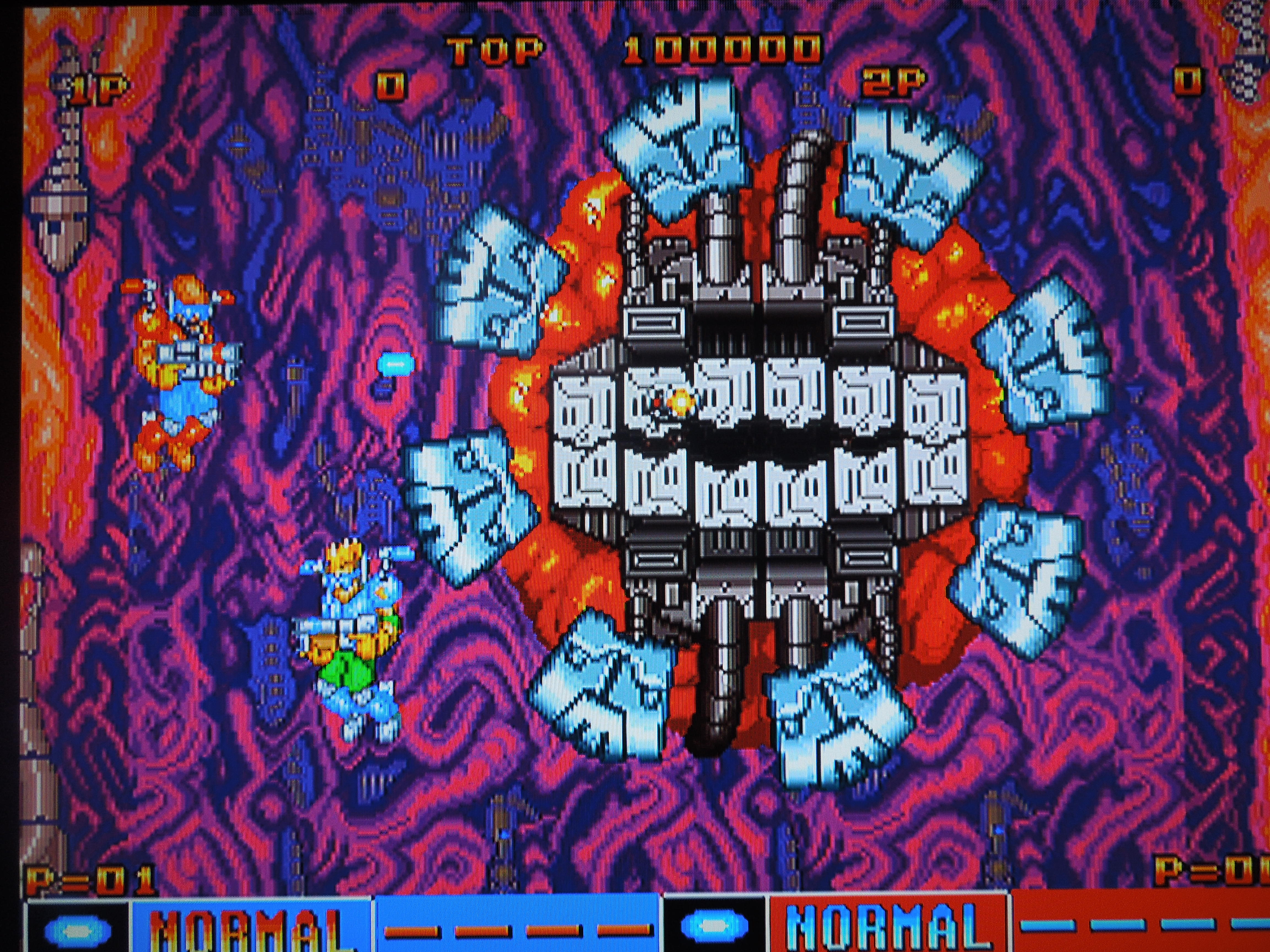
Bosses: Each stage ends with a boss fight – typically something large and mechanical, or a giant alien. At the end of stage 7, you have a choice of 8 doorways to enter. One contains the final boss, Cyber-Lip, and the others contain the game’s previous bosses or a stock room of ammo for your guns. This means that you may have to fight some, all, or none of the previous bosses again. The location of Cyber-Lip is random.
So, where can I find this game? You can find AES and MVS versions on eBay, and there was a CD version released for the Neo Geo CDZ. Also, the game is available as one of the 20 pre-installed games on the Neo Geo X handheld console. You can also play the rom on a computer emulator.
Destroying Cyber-Lip leads to an unexpected ending.
Conclusion: Cyber-Lip was one of the first Neo Geo AES games released. In fact, in the back of the game manual, it reads, “This product can only be used with the NEO GEO Rental System.” Because of this, comparatively, it is no true match for other Run ‘n’ Gun games like Metal Slug or Shock Troopers: 2nd Squad that came out later. However, sometimes comparing games to similar games isn’t always fair (my personal opinion), and the truth is, Cyber-Lip is a fun game, if simple. It’s challenge level is almost perfect, but there are areas where you have to be careful of ‘cheap’ deaths – they are avoidable, but only if you’re extremely careful. The game would be better if it didn’t give you unlimited Credits, but trying to beat the game using only 1 Credit (3 lives) makes for a good challenge. Co-op gameplay is a big plus, as always. The story, also, has a creepy, sci-fi feel.
The Southern Gentleman’s Opinion and Letter Grade: If you’re looking for a side-scrolling Run ‘n’ Gun for the AES (that’s admittedly not as good as Metal Slug), this is a good choice; otherwise, games such as Contra and Super C for the NES offer similar gameplay, and are a little better, too. C+
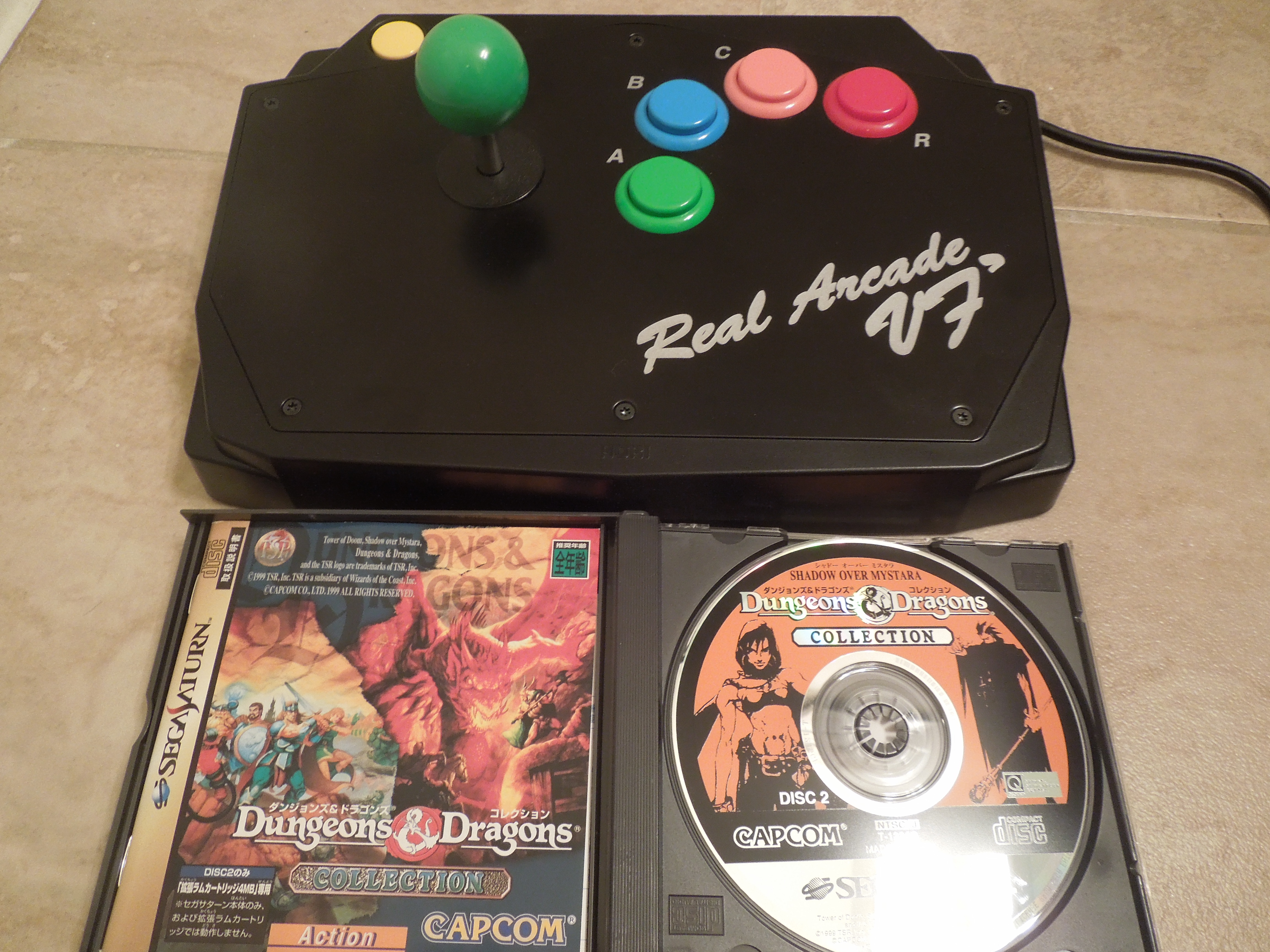
Dungeons & Dragons: Shadow over Mystara for the Sega Saturn Shadow over Mystara and the Saturn’s Real Arcade VF dash controller (see my review of the controller) are a great match.
Note 1: Like Beat ‘Em Ups? Check out my reviews of Crows: The Battle Action, Bare Knuckle III, Double Dragon II, Mighty Final Fight, Sengoku 3, Warriors of Fate, and of course, D & D: Tower of Doom!
Note 2: This game was played on a U.S. Sega Saturn with a 4M Action Replay cartridge plugged into the cartridge slot to allow Japanese games to play on the console. The console was connected to a 32-inch HD tv using S-video cables.
Note 3: Ok, so I cheated on this review a bit – it’s very similar to my Tower of Doom review, since the two games are so similar. If you want to skip to my comparison between the 2 games specifically, scroll to the bottom of the review.
Quick History: Dungeons & Dragons: Shadow over Mystara is a side-scrolling Beat ‘Em Up game with Role-Playing Game (RPG) elements mixed in. It was released for the Sega Saturn in 1999. Shadow over Mystara was originally an arcade game released in 1996, and the Saturn version is an arcade-perfect port. The only difference is the number of players – the arcade version was for up to 4 players, and the Saturn version only allows 2 players. Shadow over Mystara was only released for the Saturn in Japan, unfortunately, and many U.S. Saturn owners never even knew about it, causing it, for me, to fall into the ‘obscure’ category. It was released along with its predecessor, Dungeons & Dragons: Tower of Doom (see my review), on the Sega Saturn 2 disc-release Dungeons & Dragons Collection. If you are in any way familiar with the world of D & D, you’ll recognize familiar characters and settings, I’m sure. However, if, like me, you know nothing about D & D, well, that is no reason to stay away from this game – this game requires no pre-requisite knowledge. It is a wonderful medieval/fantastical Beat ‘Em Up, maybe the best in all of the genre.
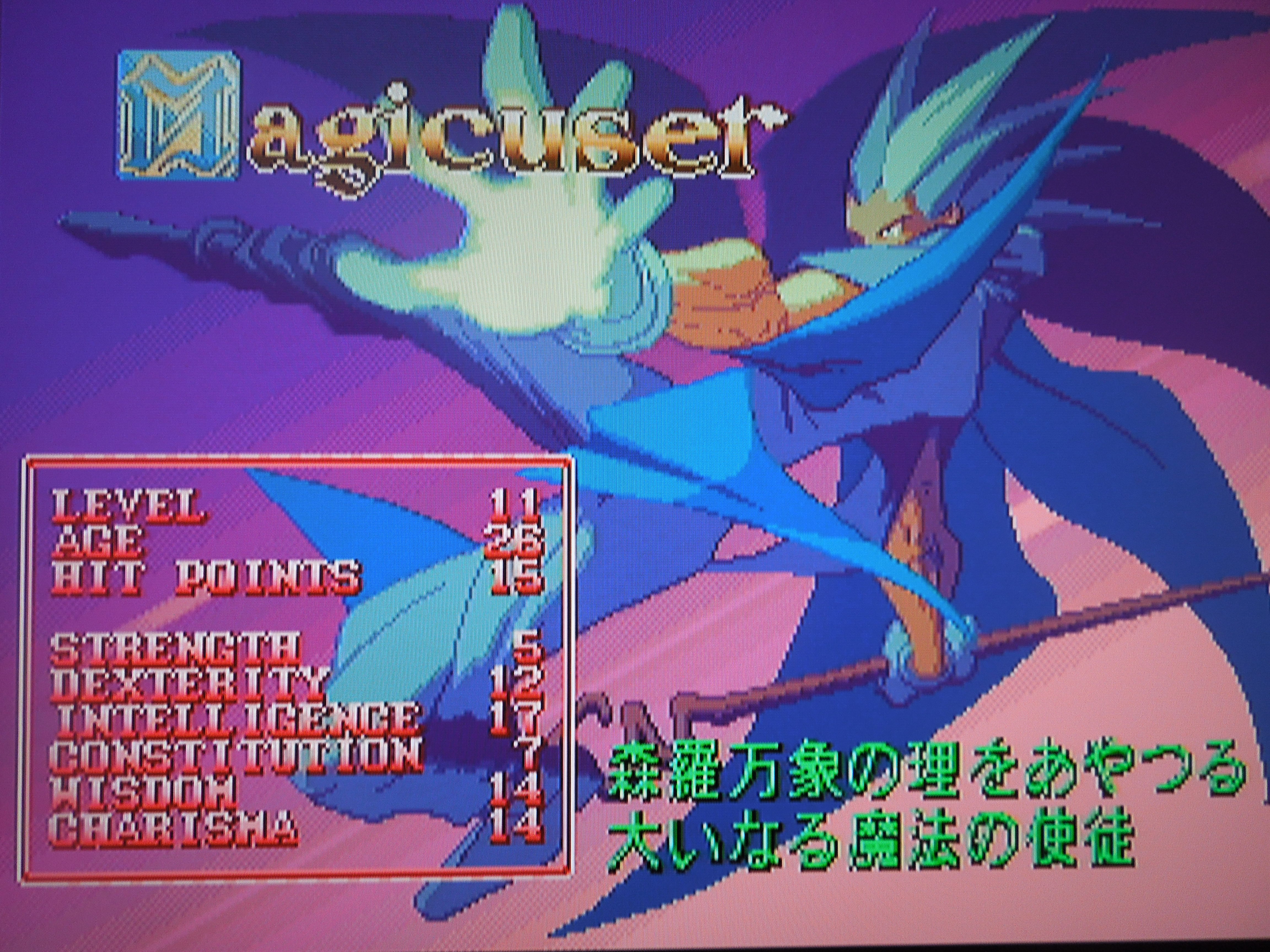
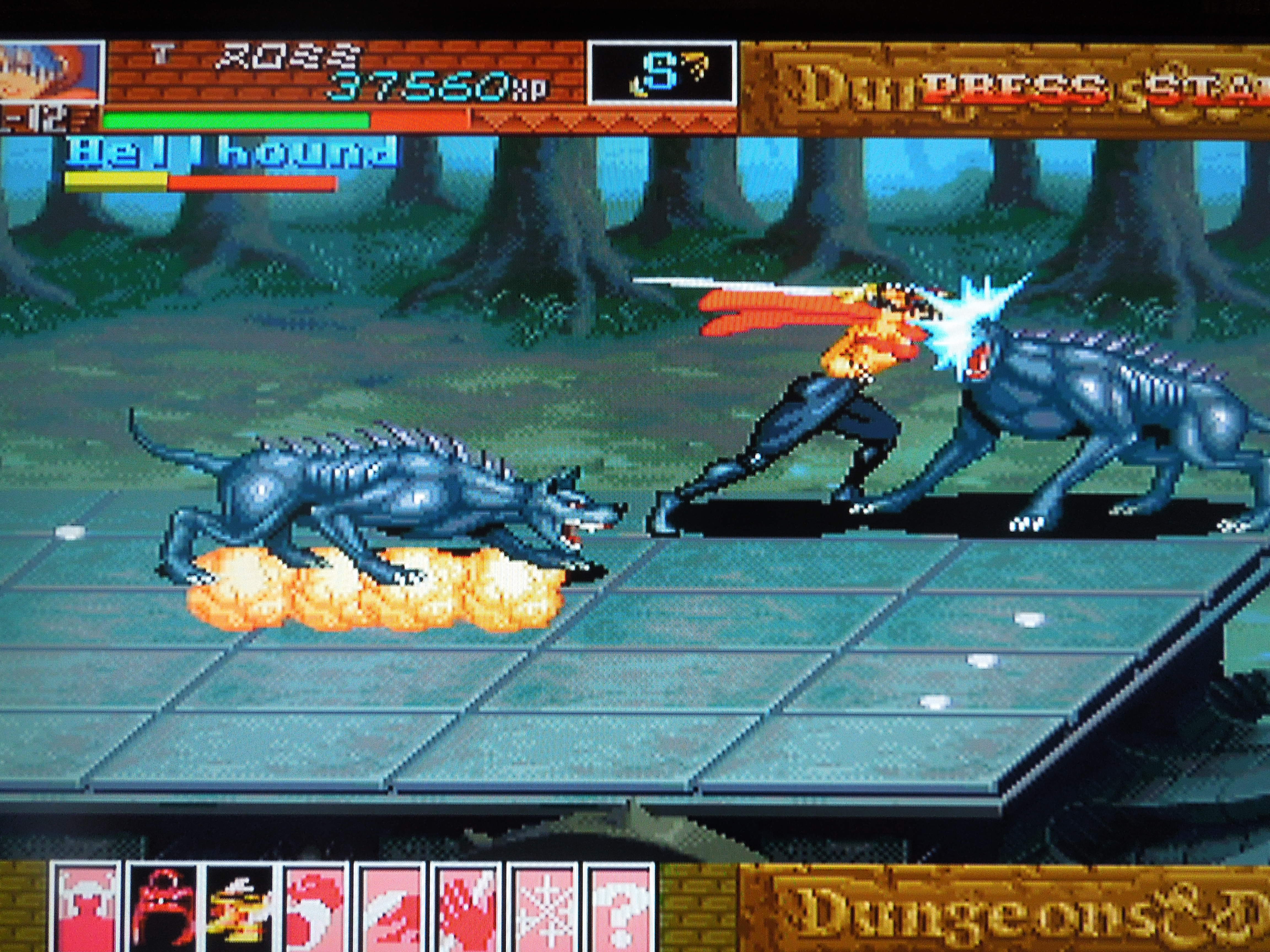
Gameplay: In Shadow over Mystara, you choose from one of 12 characters from the Dungeons & Dragons world: Elf, Dwarf, Fighter, Cleric, Magic-User, or Thief. I listed ’12’ because there are two of each character – 2 dwarves, 2 elves, and so on – each pair looks different, but performs the same. You battle through 10 levels of medieval settings, from mountains, to ships, to towers. Along the way, you’ll battle skeletons, ghouls, ogres, trolls, and all other sorts of fantastical creatures. The bosses are huge – most far larger than the characters you’ll choose to play as. Each character has their own strengths and weaknesses, of course. The Fighter has a long reach with his sword; the Dwarf strikes quickly and a has a great defense; the Elf is quick and has decent magic attacks; the Cleric has a spell, usable at any time, that kills undead enemies; the Magic-User has extremely strong magic attacks; the Thief can open locked chests without having a key.
Thieves and Magic-Users join the fight in Shadow over Mystara.
Controls: Shadow over Mystara uses 4 buttons: A, B, C, and X on the Sega Saturn controller, although you can change the button layout in the Options menu. A attacks with your main weapon. B jumps. C pulls up a ring of icons that represent weapons or spells your character possesses (ex: knives, a bow and arrows, fireball spell, healing spell, etc.). X uses the weapon/spell. Tapping toward, toward causes your character to run, after which you can press A for a dash attack. Jumping, followed by holding down + A allows for a ‘downward thrust’ move on enemies. Holding down + B allows your character to crouch. Pressing Down, Forward B causes your character to slide, picking up treasure that you find quickly. Pressing Down, Toward, A causes your character to do a special attack. An additional special attack is executed by pressing Down, Up, A, and an energy-draining special is executed by pressing A + B. You can also hit enemies who are knocked to the ground by standing over them and pressing A repeatedly. While standing, holding back + A makes your character hold up his or her shield to block most attacks (note – the Thief can’t do this because she has no shield).
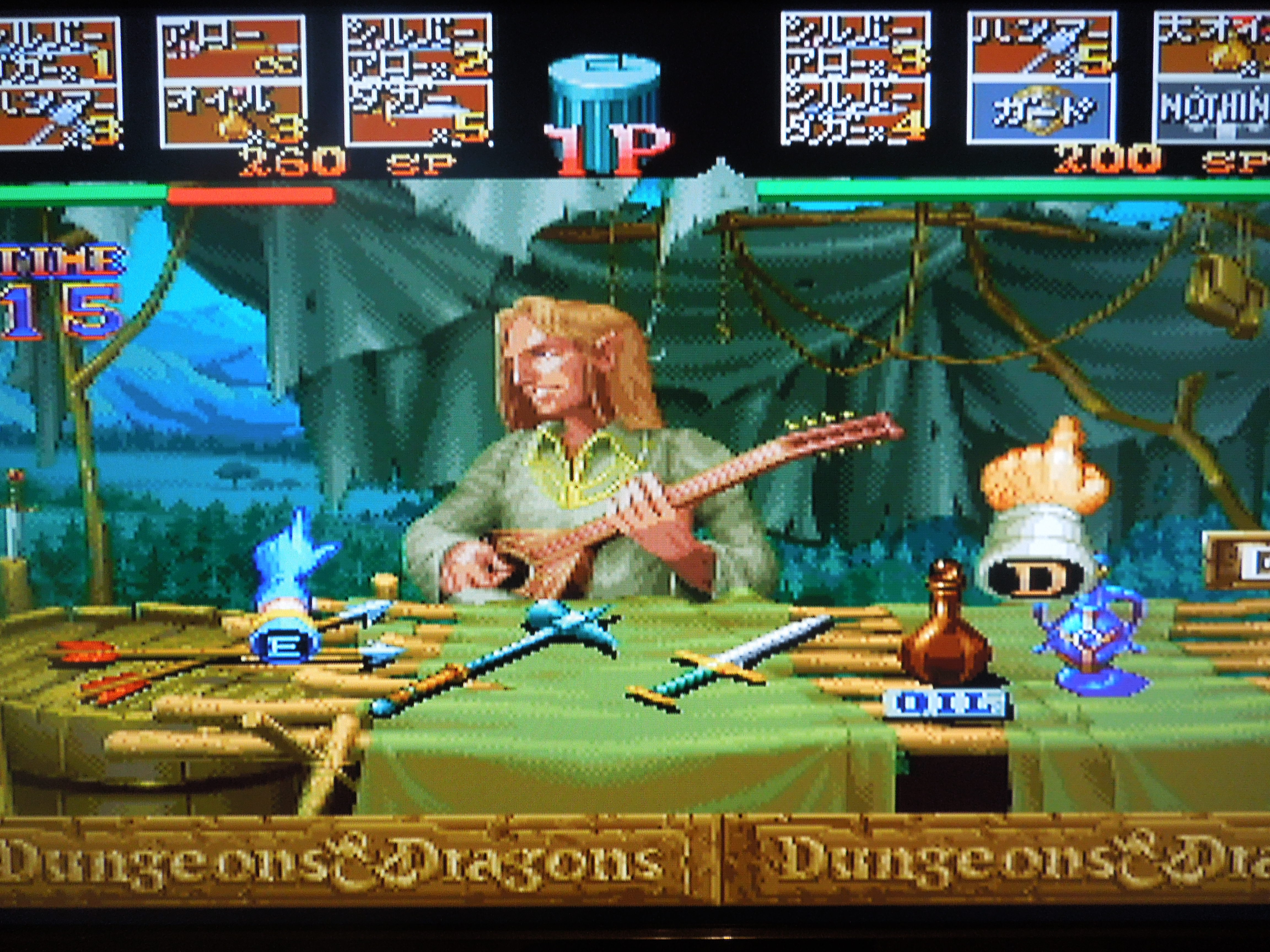
Buy supplies from merchants between levels.
Experience Points: As you progress through the game’s 10 levels, you pick up experience points (XP) by defeating enemies and opening treasure chests that contain jewels and coins that increase your XP. *Note: chests can also be booby-trapped, and, in addition to coins and jewels, can contain magic rings that allow you to use healing or attack spells. Your character starts with a green life bar, and every time you take a hit, a portion of it turns red. Once it’s all red, you’re dead. However, after every level you complete, your character will level up, causing your HP (Hit Points) to go up slightly, making your life bar longer for the next level. Your life bar will get longer after every level because of this method. In between levels, you stop in shops, where merchants will sell you health potions and weapons to replenish your alternate weapons (arrows, knives, hammers).
Credits: This Sega Saturn version of Shadow over Mystara is set to ‘Free Play,’ meaning you can continue anytime you lose a life. While this means you can complete the game easily, it would have been nice had there been an option to include a set number of continues for a greater challenge. With the Free Play option, you simply have to challenge yourself to try and see if you can beat the game without losing a life, or three lives, or whatever you think you’re capable of.
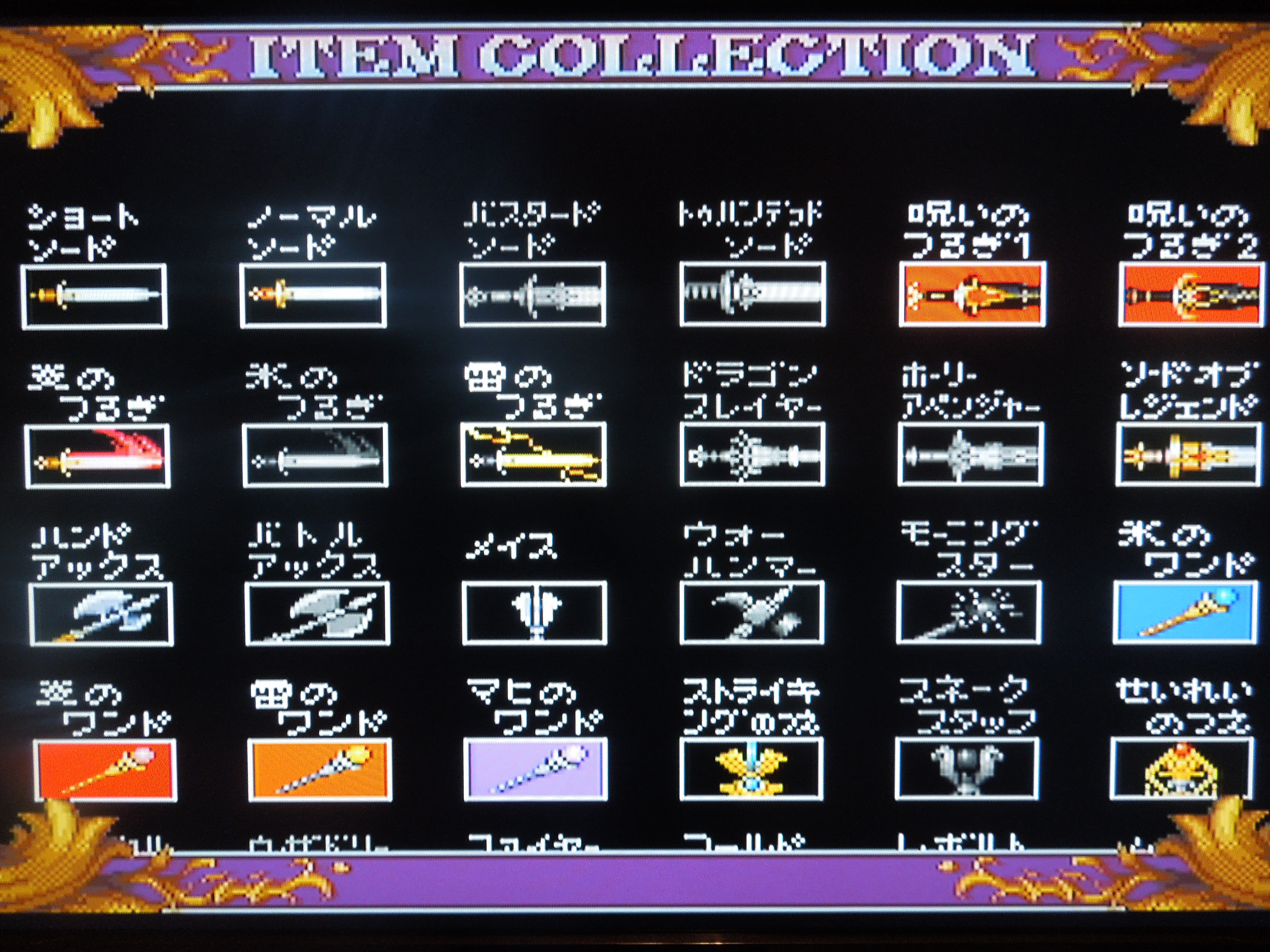
The game saves the weapons and armor you collect in an ‘item gallery,’ with your objective being to find every single one that’s hidden in the game.
Sound & Music: Everything’s perfect. The music is very…medieval, I guess you could say. Very sweeping and appropriate for gameplay. The sound is excellent. The ping of an arrow shattered on an upraised shield, the fwooosh of a fireball sent flying at an enemy, the Battle Cry of your character – all are awesome. Many characters yell out things in Japanese as their battle cries.
Graphics: Characters, enemies, background, attacks, spells – all come together cleanly to create a fantastic game experience. If you are playing this game on your Saturn, make sure you are using S-Video cables and not regular composite AV (red, yellow, white) cables. Everything is sharper with S-Video, especially on games like Shadow over Mystara.
The Thief is quick on the offensive.
Additional Notes:
Loading Times: Shadow over Mystara does have loading times when you power on your Saturn, between levels, and in-level as well. In-level loading can occur when you walk through a door or a hidden passage – the next screen sometimes has to be pulled up that way. You’ll also have slight loading times if you change characters when using a Continue. You’ll see a ‘Now Loading’ screen with a pointing fairy when the game has to load a new screen. Some loading screens are quick, some are a little longer. While it would be great had no loading times been included, they do not ruin the game.
Language Barrier: No and Yes. No, if it comes down to the true answer. This is a Beat ‘Em Up first and foremost – walk right, bash the enemies, fight a boss, repeat. However, despite the fact that the Options screen, the character classes (Fighter, Thief, etc.) and other parts of the game are in English, the story is in Japanese, and at some points in the game, your character must make a choice about what to do next. This gives the game great replay value, but unless you read Japanese, you won’t know the difference between Path 1 and Path 2. All you need to do is find a translation guide online (google Shadow over Mystara FAQ), print it out, and you’ll know what you’re choosing.
You can save your high score after you beat the game, or after you choose not to continue.
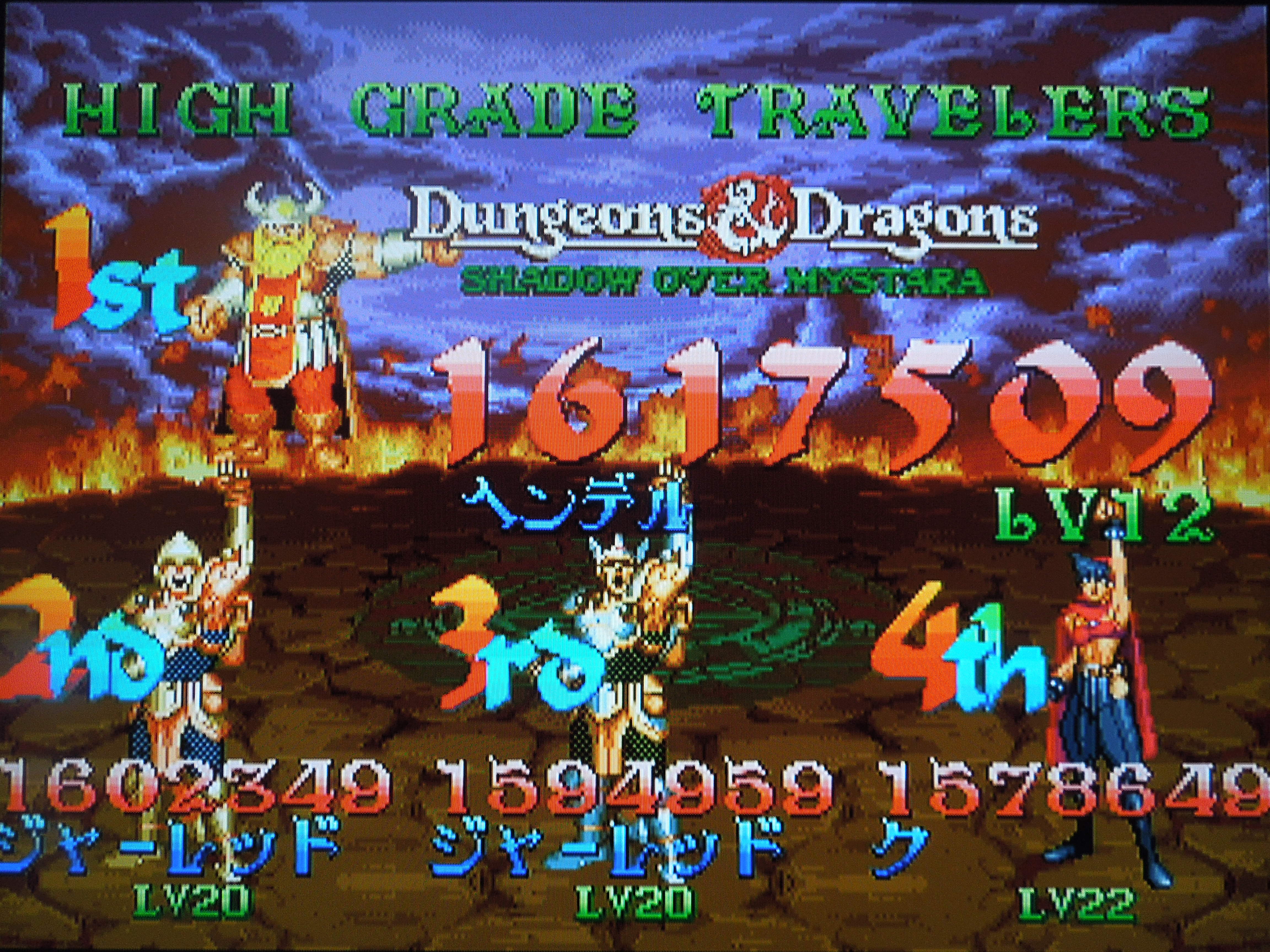
Saving your high score: If you choose not to continue after you’re killed, if your score is high enough, you have the option to save your score to the high score screen (after the Continue? clock has ticked to zero). If you beat the game, after the credits, the game will ask you, in Japanese, if you want to save your score. Select ‘Yes.’ The game will save to the Saturn’s built-in lithium battery. You can always copy your save files to the 4M Action Replay cartridge, too, since the lithium battery needs to be replaced every 5 years or so. To see your high score after saving, wait until the demo plays that displays the top 20 high scores.
Options: You can set the difficulty from 1 (easiest) to 8 (hardest) stars. You can also change the control scheme on your Saturn controller, assigning the 4 button commands to any button you wish on your controller.
Where can I find this game? If you want to play a hard copy of Shadow over Mystara on an actual game console, this is one of your only choices. You can buy it on eBay, but you’ll probably have to order it from Japan. You can always buy the arcade cabinet, which is available in English and can accommodate 4 players. That’s tough to do unless you have a ton of money, however. As of 2013, the game is available for download on the Playstation Network, Xbox Live, and Nintendo eShop. For the Playstation 3 in Japan, a hard copy disc was released in August 2013. Because the PS3 is region-free, you can import it for play on a U.S. PS3 (I’m unsure whether or not there is an English language option for that disc, however). Both the download versions and the Japan-exclusive disc contain HD graphics, 4 player online support, trophies, etc.
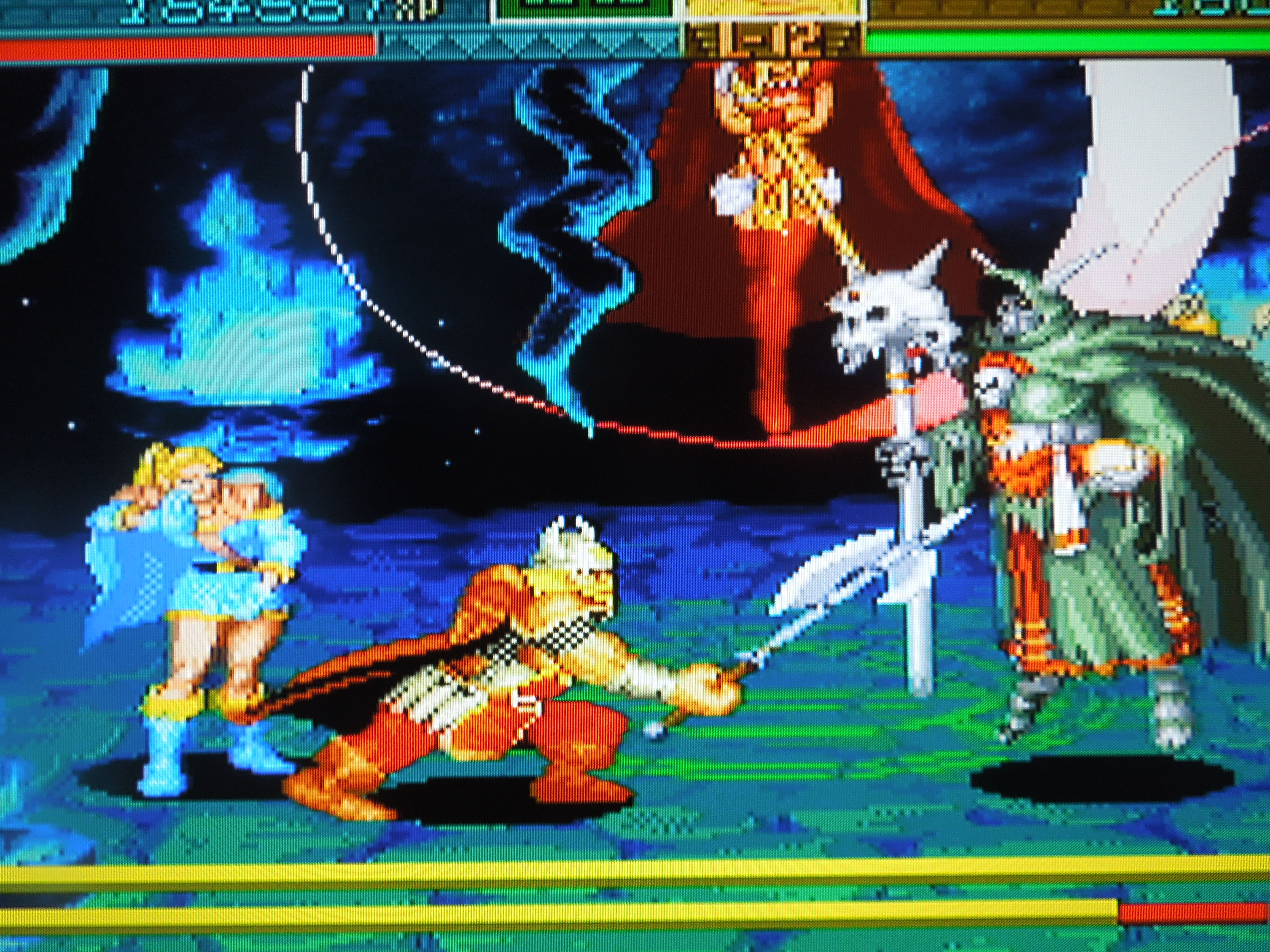
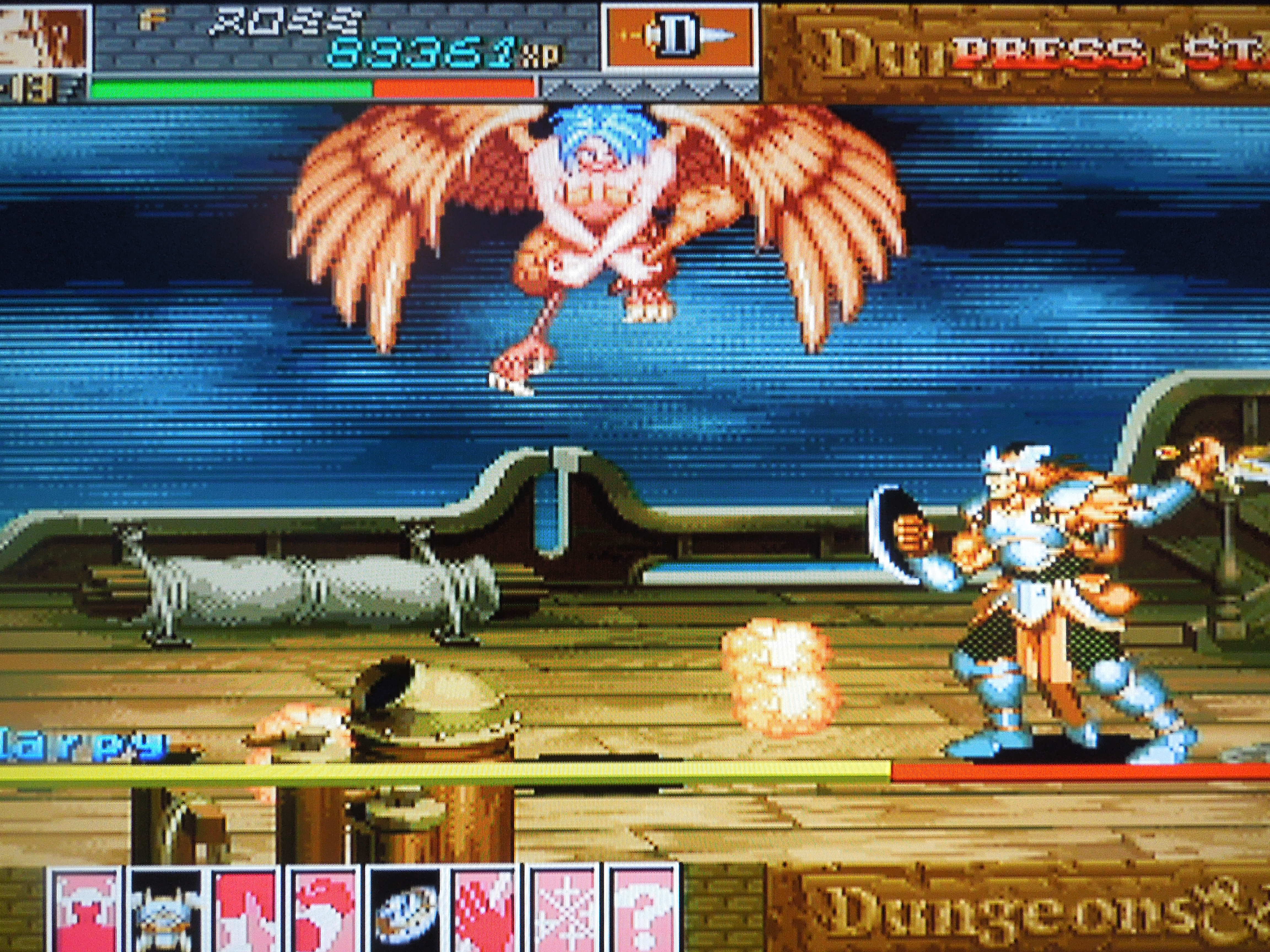
The bosses in Shadow over Mystara are as diversified as they are incredible-looking.
Comparing Tower of Doom and Shadow over Mystara on the Sega Saturn:
Tower of Doom Mystara
Human Players 2 2
Selectable Characters 4 12
2P pick same character? No Yes
Graphics Superb Superb +
Special Physical Attacks 1 3
Avg. Loading times 4-5 secs 7-8 secs
Conclusion: Dungeons & Dragons: Shadow over Mystara, like Tower of Doom, is an excellent game. It looks slightly better than Tower of Doom, with more screen-filling magic attacks than its predecessor. The branching paths give the game great replayability, as does the fact that you can save your high score and items in the Item Gallery (note: you can’t ‘use’ the items once they’re in the gallery, it’s just an incentive to replay the game to try to collect them all). Like Tower of Doom, the game would be improved if it gave you the option of having a set number of Credits instead of infinite Credits, but that doesn’t really take away from the game. The loading times in this game are longer than Tower of Doom, but the game is so fun that it doesn’t ruin the experience. Is it better than Tower of Doom? I find that question debatable, and personally, I prefer Tower of Doom to Shadow over Mystara. The games are extremely similar, mind you. This game is a bit longer than its predecessor, and it will take you around an hour and a half to beat it, assuming you’re taking the time to enter secret passages and defeat most enemies. Wouldn’t it be easier to play the PS3 version, which has English, HD graphics, up to 4 players instead of 2, no loading times, and online play including trophies and different objectives? Here’s the truth – I downloaded the PS3 version and it was terrific – but I didn’t enjoy playing it as much as the Saturn version, and haven’t played it much since I downloaded it, although I have played through Shadow over Mystara on the Saturn several times since then. Why? I don’t know – there’s just something about the nuisances of the console version that a download can’t replicate, even if it is technically superior in every way. Maybe some of you out there reading this can understand that, even if it’s crazy.
The Southern Gentleman’s Opinion and Letter Grade: Fantastic, fantastic Beat ‘Em Up. A+
SEC Tecmo Bowl for the NES Modder Steven Brown went the whole 9 yards on SEC Tecmo Bowl, including creating team helmets.
Check out my youtube video about this game: My channel is ORO Video Games (just type it in the search engine). I’ve reviewed this game and several others. Thanks & God Bless!
Note 1: Like football games? Check out reviews of Football Frenzy, Tecmo Bowl Japan, Tecmo Super Bowl College, and Tecmo Bowl Arcade!
Note 2: This game was played on a NES 101 console. The NES 101 was modified to output in AV (red, yellow, white), and was connected to a 32-inch HD tv.
Note 3: If you don’t know anything at all about Tecmo Bowl, I recommend reading the wiki page before reading this review.
Quick History: The original Tecmo Bowl was released for the NES in 1989. The game included 12 NFL teams and was a massive hit amongst NES gamers. The game is still played today both on home consoles and on computer emulators. Because of the game’s popularity, modders have frequently updated or altogether changed the original Tecmo Bowl, altering things like teams, colors, player abilities, and playbooks. There are many different ‘versions’ of Tecmo Bowl available as online roms because of this, with some games being better than others, based on who did the modding. However, until now, the modifications have always been NFL teams. Finally, however, after 24 years, someone finally made a college version – SEC Tecmo Bowl! There are tons of people nationwide who hold College Football in higher esteem than the NFL (particularly in the southeastern U.S.), and this game is a dream come true for these college football fans!
The Modder: Check out http://stevenvbrown.wordpress.com/mytbmod/ to read about the genius who made this game possible. It was an intricate process, and he did a great job and devoted a lot of time to this project – thanks Steven! Also thanks to ocd reproductions for getting Steven’s rom to work on an NES cartridge, Stone Age Gamer for the excellent game case, and the missus for her help with the inserts (helmet picture created by Steven Brown).
The Game: SEC Tecmo Bowl includes the twelve teams of the Southeastern Conference (before they expanded to 14 teams in 2012). Sorry, no Texas A & M or Missouri. Steven did a fantastic job of making the college teams look like their real-life counterparts. LSU is yellow and white, Florida is blue and orange, Kentucky is all blue, etc. The endzones also reflect the ‘color’ of each school playing in the game, and the endzones have ‘SEC’ written inside them – it looks great. The rosters reflect the 2011 college football season, and from what I can tell, it looks like everyone is in their correct position. Player ethnicities all appear to be correct, something the original Tecmo Bowl back in 1989 didn’t even get entirely accurate. The helmets that depict each school were also re-done, and they look incredible.
All 12 SEC teams (before the 2012 expansion) are included.
The Players and Playbooks: Steven gave each team their own unique playbook (based on what was available in the original TB), with each one having a variation of pass/run plays. Each team only has 4 plays on offense, and in this version, many schools have 3 pass plays and only 1 run play. Tennessee has 3 run plays and only 1 pass play. Each team has players of varying power/speed, and this really helps each team to feel different (in addition to their playbooks). Steven really did his homework when creating the players’ strengths or weaknesses, basing the players’ abilities on real SEC conference-game statistics from the 2011 season. Some running backs are really, really, quick and some are average, for example.
Florida vs. LSU
The Schools: I haven’t fully explored each team’s defense, but did a quick run-through of their offenses, and here’s my quick initial assessment (4 stars best, 1 star worst) of their offensive productivity. Sorry it’s not too detailed, just a ‘first impression’ of each team, really.
Vanderbilt: 4 Stars – Quick receivers, super fast RB with 2 run plays, quicker-moving-than-average QB
LSU: Very quick running back and quick receivers
Alabama: 4 Stars – Good kickoff and punt returner, quick (throwing) QB, quick RB, decently fast receivers
South Carolina: 4 Stars – Super fast RB, quick receivers, great kickoff and punt returner
Georgia: 3 Stars – Average RB and average to slightly-above-average receivers
Arkansas: 3 Stars – Average receivers, fast RB
Auburn: 2 Stars – Slow receivers, Decently-fast RB, Average QB (*note – Auburn has a very quick linebacker on defense)
Tennessee: 2 Stars – average RB (who has 3 different running plays available), average receivers
Ole Miss: 1 Star – below-average (throwing speed) QB, below-average-speed receivers, slow RB
Some teams are easier to beat than others.
Difficulty: I have been out of practice for a while, but it feels like this game is more difficult than the original Tecmo Bowl. Playing through the season, by the time I got to Week 4 and Vandy came on the schedule, it took me 3 tries to beat them! If I didn’t pick the correct run play, Vandy’s running back took it to the house almost every time! A few other teams were like this, while still others I was able to dominate. However, I like the fact that the computer isn’t a total pushover. While playing against the CPU is fun, the best part of SEC Tecmo Bowl, like the original, is playing 2 players VS.
So, where can I find this game? The rom can be put onto NES cartridges for play on your home console, or you can play the rom on your computer emulator. Most people prefer to play ‘old’ games on emulators, which works great, but I’m of the mind that nothing beats the hardware/home console experience, hence the reason I had the cartridge made. Remember to check out Steven Brown’s website (link above) to read more about the making of the game.
Hogs vs. Wildcats
Conclusion: Playing the original Tecmo Bowl over the years, I always thought it would be the perfect game if only the teams were colleges, not NFL teams. Well, so did Steven Brown, and thanks to his determination and hard work, that dream is now a reality. SEC Tecmo Bowl is the same Tecmo Bowl you’ve always known and loved, but now with teams from the best conference in college football. Everything looks, sounds, and works great. This game is perfect (true, I am biased due to my love of college football, but that doesn’t make my assessment any less true). Fans of other college conferences and individual teams are still encouraged to check out this game, and who knows, maybe one day we’ll see a ‘Pac 12 Tecmo Bowl’ or ‘Big 10 Tecmo Bowl’. Until then, it’s S-E-C! S-E-C! S-E-C!
The Southern Gentleman’s Opinion and Letter Grade:HIGHLY recommended if you love Tecmo Bowl and SEC football. A++
Neo Bomberman was an MVS arcade exclusive game in 1997, but today, can be converted into an AES home console cartridge.
Note 1: Like Neo Geo games? Check out my reviews of Football Frenzy, Cyber-Lip, Dunk Dream, Flying Power Disc, Shock Troopers: 2nd Squad, Stakes Winner, and Super Dodge Ball,
Note 2: This game was played on a Neo Geo AES that was modified to output in component video (red, green, blue). It was connected to a 32-inch HD tv.
Quick History: Neo Bomberman was released for the Neo Geo MVS (arcade cabinet) in 1997. Despite being released for the MVS, Neo Bomberman was one of several Neo Geo games that did not receive a release for the AES home console. Today, however, Neo Geo MVS arcade cartridges can be converted into AES cartridges, making it possible to play these games on the home console Neo Geo. The Neo Bomberman AES cartridge used for this review is a professional conversion, meaning the boards from an MVS arcade cartridge were put into an AES cartridge.
Players: 1 or 2, either co-op or competitive
Neo Geo Memory Card: The Neo Geo memory card does NOT function with Neo Bomberman in any capacity. Neo Bomberman is one of the few games in the Neo Geo library that does not allow ‘saving’ of any kind.
Setup on the AES: Perhaps because Neo Bomberman was not originally intended to be played on an AES home console, it retains some of its MVS ‘arcade’ settings when you turn it on. For example, you have unlimited Credits (although you don’t need to ‘insert coins’ by pressing Select – the game appears to be set to ‘Free Play’). In most Neo Geo AES games, you are given exactly 4 Credits to try and beat the game, and you cannot change this. However, because you can’t ‘save’ your game in Neo Bomberman after you die, it’s a good thing that you have unlimited Credits, because beating the game with a limit of 4 Credits would be extremely difficult. Also, the game displays ‘Level 4’ at the bottom of the screen at all times. This refers to the ‘difficulty’ of the game, and was common when you played these games on the MVS arcade cabinet. Arcade owners were able to set their MVS cabinets from 1 (easiest) to 8 (hardest). So, basicially, ‘Level 4’ is Normal. You cannot change this unless your system has been modified to allow you access to the system BIOS, but fortunately, ‘Level 4’ (in my opinion) is perfect – challenging, but not impossible. Neo Bomberman is not exactly the same on an AES as it is when played on an MVS arcade cabinet, as you do have the ability to Pause the game by pressing Select.
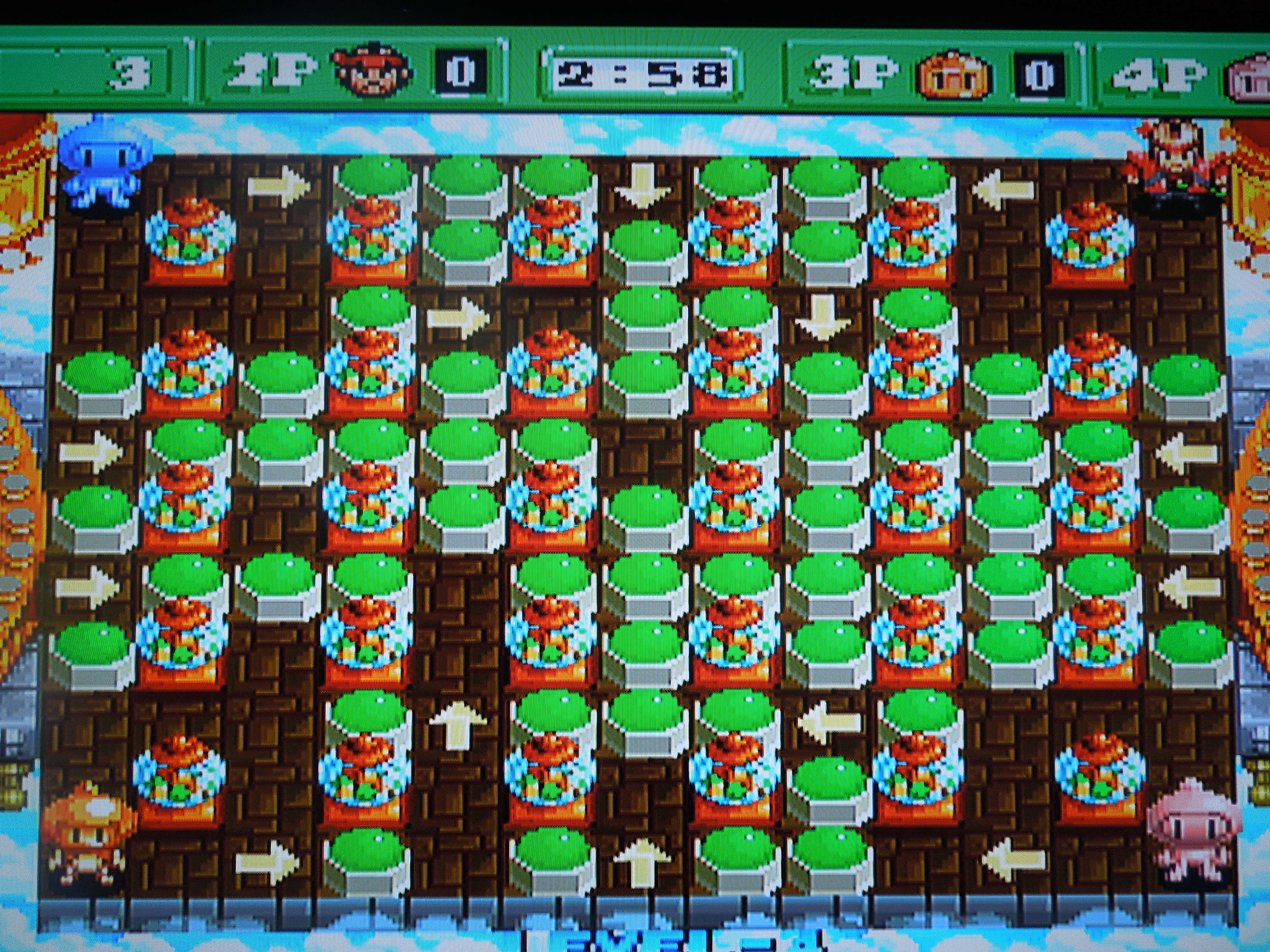
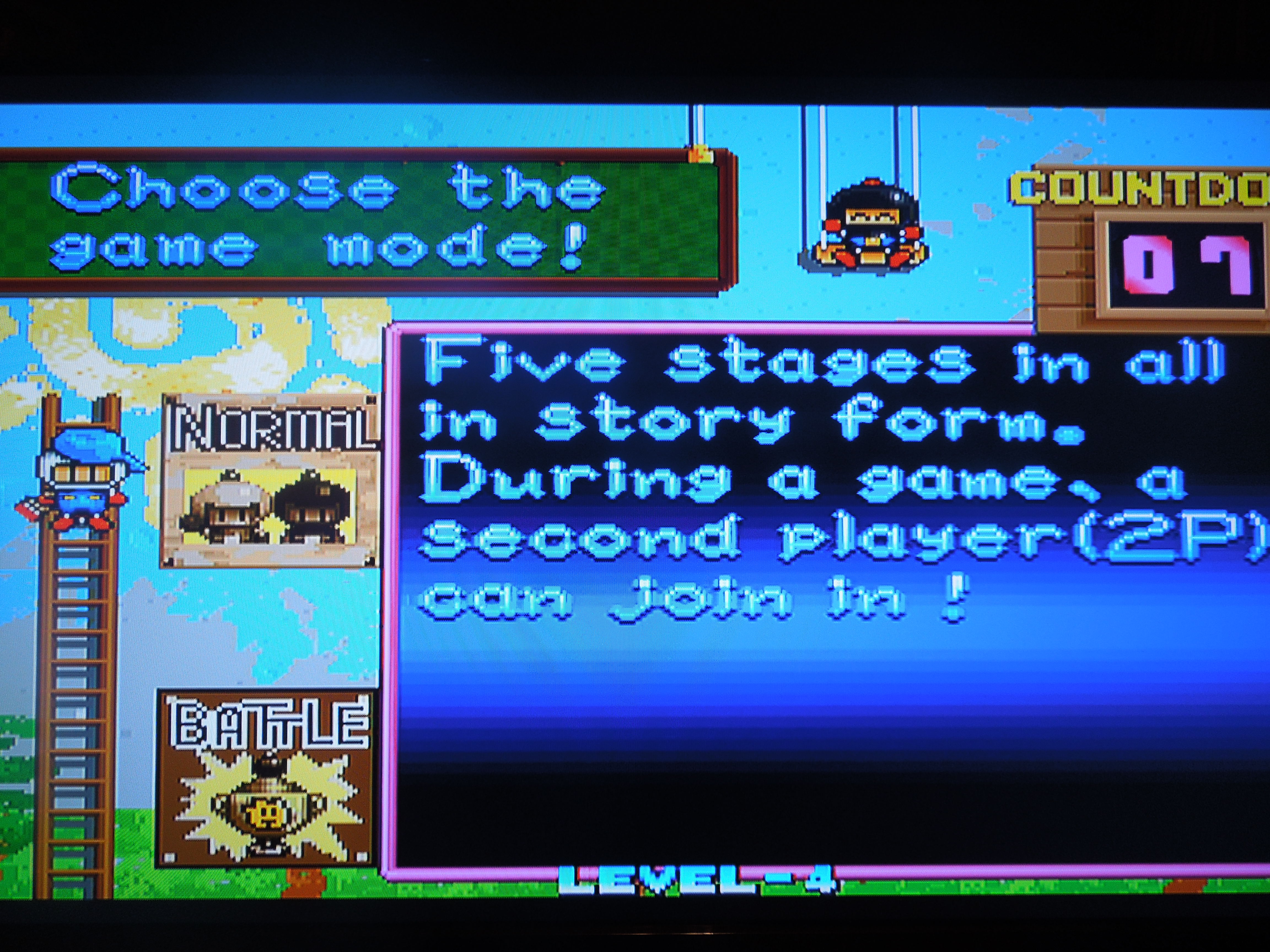
Two different modes, Normal and Battle, are available for play.
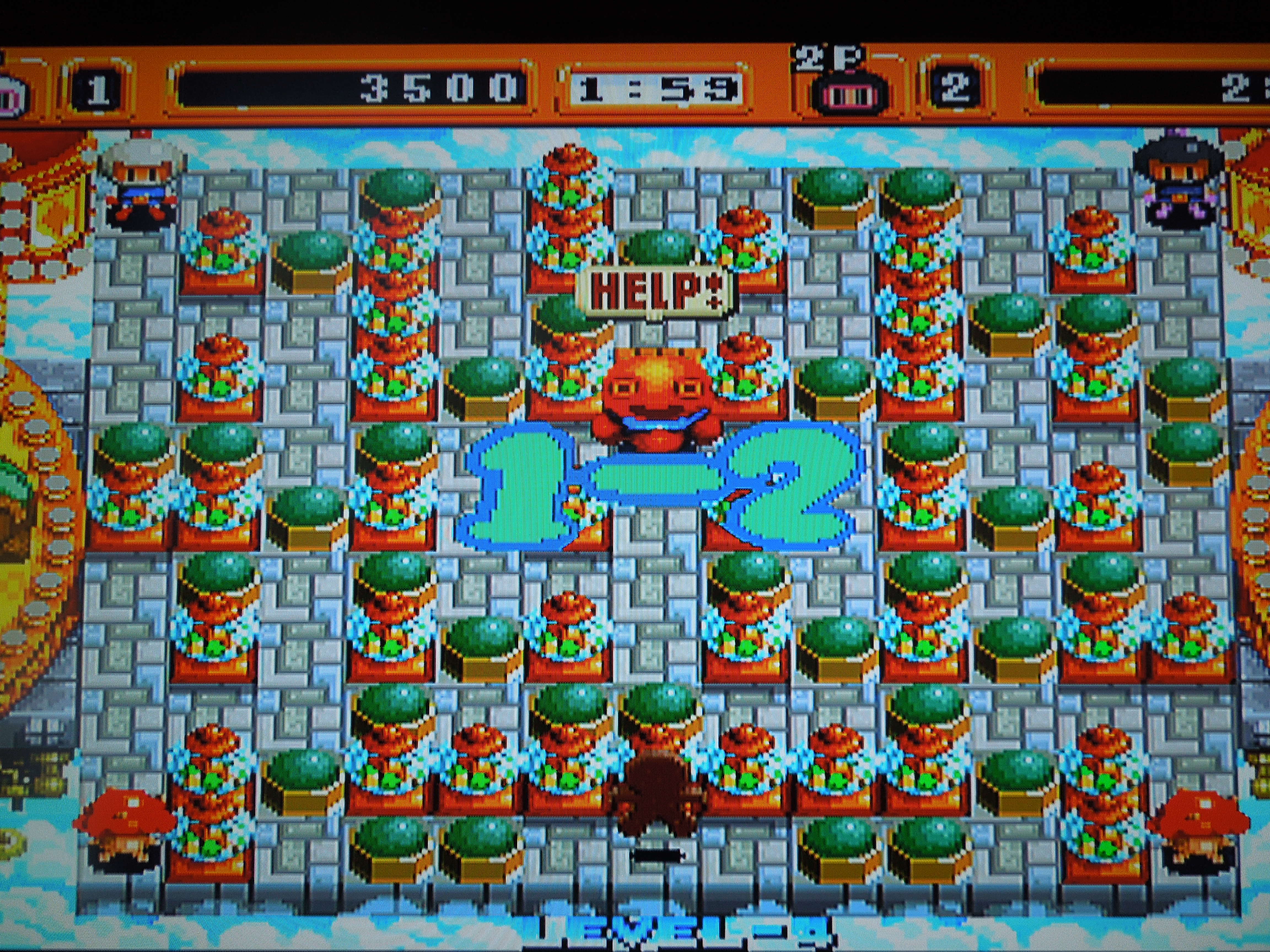
Gameplay: In Neo Bomberman, you navigate maze-like, single screen levels. While walking around, you drop bombs that destroy certain blocks/barriers and allow you access to the rest of the screen. The goal, in either mode (below), is to avoid being hit by either an enemy or an enemy’s bomb while trying to destroy your enemies with your own bombs. As you blow up parts of the stage, you’ll uncover icons, like ‘Fire,’ Bomb,’ ‘Glove,’ or ‘Kick’ icons that allow you to drop more bombs at once, increase the range of your bombs’ blasts, pick up and throw bombs, or allow you to kick your set bombs toward your enemies. You’ll also uncover various animals to ride, some of which have special powers, like the ability to ride over obstacles.
Modes: There are 2 selectable modes in Neo Bomberman, Normal and Battle.
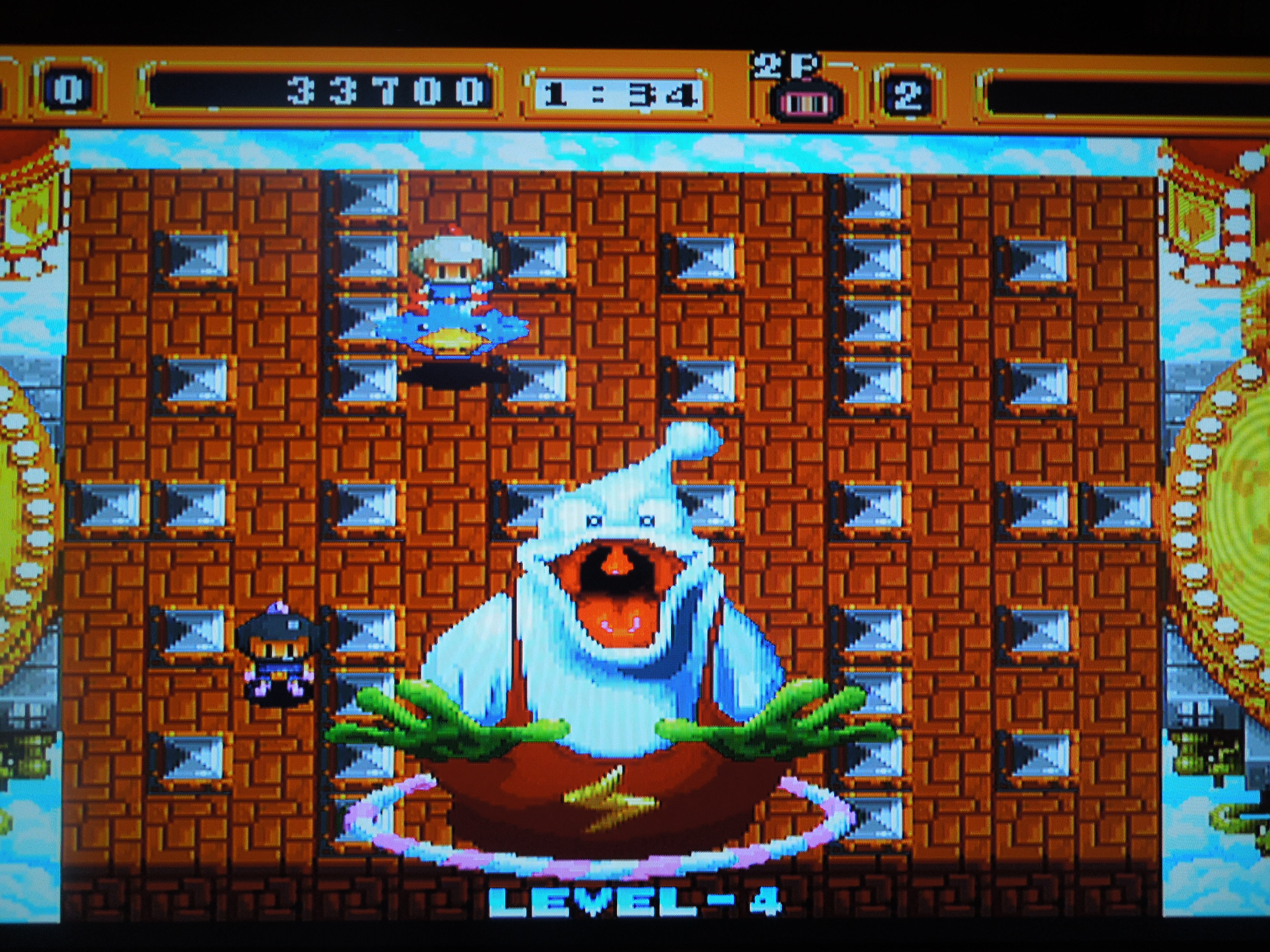
Normal Mode: In Normal Mode, Player One is White Bomberman, and Player 2 is Black Bomberman. The player(s) play through 5 Levels, each of which have between six and eight stages. For example, Level One consists of Stages 1-2, 1-3, 1-4, 1-5, and 1-6. The last stage of each level is a boss fight, and after beating all 37 stages and 5 bosses in the game, you’ll have beaten the game. Each of the 5 levels has its own unique look and different enemies. The goal in each stage (excluding boss fights) is to kill all of the minor enemies with your bombs and get into the Exit Portal before the 2 minute time limit expires (if it expires, you’ll lose a life, and the clock will reset to 2 minutes). In 10 of the 37 stages, you’ll find cages that contain captured Bombermen – blowing these up releases the prisoners, and they’ll ‘help’ you by trying to kill the enemies – although sometimes they’ll inadvertently bomb you, so be careful with them.
1 or 2 players can play through the 37 stages of the Normal (Story) Mode.
Battle Mode:
2 human players: In Battle Mode, if 2 human players want to play, you’ll compete in a 1-on-1 ‘First to 2 wins’ matchup on one of four selectable playing fields. Each human player can select among 12 characters – Bombermen or other characters from the Bomberman universe. Most of the characters have their own unique ‘moves,’ like the ability to dash, turn themselves into a ‘fake’ bomb, or teleport to a random location on the playing field. *Special moves for these characters are activated by pressing Down + B, Left or Right + B, or A + B, depending on the character. After one player wins two matches, the other human player will need to press Start to play again. With 2 human players, there will never be other CPU controlled characters in Battle Mode.
In Battle Mode, 2 human players can fight it out in a ‘First to 2 wins’ match – no CPU opponents appear if two human players are playing in Battle Mode.
1 human player: In Battle Mode, with only 1 human player, you’ll select your character, select a playing field, and play a ‘First to 2 wins’ matchup vs one CPU-controlled character. If you beat your opponent twice, then you’ll play the next round vs. 2 opponents. Keep winning, and you’ll eventually play against 3 CPU-controlled characters, and that’s when things get really frantic. Each of the Battle Mode’s 4 stages has 5 ’rounds’ (round 1 vs one character, rounds 2 and 3 vs two characters, and rounds 4 and 5 vs three characters). If you beat all 4 stages, you’ll beat the Battle Mode. If another human player presses Start on controller 2 during a 1-player Battle Mode round, the round will end and the two human characters will face each other – the winner of the human vs human match will continue where the original human player left off.
Choose from among 12 different characters in Battle Mode.
Music & Sound: The sound effects are great. Each character has different voice samples (in Japanese!) for when they beat a stage. Bomb blasts sound great too, as well as the hilarious death ‘screams’ of the Bombermen. The music is quite good for the most part, with the exception of a few of the levels, where the songs are a little slow-paced and uninteresting.
Language Barrier? No. When played on a U.S. Neo Geo AES, almost everything is in English, except for a few text boxes in Japanese when you beat a stage on Normal Mode. If you play Neo Bomberman on a Japanese console, you’ll get Japanese on the ‘Mode Select’ Screen, and on a European console, you’ll get Spanish. Even if you have a European or Japanese AES, however, the game is still mostly in English, and there’s nothing to prevent your enjoyment of the game.
So, where can I find this game? You can find MVS arcade cartridges on eBay, usually. Remember, the game was never officially released for the Neo Geo AES, but some websites offer professional conversions, like the one used for this review. You can also play the rom on a computer emulator.
Boss fights await at the end of each of the 5 levels.
Conclusion: There are dozens of Bomberman games that have been released on a number of different video game consoles, but only one for the Neo Geo. Personally, I love this version – both the Normal Mode and the Battle Mode are extremely fun and balanced. Comparatively, many other Bomberman games offer support for 3 or 4 players, but this one only has 2, which many would see as a letdown – it’s not (in my opinion). Playing against another human player in Battle Mode is just as fun as ever, despite not having other characters to fight against. The co-op Normal Mode is fantastic to (or even just for one player), and although you have unlimited Credits, that doesn’t spoil the game. The reason for this is that if you lose all 3 of your lives and have to continue, you’ll lose all the powerups you’ve gained, giving you extra incentive not to die. The only change I would make to Neo Bomberman would be to add memory card support. As it stands, I would estimate it takes about an hour and a half to beat the Normal Mode straight through (less time with two human players). You also get points for beating stages quickly, rescuing trapped Bombermen, and killing enemies, and you’ll have a high score at the end of the game. Although you can’t save your high score on the High Score screen, writing down your score on the ‘old dry erase board’ (my version of ‘saving’ high scores on video games) gives you something to shoot for on your next playthrough.
The Southern Gentleman’s Opinion and Letter Grade: Neo Bomberman is an addictive gem of a game. It has a perfect level of challenge, and is one of those games that creates that ‘one more stage’ feel. B+
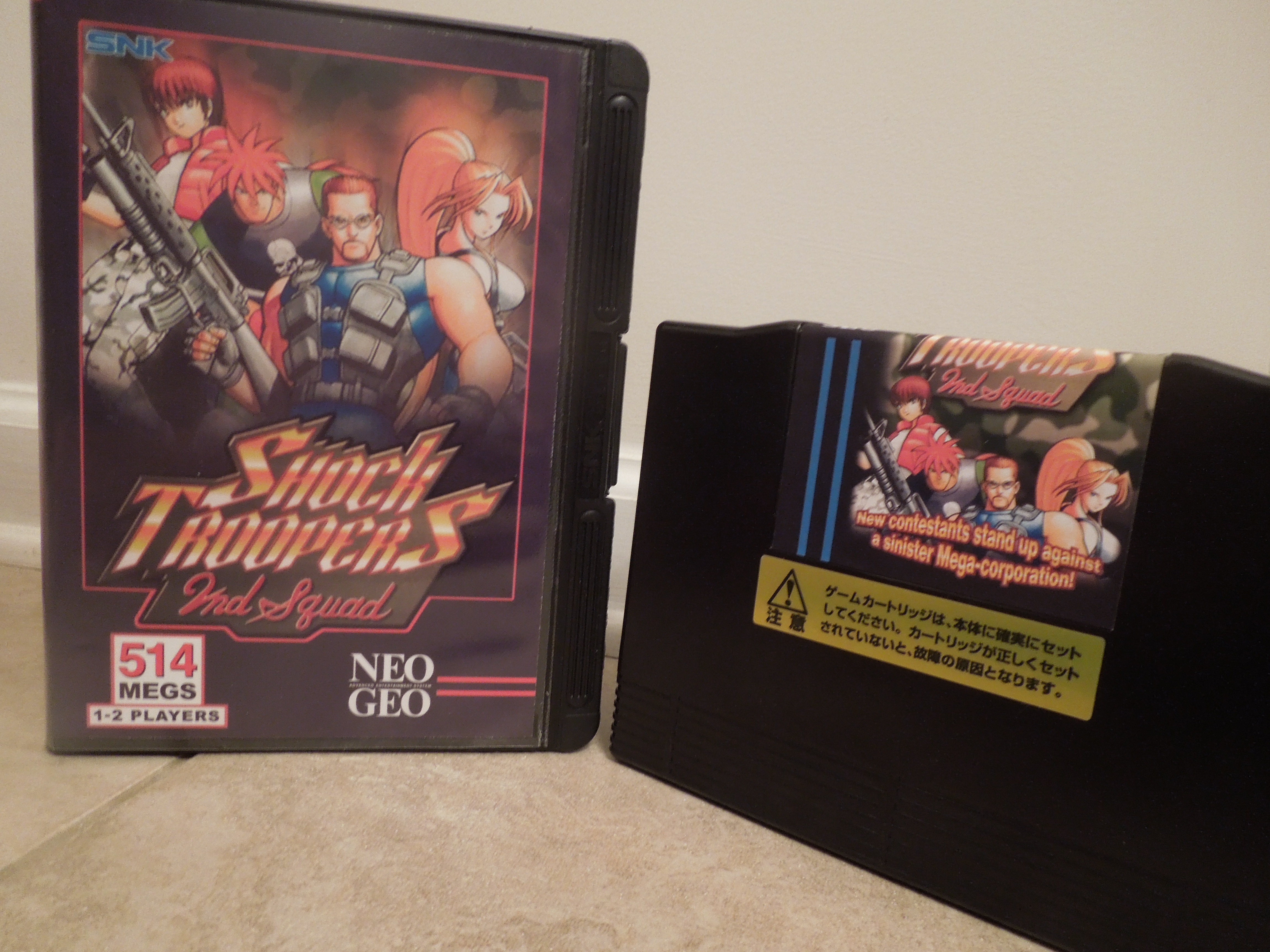
Shock Troopers: 2nd Squad for the Neo Geo AES Original AES copies of 2nd Squad are tough to find. Today, MVS arcade cartridges can be converted to AES home console cartridges.
Note 1: Like shooting games? Check out my reviews of Operation Wolf and Cyber-Lip!
Note 2: This game was played on a Neo Geo AES home console that was modified to output in component video (red, blue, green). It was connected to a 32 inch-HD tv.
*While you can find several other reviews for Shock Troopers: 2nd Squad online, many of them spend too much time comparing the game to its predecessor, Shock Troopers. This review will focus solely on 2nd Squad.
Quick History: Shock Troopers: 2nd squad was released for the Neo Geo AES home console and Neo Geo MVS (arcade cabinet) in 1998. It was a sequel to Shock Troopers, which was only released for the arcade MVS. The game’s home console release did not receive a large production run, making the AES cartridge a bit on the rare side. The copy of Shock Troopers: 2nd Squad used for this review is an AES conversion, meaning the game boards from an MVS arcade cartridge were placed into an AES cartridge.
Players: 1 Player or 2 Player co-op
Neo Geo Memory Card, Credits, Difficulty:This game has no saving functionality when using a Neo Geo Memory Card. Because of this, you’ll only have the game’s given 4 Credits to beat the game – you get 3 lives per Credit. You can set the game’s difficulty from Easy, Normal, MVS (arcade), or Hard. On the Easy setting, you lose less energy when shot, and you can take between 3 and 5 hits before you lose a life, depending on who your character is. On the Normal, MVS, and Hard settings, approximately 2 shots will kill you, depending on your character. However, with practice, you can beat the game on all difficulties.
Story: An organization known as DIO, led by the evil Nakatomi, is threatening to take over the world using military force, and DIO’s armies are killing innocent people along the way. The Shock Troopers are sent in to stop them.
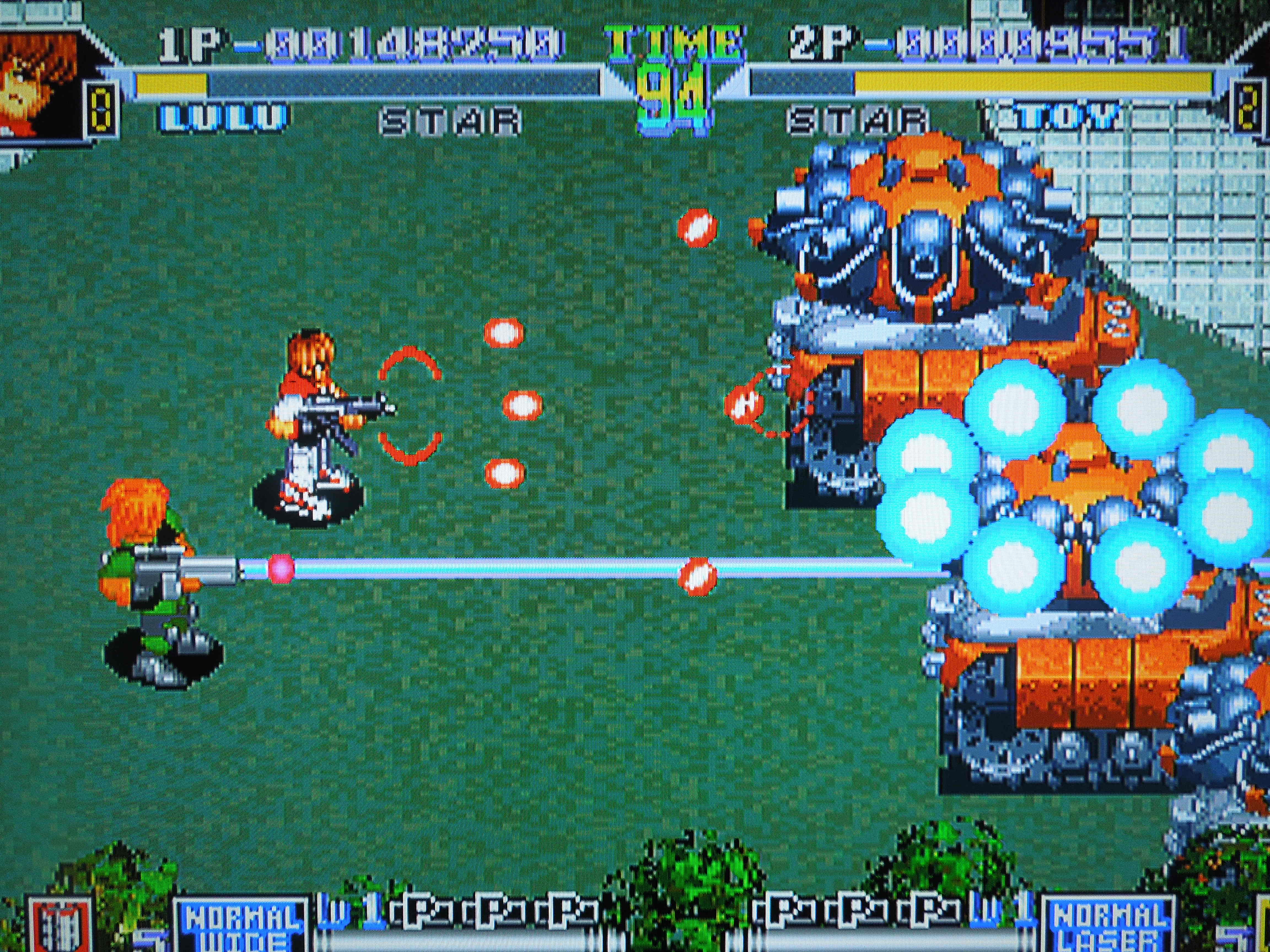
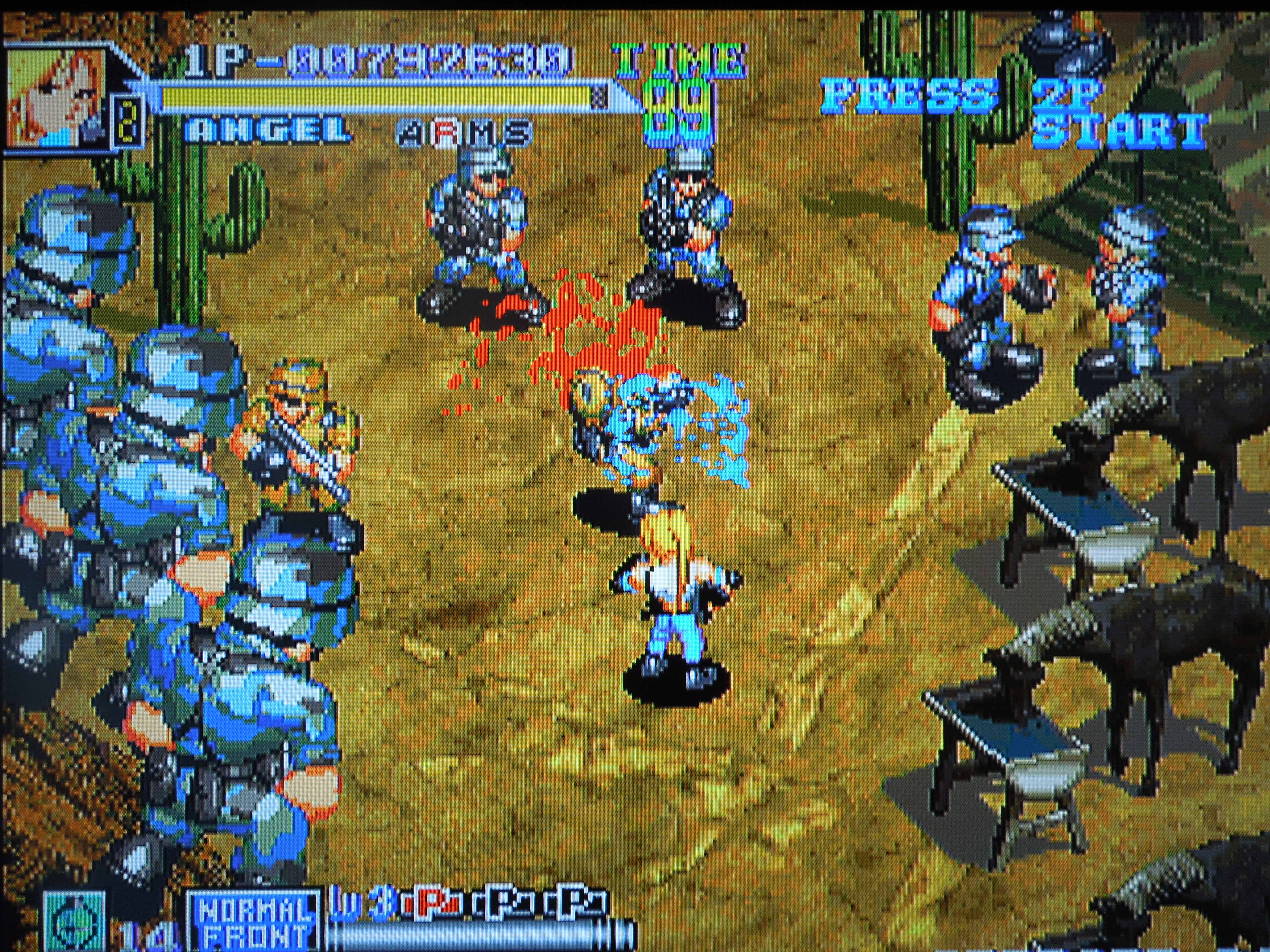
Characters: Choose from 4 Shock Troopers – Leon, Angel, Lulu, or Toy. Each character has his or her own stats for 4 categories – Speed, Attack, Defense, and Evasion. The higher their statistical bars, the better they are at each attribute. Naturally, the characters are all diverse with regards to these categories – Leon has great attack power and a good Defense, meaning it takes more shots to kill him, but he moves slowly; Lulu moves around quickly but has a weak attack and low Defense, so she’ll die quicker when hit; Angel and Toy are more balanced among the categories. Each character has their own unique gun that can be ‘powered up’ as you gather ‘P’ icons in gameplay. Leon and Angel use machine guns, while Toy uses a laser gun and Lulu uses a Spread gun. Each character also has their own limited number of ‘bomb’ special attacks, which will cause major damage to enemies, and are best saved for bosses. Extra bombs can be found in the game’s stages.
All 4 characters play differently and have their own unique gun.
Control: A shoots. When in close to an enemy soldier, A will use your melee attack, like a knife attack with Leon. These melee attack cause enemies to drop power-ups, like weapon power-ups, special bombs, or health packets to restore some of your energy bar. B throws your special bomb. C jumps, and you can jump in any direction. While jumping you are completely invincible, and this is where the strategy of the game comes into play – you don’t have to simply dodge enemy bullets in 2nd Squad, you can ‘evade’ them by jumping, which is useful because you’ll often be under tremendous fire, particularly from bosses.
Gameplay: There are 5 Missions to shoot your way through in 2nd Squad. However, after Mission 1, you can choose which path you want to take, and Missions 2 and 3 are different for each path. Missions 4 and 5 are always the same, no matter which path you choose. Each Mission ends with a boss, typically something mechanical with a ton of firepower, like a huge aircraft.
5 Missions stand between you and victory.
The Tank, the Jeep, and other guns: In all of the stages, you’ll have a chance to jump in either a tank or a jeep. These vehicles cause far more damage than your ordinary guns, and you cannot be killed while in them. They have a life bar and after 5 shots or so, they’ll start flashing, and you’ll have to jump out before they explode. You can also pick up special guns that have limited ammo, like a flame thrower, missile launcher, or ’round’ shot, which fires projectiles in every direction surrounding your character.
Music & Sound: Good. Some Missions have more slow-paced, easy going music, while others have a quick, frantic feel to them. The sound effects are great too. Enemy soldiers scream when they die, and explosions sound like I would imagine large explosions should sound. The game is in English, and occasionally your character will ‘say’ something, like at the end of mission. Lulu, for example, says “Who are you trying to kid?” after beating a mission, and Leon exclaims “Oh my Gosh!” when he dies. These sound bites are hilarious because they are done by someone with a terrible accent.
Regional Differences: If you play 2nd Squad on an American or Japanese Neo Geo AES, there will be blood spurting from enemies when you kill them, and they’ll burn longer when you use the blow torch. If you play on a European console, however, there is no blood and enemies don’t burn for long. Also, if you play on a Japanese console, the controls are a bit different – B is used to jump and C for your special attack instead of B for your special and C for your jump. The games are in English on American and European consoles and in Japanese on that console.
There is a lot of blood in 2nd Squad, unless you play on a European Neo Geo AES.
Endings: There are 2 different endings to the game, depending on whether or not you kill the final boss within the designated time limit.
So, where can I find this game? MVS arcade cartridges are not too hard to find on eBay. Finding an original AES home console cartridge can be tough, however, but today, online websites sell AES conversion cartridges. The game was also released on the Wii Virtual Console. You can also play the rom on a computer.
Another excellent 2-player co-op game.
Conclusion: Shock Troopers: 2nd Squad is a great top-down, ‘run and gun’ shooter. Tons of enemies fill the screen at one time, and bosses are massive. There is some slow-down when a lot happens at one time, but it does not bother me at all, personally – sometimes it makes boss fights easier. I really enjoy the look of this game – the explosions and death-animations of soldiers are of particular note. Since you can’t use the Neo Geo memory card with this game, and you can’t give yourself any more than the pre-set limit of 4 Credits, you are forced to actually learn the game and how to avoid enemy fire using the C button (jump/evade), and I think that is actually a good thing. The last boss of the game is particularly tough, and there have been many times I’ve gotten all the way there and died, out of Credits…Game Over. All in all, it takes about 35 minutes to play through the game. 2 Player co-op is, as with most video games, a welcome feature and a lot of fun.
The Southern Gentleman’s Opinion and Letter Grade: Great action shooter for the Neo Geo AES – recommended. A
Dunk Dream for the Neo Geo AES Dunk Dream (Japanese title) is known as Street Slam in the U.S. and Street Hoop in Europe.
Note: This game was played on a Neo Geo AES home console that was modified to output in component video (red, blue, green).
*Like basketball games? Check out my review of Nekketsu Street Basket.
Quick History: Dunk Dream was released in Japan for the Neo Geo AES home console and Neo Geo MVS arcade cabinet in 1994. Dunk Dream contains similarities with NBA Jam, although it was released one year after that title, and Dunk Dream is not nearly as well-known. Dunk Dream also received releases in the U.S. and in Europe, although the name of the game was changed in those regions to Street Slam and Street Hoop, respectively.
Neo Geo Memory Card: Once your 4 credits have been used, you can save your game to the memory card, then start back then or later where you left off.
Gameplay: Dunk Dream is a 3-on-3 basketball game that features 10 selectable international teams: U.S., Japan, Korea, China, Taiwan, Italy, Germany, France, Spain, and England You select a team and play the game’s other 9 teams. Beat them all, and you beat the game. You’ll play on 3 different courts, all of which have an urbarn ‘street’ feel. If a game ends in a tie, then it’s considered a ‘Draw,’ and you’ll have to play the team again – there is no overtime. Like NBA Jam, Dunk Dream features over-the-top slam dunks and super shots.
Control: Dunk Dream only uses two buttons on the Neo Geo control stick (aside from the stick itself): A and B. A shoots. You can pump-fake a shot by tapping A lightly. B passes (to your closet teammate). On defense, A jumps to block shots, and B steals the ball by swatting at it or throwing an elbow, depending on the player. You can alley-oop by shooting with one player, and if a teammate is near the basket, pressing A + B.
You can set the difficulty level and game length before you begin play.
Teams: Each team has their own strengths and weaknesses, broken down into 4 categories: Dunk, 3 point, Speed, and Defense. A bar indicates where each team ranks in these categories – the longer the bar, the better the team is in that area.
Super Shots: After you, or the CPU, make 4 shots (they don’t have to be consecutive either), your “Super Meter” at the bottom of the screen will become full, and you can then execute a Super Dunk by pressing A inside the 3-point line, or you can shoot a fire-streaked 3-pointer from just outside the 3-point line.
Dunks occur early and often.
Options: At the beginning of the game, you can set the difficulty from 4 levels: Easy, Normal, MVS (arcade), Difficult. The game is not tough to beat on Easy (although that doesn’t mean the CPU is a total pushover), but you’ll probably lose some games on the higher difficulties unless you practice. You can also set the time of the game at any 15 second increment from 1 minute to 4 minutes. Their are no ‘halves’ in Dunk Dream, so whatever time you select is the time for the whole game – no timeouts, either. Because the clock moves quickly, it’s usually better to increase the clock to its maximum of 4 minutes.
View your stats at the end of the game.
Music: Outstanding. 3 relatively-corny rap songs play in the background during your matches that are strangely addictive. The songs were made just for this game, and they fit the fast gameplay and courts more than appropriately. Here’s a sample of one of the songs: “This is 3 on 3 street basketball, if you wanna jump in, you gotta answer the call!” Check out a video online to get a better idea of the music – it’s definitely cheesy, but you’ll find yourself singing it anyway.
2 players: There is a two player VS. mode, but unfortunately, no co-op mode.
Language Barrier? No. The only time you’ll see anything other than English is during the ‘demo’ that shows you how to play the game, where the instructions are in Japanese. However, it only takes about 1 minute to learn the game.
Dunk Dream is all in English except for the demo.
So, where can I find this game? It is available in a variety of formats. In addition to the AES home console and MVS arcade machine, it was also released for the Neo Geo CDZ. It was also available on the Virtual Console for the Wii, and on a compilation disc put out by Data East. You can also play the rom on your computer.
Differences between the game across regions: The gameplay is the same across regions, but minor changes were made to the game depending on what region your Neo Geo AES console is from. This means, for example, that if you put a copy of Dunk Dream in a U.S. Neo Geo, it would have the Street Slam settings.
In Japan, the game is called Dunk Dream, has international teams, no halves, and no overtime period.
In the United States, the game is called Street Slam, has U.S. city teams, 2 halves, and 1 overtime period.
In Europe, the game is called Street Hoop, has international teams, 2 halves, and 1 overtime period.
Conclusion: Dunk Dream is a fantastic arcade-style basketball game. While you’ll be quick to notice how similar to NBA Jam it is, I actually prefer this game. It moves a bit slower (though it’s still fast), but it controls better (in my opinion) than the more popular NBA Jam. The music, sound effects, and courts combine perfectly to create an addictive atmosphere, and the games are quick, even if you set the timer to 4 minutes. The teams are different enough that there is replayablility in trying to beat the game with different teams. For 2 player VS sports games, this game is a great choice.
The Southern Gentleman’s Opinion and Letter Grade: Dunk Dream is worth your time if you enjoy sports games and are looking for something different on the Neo Geo AES. Recommended for fans of basketball or sports in general. A
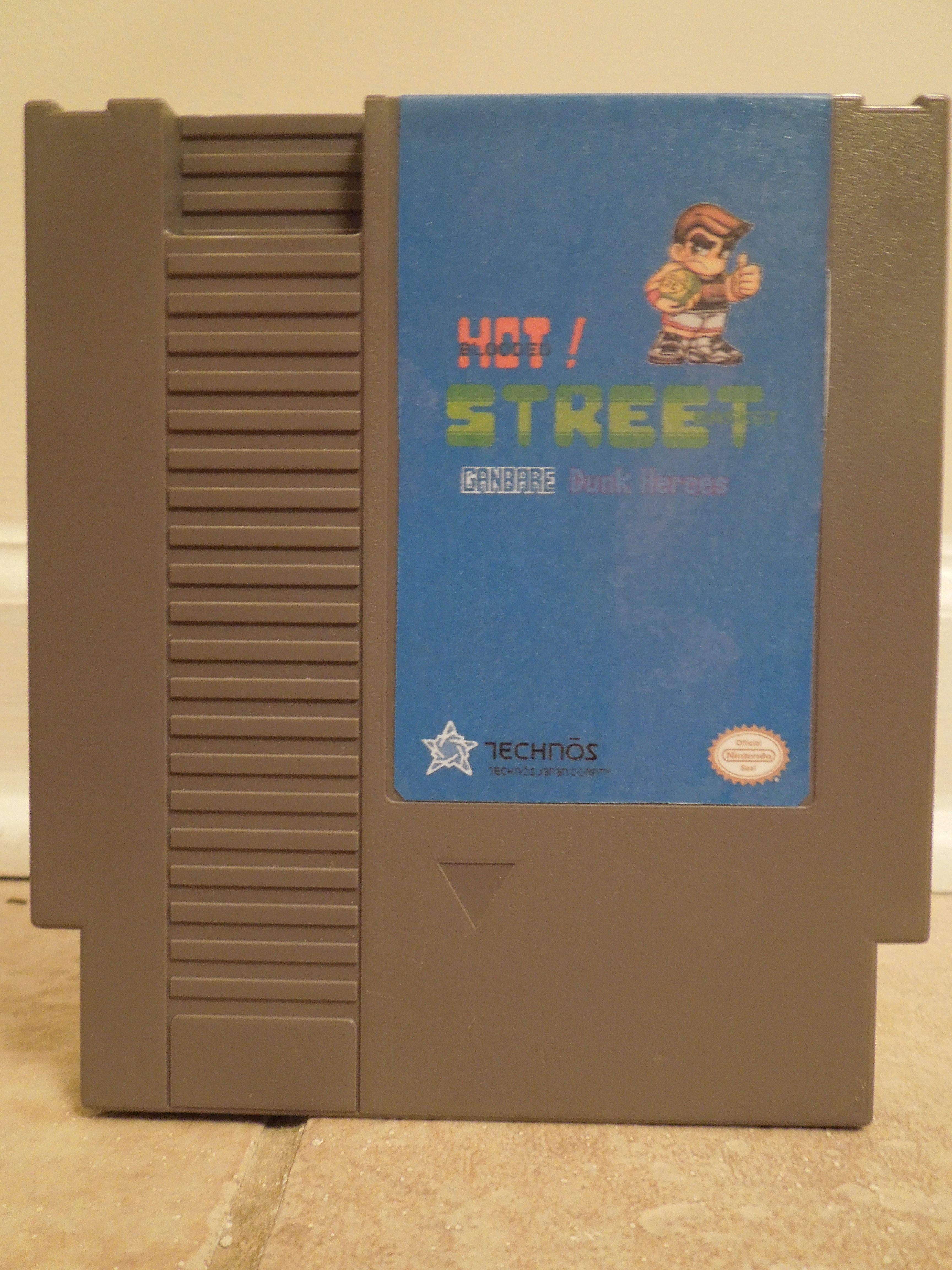
Ganbare Dunk Heroes for the NES NES translated-reproduction cartridge of Ganbare Dunk Heroes
Check out my youtube video about this game: My channel is ORO Video Games (just type it in the search engine). I’ve reviewed this game and several others. Thanks & God Bless!
Note 1: Like basketball games? Check out my review of Dunk Dream!
Note 2: This game was played on an NES 101 model (toploader) that was modified to output in AV composite (red, yellow, white) just like the original NES. It was connected to a 32-inch HD tv.
Quick History: Nekketsu Street Basket: Ganbare Dunk Heroes was released for the Famicom (Japanese NES) in 1993. The game never received an official translation or release outside of Japan. In the Nekketsu series of sports games for the Famicom (including ice hockey, soccer, dodge ball, fighting, and others), Ganbare Dunk Heroes was the last game released for the system. Since then, the game has been (partially) translated and put on NES cartridges, and today, NES reproduction websites sell the game. This review is for an NES translated reproduction cartridge of Ganbare Dunk Heroes.
Story: Kunio-kun, the main character in all Nekketsu games, wins a quiz-show contest and his prize is a two-week vacation to the United States. His friends Riki and Godai tag along, and along with Jonny (who is evidently already in the States), the 4 enter a U.S. basketball tournament.
Modes: 2 ‘modes’ exist in the game: Story Mode and Battle Mode.
-Story Mode is for 1 player or 2 player co-op, and as Team Nekketsu (Kunio, Riki, Godai, Jonny), you take on the game’s other 7 teams. You must beat each team twice – once on their home court and once on your home court, which is in Niagara Falls, Canada. You can choose to play the other teams in any order that you wish, and an airplane will fly you to their U.S. destinations, or fly them to your home court in Niagara Falls. After every win, you’ll get a 6 digit password, meaning you don’t have to beat the game in one sitting.
-Battle Mode is for 1 player or 2 players (VS). For 1 player, you first select any of the game’s 8 teams as your team, then select a CPU opponent to face. In 2 player VS, player I selects a team, then player II selects a team for a game (you cannot select the same team). *Note: Battle Mode has an option for 3 players or 4 players, but this option, unfortunately, cannot be activated on this reproduction cartridge. I believe you can only play with 3 or 4 players using the original Famicom cartridge of Ganbare Dunk Heroes, a Famicom (Japanese NES) console, and an appropriate Japanese multi-tap device.
Each team has their own unique play-style.
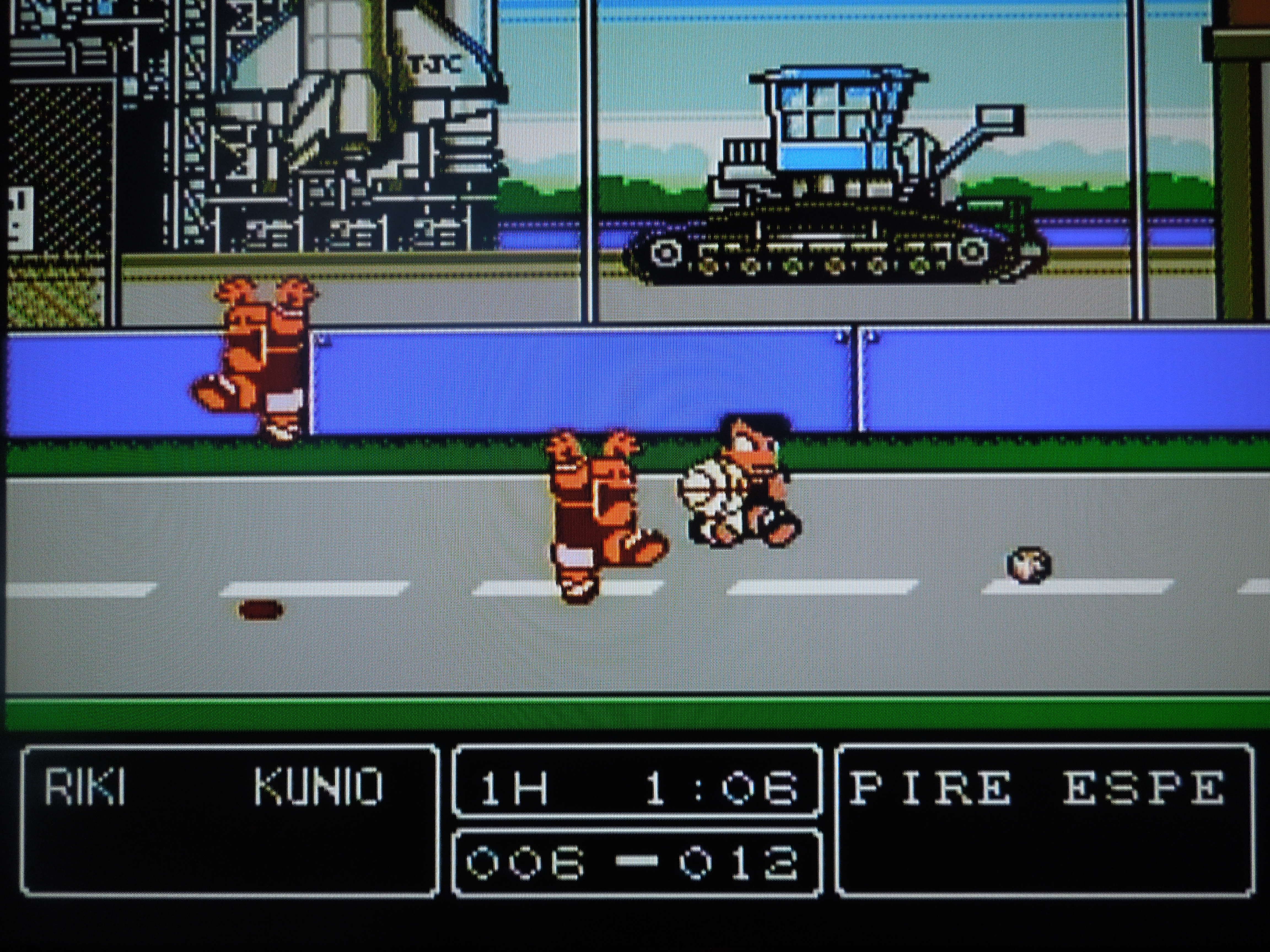
Gameplay: In either Story Mode or Battle Mode, you play 2 on 2 basketball games, Nekketsu style. Each game is split into two 3-minute halves. There are no timeouts, foul calls, or injuries. Before each game, you select which 2 of your team’s 4 players you want to be your ‘Starters’. Each player has different strengths and weaknesses, broken into 5 categories: Energy, Power, Speed, Jump, and Shoot. The higher the ‘bar’ beside each category, the better your player is at that attribute. Once you pick your two players, you select from 5 ‘play styles’ – Attack, Mark Him, Nice Play, Anything, Defense. These play styles mostly determine how your computer-controlled partner will behave (if you’re playing with 2 human players in co-op Story mode, this selection essentially becomes irrelevant). In my experience, Nice Play is the best selection, as your computer-partner will consistently attack your opponents and go for slam dunks when he has the ball.
Controls: B shoots with the ball, or tells your computer partner to shoot. A passes with the ball, or tells your computer partner to pass. On defense, A punches and B kicks. Pressing A or B near an on-court object (like a box) picks it up, and A swings it. Pressing A + B jumps, and a ‘double jump’ can be achieved by pressing A + B again once you’re airborne. Pressing a quick Toward, Toward runs, and pressing Up, Up or Down, Down while running causes a juke/spin move. You can also jump on your teammate’s shoulders, and he carry you and launch you towards the goal.
Choose your two best players before each game.
The Teams: The 8 teams in the game are Team Nekketsu, Florida, Hawaii, Las Vegas, New York, San Francisco, Texas, and U.S. Navy. Each teams’ players look distinctly different, and each individual player has their own unique ‘attack’ moves and Super Shot. Additionally, each team has their own distinct home court. For example, the U.S. Navy plays on an air craft carrier and Texas plays on a ranch. Courts have certain interactive features that can be utilized by either you or your opponents as well. For example, in New York, you can run into the Underground Subway Station and come out on the other side of the screen; in Texas, you can run into a horse to get kicked towards your goal for a slam dunk.
In Story/Season Mode, you have to beat each team twice.
Scoring: Unlike traditional basketball, Ganbare Dunk Heroes has 6 hoops instead of 2 – three for each team to shoot on. A super high top hoop, a mid-height hoop, and a regular-height hoop are all available for you to shoot on. To shoot on the mid-height and high-hoop, you need to double jump or hold the shoot button for a few seconds. The highest hoop nets you 4 points, while the lower two hoops get you 3 points. It is possible (and happens often) to have a 12-point play if you shoot the ball through the top hoop and it goes through all 3 baskets. Unlike regular basketball, an automatic change of possession doesn’t happen after a score either. Instead, if you score, you continue playing. So, if you score, try to grab the ball and put it right back up to try and score again! This fast-paced style of play makes for high scoring matches. Also, if you or your opponent score often, one of your hoops can fall down. If this happens, simply pick it up and ‘shoot’ it at the backboard and it will re-stick.
Each team has 3 baskets to shoot on.
Music & Sounds: Ganbare Dunk Heroes has excellent music and sound effects. Different themes play depending on the court that you’re playing on, and the sound effects for dunks and attacks greatly add to the frantic and fast-paced action of the game.
So, where can I find this game? The original Famicom Ganbare Dunk Heroes didn’t receive a high-production run, but can still be found on eBay. NES reproduction websites sell (partially) translated versions of the game, like the one used in this review.
The game’s only partially translated? Yes, or at least my copy is, and I believe it’s the only translated version that’s been created. Most of the important stuff is translated however, including the Story and the statistics of each character. One thing that was not translated from Japanese that should have been, however, was the ‘equipment’ you receive after you win a match. You can still equip these stat-boosting items easily, however, and you’ll know if it’s beneficial or not if your statistical bars increase or decrease.
8 unique courts add to the game’s replayability.
Conclusion: Ganbare Dunk Heroes is perhaps the best basketball game on the NES. It far outshines, in my opinion, more well-known games like Double Dribble or Arch Rivals. While it greatly exaggerates the game of basketball with multiple hoops and fighting elements, it’s still basketball at its core. The addition of a 2 player co-op Tournament/Season mode is a great one as well, as too often sports games only included VS modes for 2 players. Another element that makes this game stand out is the ability to play as any team in the Battle Mode without having to have more than 1 player. In other Nekketsu sports games, often the only way to play as the game’s other teams was to have at least 2 players – not so with Ganbare Dunk Heroes. On the downside, the game does flicker sometimes, although not terribly, when too many sprites appear on screen (nothing like the flickering in Super Dodge Ball, if you’re familiar). Also, the incomplete nature of the translation is unfortunate, although it doesn’t affect gameplay.
The Southern Gentleman’s Opinion and Letter Grade: This is fantastic NES basketball game with good replay value. Recommended for basketball fans, Nekketsu fans, or both. B
VS. Excitebike for the NES. VS. Excitebike has DIP switches on the front that allow you to change particular game settings.
Note 1: This game was played on an NES 101 model (toploader) that was modified to output in AV composite (red, yellow, white) just like the original NES. It was connected to a 32-inch HD tv.
Note 2: If you’re interested in another obscure Excitebike game, check out my review of the Mario version, BS Excitebike, in my SNES section.
Quick History: VS. Excitebike was originally released for the Nintendo VS. UniSystem arcade cabinet in 1984, 1 year before the NES version that dropped the ‘VS’ part of the title. The VS. UniSystem played arcade boards that were versions of NES games, although most of the games (like VS. Excitebike) were different from their NES counterparts. VS. Excitebike for the VS. UniSystem and the well-known Excitebike for the NES are not exactly the same game, and this review will address some of the differences. Also, there was a version of VS. Excitebike released in 1988 exclusively for the Japanese Famicom Disk System – that version is also different from the VS. UniSystem arcade version. The version reviewed here is the 1984 VS. Excitebike that was released for the VS. UniSystem arcade cabinet. Somehow, NES reproduction makers have been able to put some of these old VS. arcade games onto NES cartridges for play on original Nintendos, and that is the case with VS. Excitebike.
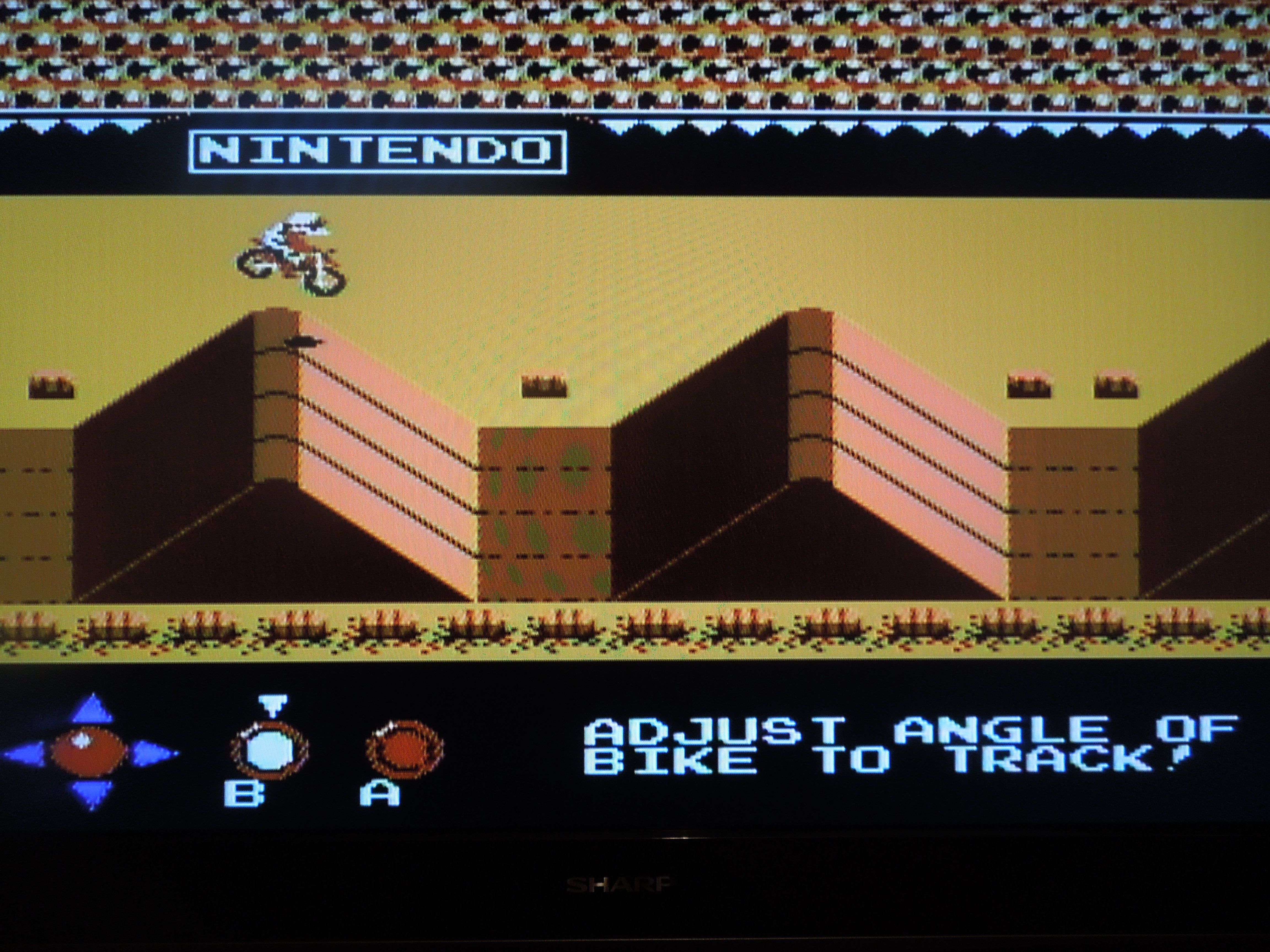
Gameplay: Because VS. Excitebike is an arcade game, if you let the game scroll through the ‘attract’ mode (what you would see if you walked by a particular arcade machine in an arcade back in the day), you’ll see instructions for how to play the game. Basically, VS. Excitebike is a motorbike racing game where you’ll navigate obstacles, ramps, and other drivers while trying to finish first. Pressing Start + Select on the ‘Insert Coin’ screen starts the game. A accelerates, B is turbo, but if you use turbo for too long your motorbike will overheat. You have to race through 7 tracks in VS. Excitebike – you’ll have to race each course twice, once in a ‘Challenge’ mode where you race 1 lap alone and must qualify by finishing under a designated time limit, and once in an ‘Excitebike’ mode where you race 2 laps against 3 other bikers and must qualify for the next course by, again, finishing under a designated time limit. As long as you finish in the ‘Top 5’ you’ll advance to the next course. The lower your time is (under the qualifying cutoff time), the higher your finish placement will be. As long as you finish under the qualifying cutoff time, even it’s by less than 1 second, you’ll at least finish 5th and be able to move on.
You’ll have to beat the Challenge course to qualify for the Excitebike course against other bikers.
DIP Switches: DIP switches are electric switches used on arcade boards (games). They allowed arcade owners to dictate the specifics of their arcade machines, like how many quarters it took to play the game, or how difficult the game should be (putting games on more difficult settings allowed arcade machines to pull in more money, because players ‘died’ faster). On this NES reproduction of VS. Excitebike, their are DIP switches on the front of the cartridge, along with instructions for what each switch does. For example, if you move switch 6 to the left, the game’s ‘Challenge’ races will be set to Easy (you have more time in which to qualify for the ‘Excitebike’ races). If you move switch 6 to the right, the game’s ‘Challenge’ races will be set to Difficult (you have less time in which to qualify for the ‘Excitebike’ races).
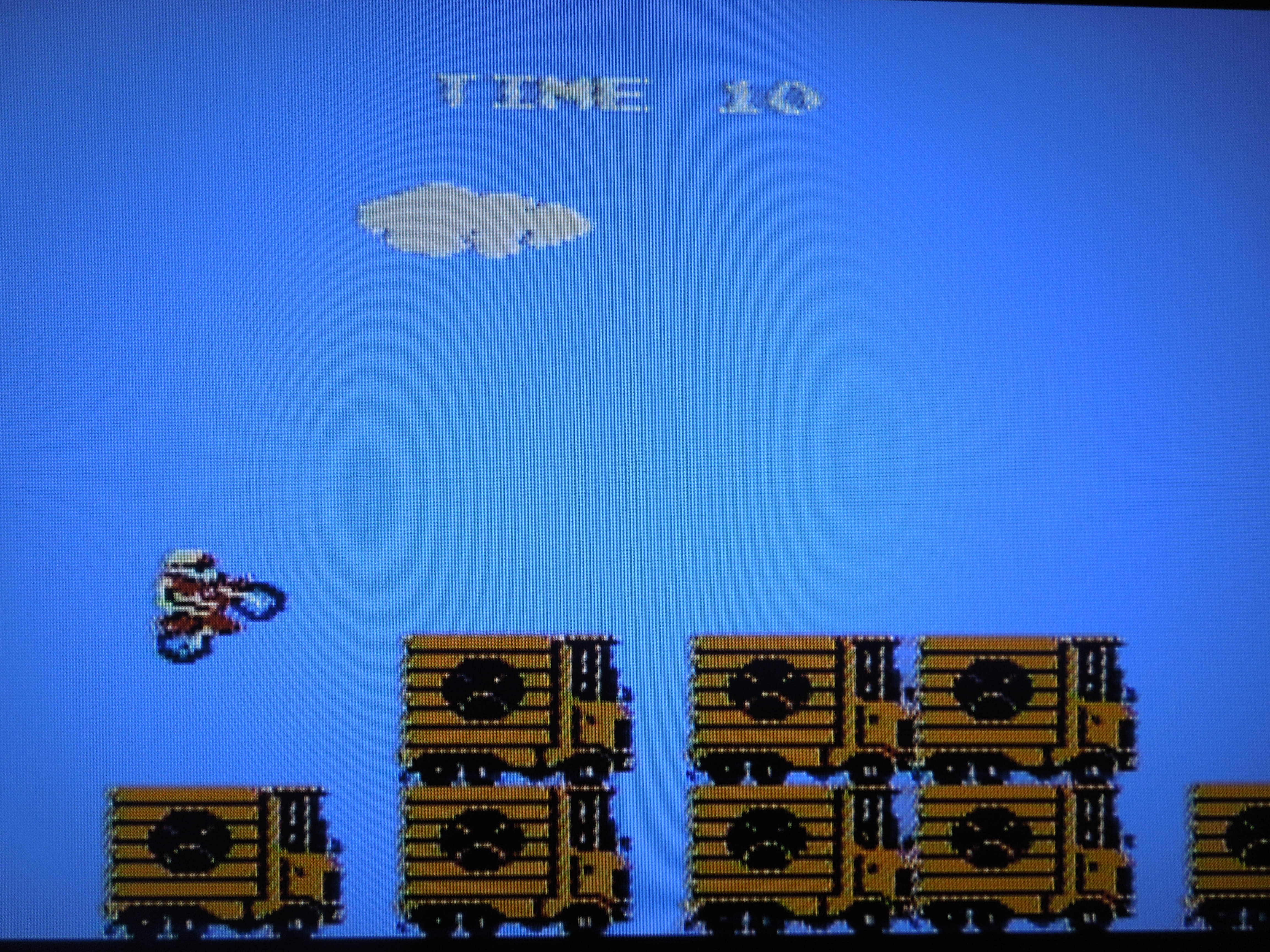
VS. Excitebike is designed to have you try and achieve a high score. A truck-jumping bonus games lets you rack up extra points.
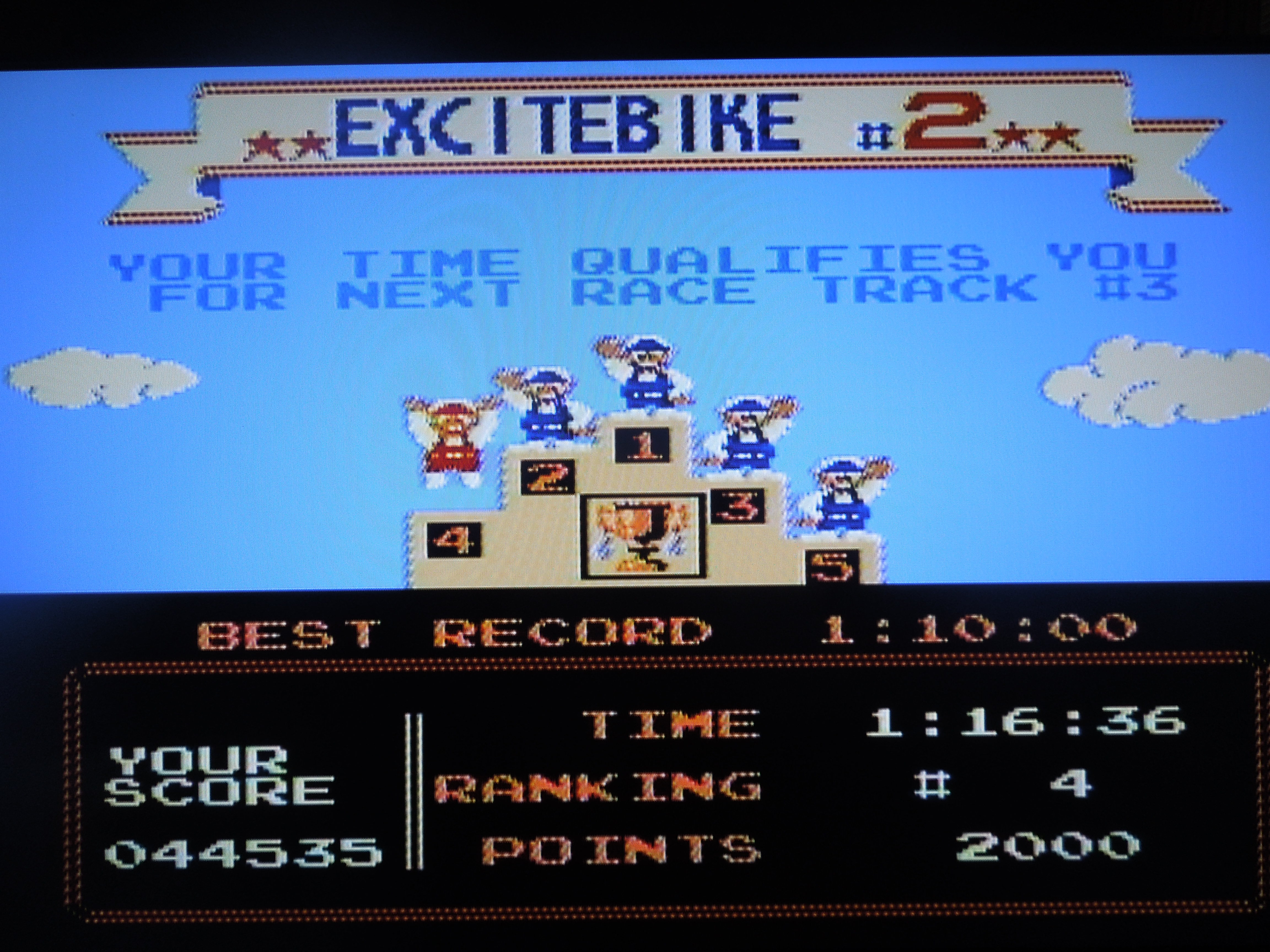
Points: VS. Excitebike is a high-score racing game. You have a ‘Total Points’ counter that runs throughout the game, and finishing 1st in either the ‘Challenge’ course or ‘Excitebike’ course nets you 10,000 points. Finishing 2nd, 3rd, 4th, or 5th nets you decreasingly lower points. If you have the DIP switches set to their defaults (all switches to the left), you’ll get an extra bike at 100,000 points, and then again at every additional 50,000 points. After you lose all your bikes/lives (you only have 1 unless you gain extra ones), it’s Game Over. Then you’ll see the ‘Top 10’ high scores and where you ranked (you can enter your initials). Unfortunately, the cartridge does not save your high score, but keeping a notebook handy to write down your score is a good idea. Trying to best your high score gives the game great replayability.
Beginner, Intermediate, Advanced: Before you begin racing, you’ll have to select among Beginner mode, Intermediate mode, and Advanced mode. These have nothing to do with the amount of time you’ll have to qualify for the next race (use the DIP switches for that). Instead, these modes simply place you at the start of different races. For example, Beginner starts you at the ‘beginning’ of the game, on Challenge 1. Intermediate skips Challenge 1 and Excitebike 1, gives you an automatic 30,000 points, and starts you at Challenge 2. Advanced skips the first 2 Challenges and Excitebike courses, and starts you at Challenge 3, this time starting your point total at 60,000 points. It’s good to start at Advanced once you grow accustomed to the game, because this lets you skip the first two courses and sets you well on your way to getting an extra bike (life) at 100,000 points.
Bonus Game: A bonus game where you use ramps to jump trucks comes after Excitebike course 3. If you manage to jump all the trucks, you’ll get an even bigger score boost. This bonus game is a great way to work your way towards an extra life.
Differences between VS. Excitebike and original NES Excitebike:
Excitebike VS. Excitebike
Press Start to begin Press Start + Select to ‘insert coin’
Selection A or Selection B modes No ‘selection’ on game mode
Design Tracks Mode No Design Tracks Mode
Finish in top 3 to qualify Finish in top 5 to qualify
5 total different tracks 7 total different tracks
Winner screen has small racers Winner screen has bigger racers
No truck jumping bonus game Includes truck jumping bonus game
Game doesn’t keep score Game keeps up with a total score
No high score screen Includes high score screen
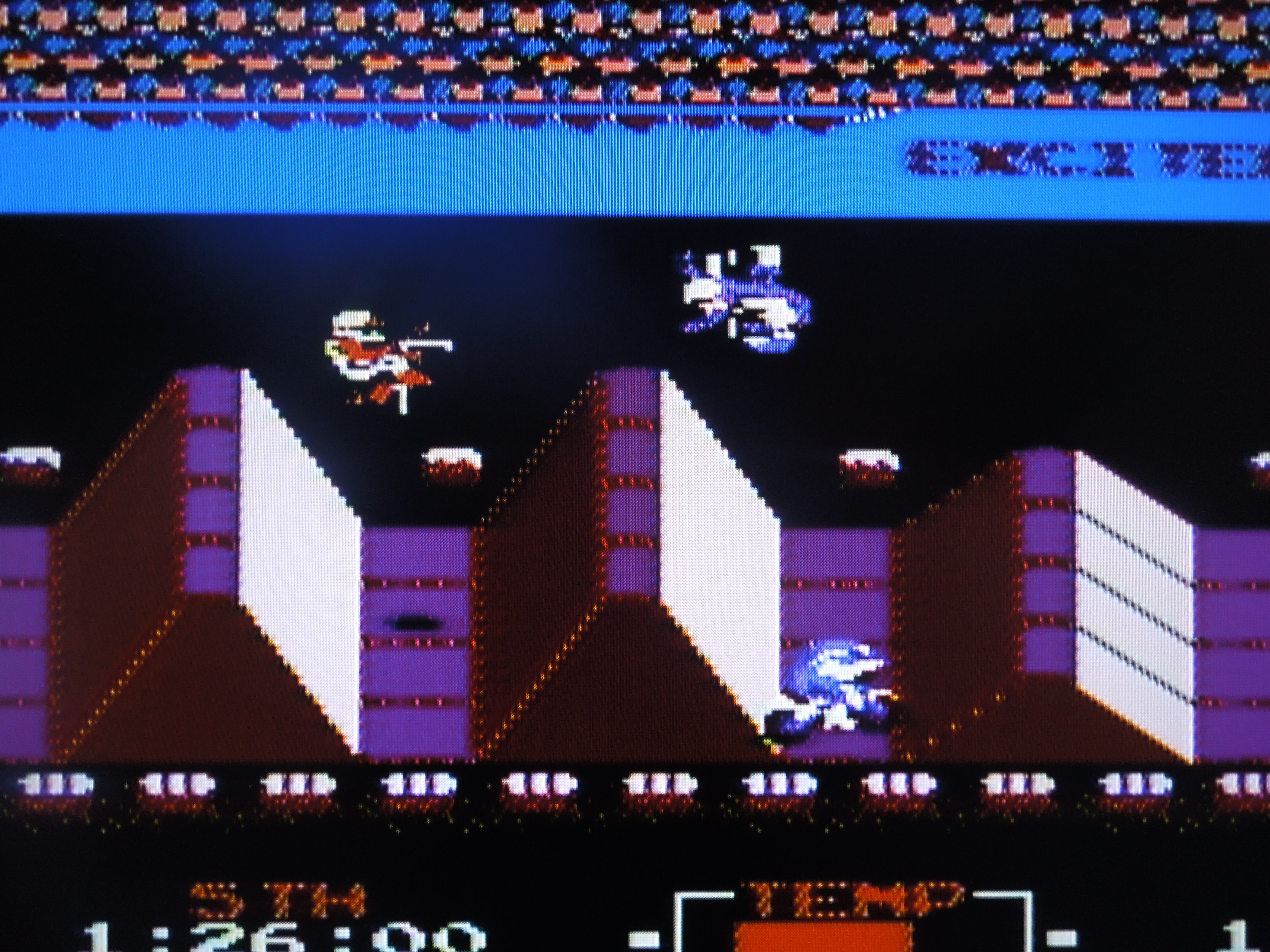
The game’s 7 Excitebike races get increasingly challenging.
So, where can I find this game? This one may be a bit harder to track down. I got the game from a reliable NES reproduction website, although I don’t know if it’s for sale any longer. I’m not sure how many other NES reproduction websites can make VS. Excitebike – it’s different from other NES reproductions in that it’s based on an arcade game. If you want to play the rom on your computer, I believe you’d have to play it in the MAME (arcade) emulator instead of an NES emulator.
Finish in the Top 5 or it’s Game Over.
Conclusion: VS. Excitebike, in gameplay, looks almost exactly like the well-known Excitebike that most gamers are familiar with. However, the gameplay is different enough that you’ll recognize this game as being different. I like that you now have to ‘qualify’ for the Excitebike courses. Also, the addition of the high score system is great, and I believe this alone gives the game more replay value than original Excitebike. The Design mode is not in this version, and that is unfortunate, as that was one thing that gamers really loved about the original NES Excitebike. VS. Excitebike is quite challenging. Beating all 7 races, both the Challenge course and the Excitebike course, will take a lot of practice, and you’ll need every extra life you can earn through gaining points. What’s particulary neat about VS. Excitebike is that it is an arcade game, and playing it on the NES is a unique experience.
The Southern Gentleman’s Opinion and Letter Grade: VS. Excitebikeis a great alternative way to play Excitebike. Recommended if you’re a big fan of the NES original. A

 Pocket Color Tennis for the Neo Geo Pocket Color
 There aren’t many games that are easier to pick up and play than Pocket Color Tennis.
 Each of the game’s 10 players have varying stats with regards to power and speed.
 There are multiple tournaments in the game for you to try to beat.
 The game saves the trophies you obtain by winning tournaments in your Records.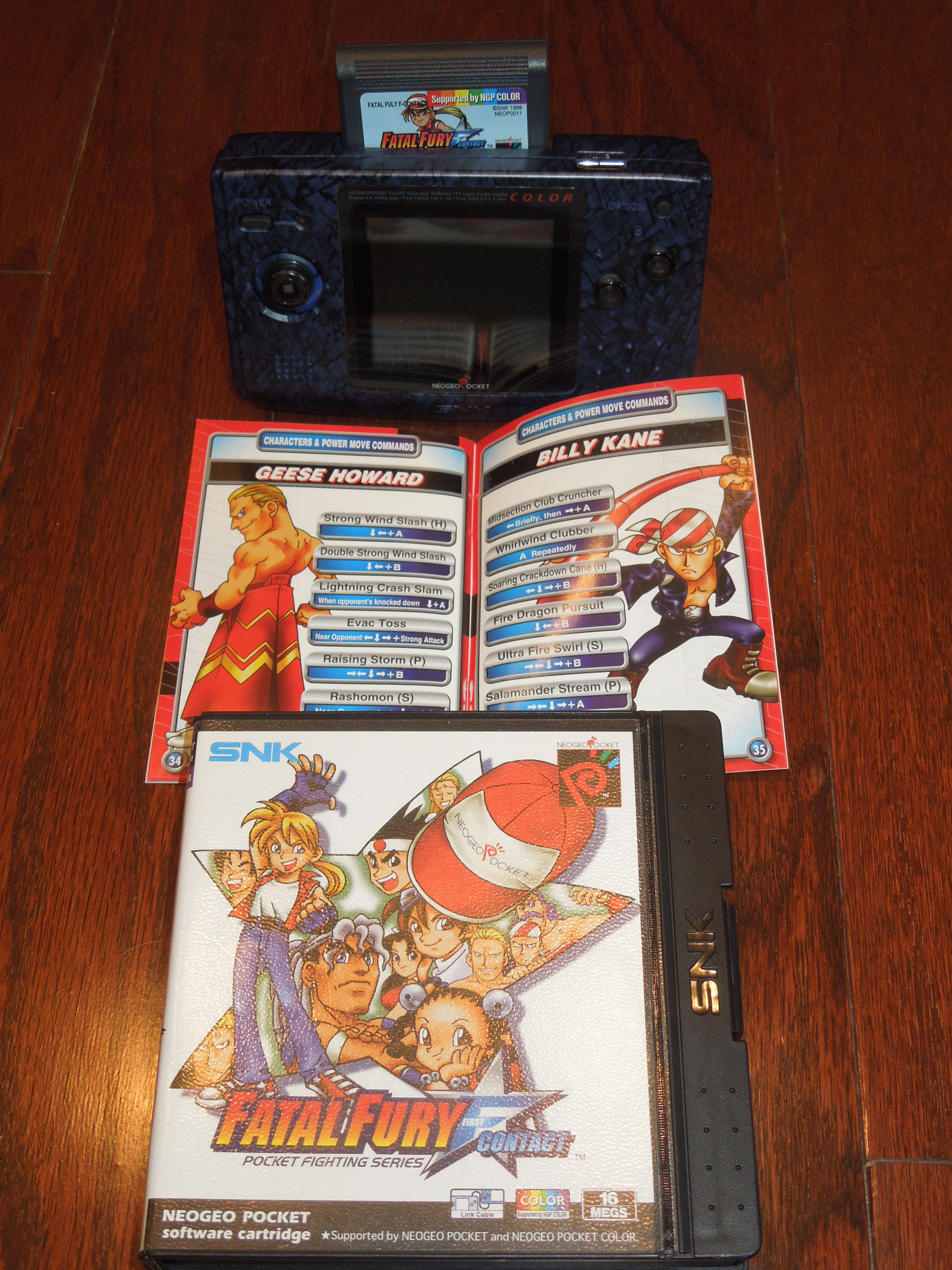

















 Obscure Video Games